



The WC Points Gateway allows users to purchase products using their earned points instead of traditional payment methods. This feature helps you create a reward-based ecosystem where users can earn and spend points seamlessly within your store.
Overview
With WC Points Gateway enabled:
- Users can earn points through activities (e.g., achievements, actions, purchases).
- Points act as a virtual currency.
- Customers can pay fully or partially using points during checkout.
- No real money payment is required if the user has sufficient points.
How to Enable WC Points Gateway
Follow these steps to activate the points-based payment system:
1. Navigate to GameEngine Settings
- Go to your WordPress Dashboard
- Navigate to GameEngine → Settings
2. Open Ecommerce Settings
- Click on the Ecommerce tab inside GameEngine settings.
3. Configure Conversion Rate
- Set the Conversion Rate
- This defines how many points equal one unit of currency
- Example: 100 points = $1
4. Enable Points Gateway
- Toggle Enable Gateway to activate point-based payments.
5. (Optional) Enable Partial Payment
- Toggle Enable Partial Payment if you want users to:
- Pay partially with points
- Pay the remaining amount with other payment methods
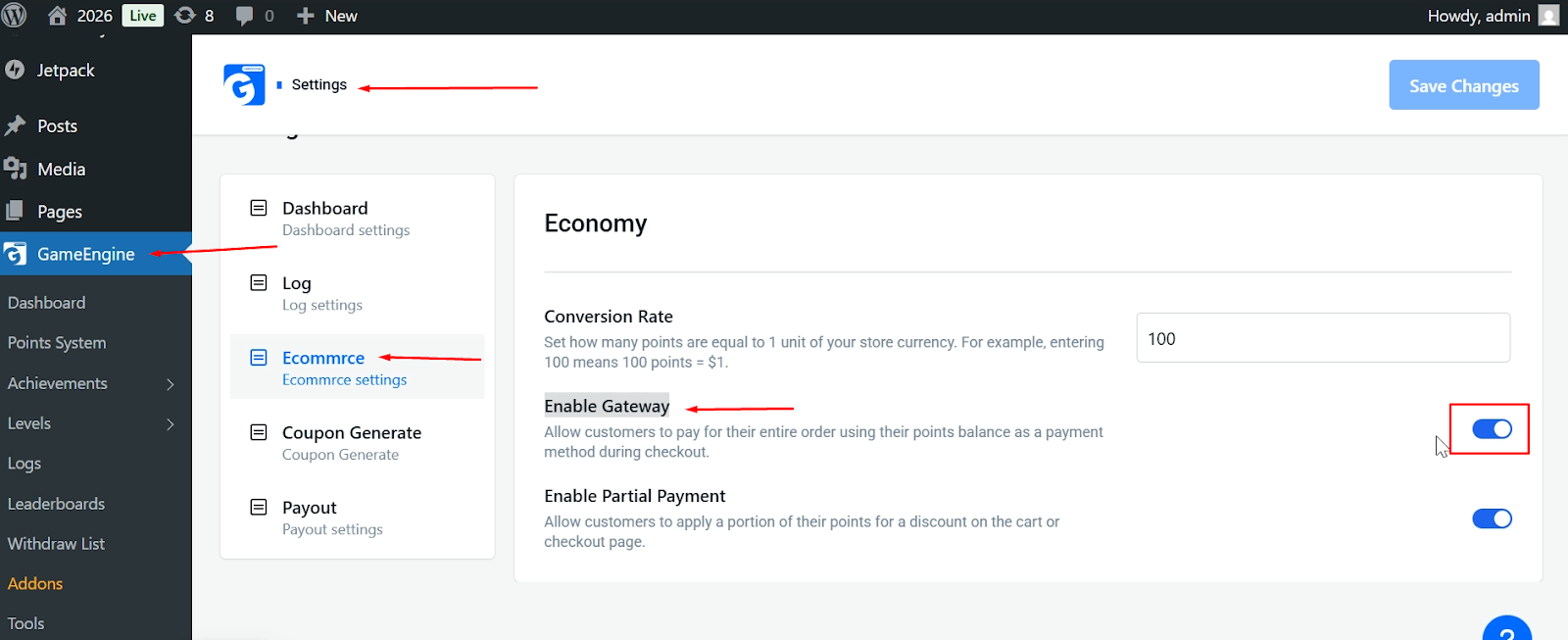
6. Save Changes
- Click Save Changes to apply the settings.
How It Works on Checkout
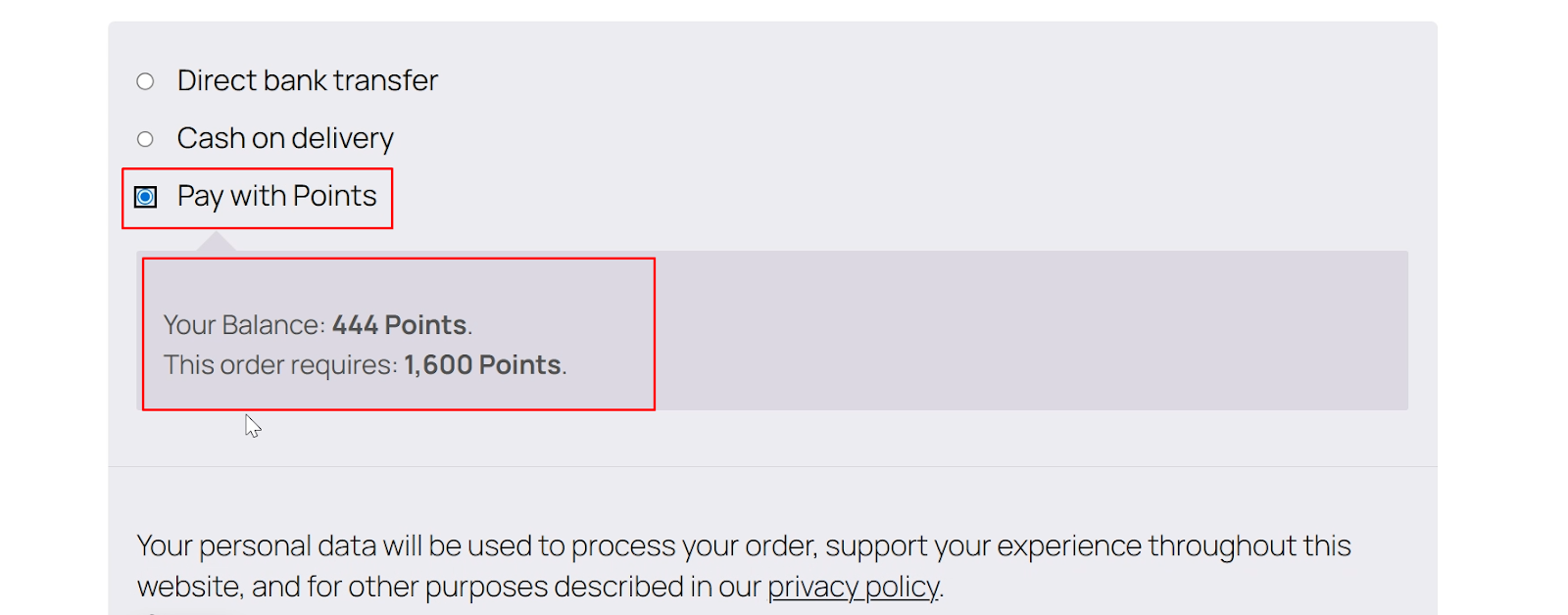
Once enabled, users will see a new payment option during checkout.
- A “Pay with Points” option will appear alongside other payment methods.
- The system will display:
- User’s current points balance
- Required points for the order
Payment Scenarios
Full Points Payment
- If the user has enough points:
- They can complete the purchase using points only
- No real payment is required
Partial Points Payment (if enabled)
- If the user has insufficient points:
- They can use available points
- Pay the remaining amount via another payment method
Benefits of WC Points Gateway
- Encourages user engagement and retention
- Creates a gamified shopping experience
- Reduces dependency on traditional payment methods
- Increases repeat purchases using rewards
Important Considerations
- Accurate Conversion Rate: Ensure your points-to-currency ratio is correctly configured.
- User Balance: Users must have enough points for full payment unless partial payment is enabled.
- WooCommerce Compatibility: Ensure WooCommerce is properly installed and configured.
- Points Management: Keep track of how users earn and spend points to maintain balance in your system.
The WC Points Gateway is a powerful way to turn user engagement into real value. By allowing purchases through points, you create a more interactive and rewarding experience for your community.