



In a gamified ecosystem, data integrity is everything. The GameEngine Logs system provides a detailed, chronological record of every point earned, achievement unlocked, and rank transition. Whether you are troubleshooting a user’s balance or auditing your economy, the logs are your source of truth.
1. Viewing the Log Directory
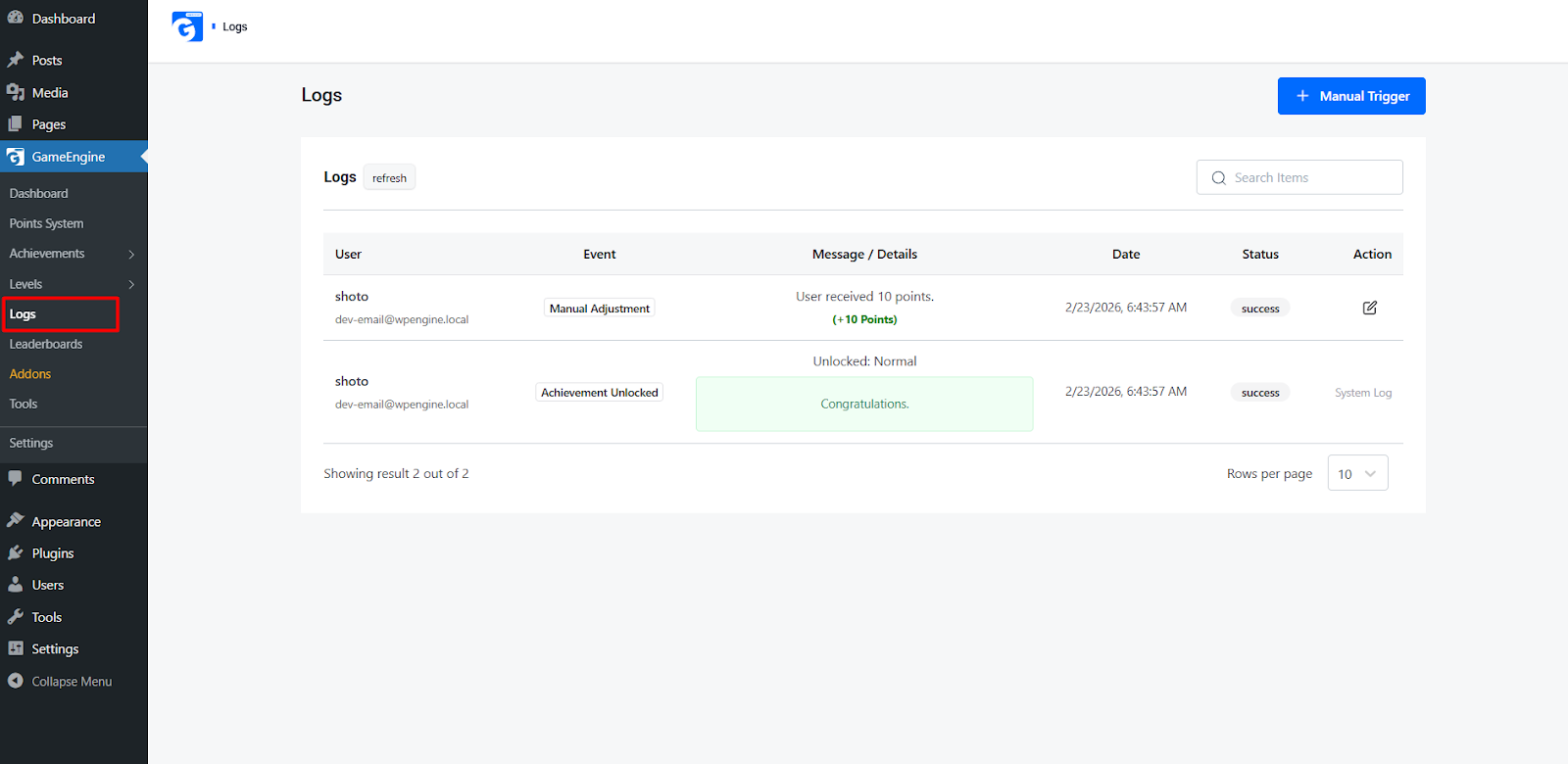
To see what is happening on your site in real-time, navigate to GameEngine > Logs.
The main log table displays a precise timestamp, the user involved, the specific action taken, and the resulting change in their point balance or rank status.
2. Real-Time Actions: Refresh & Manual Trigger
At the top of the Logs dashboard, you will find two essential tools for real-time management:
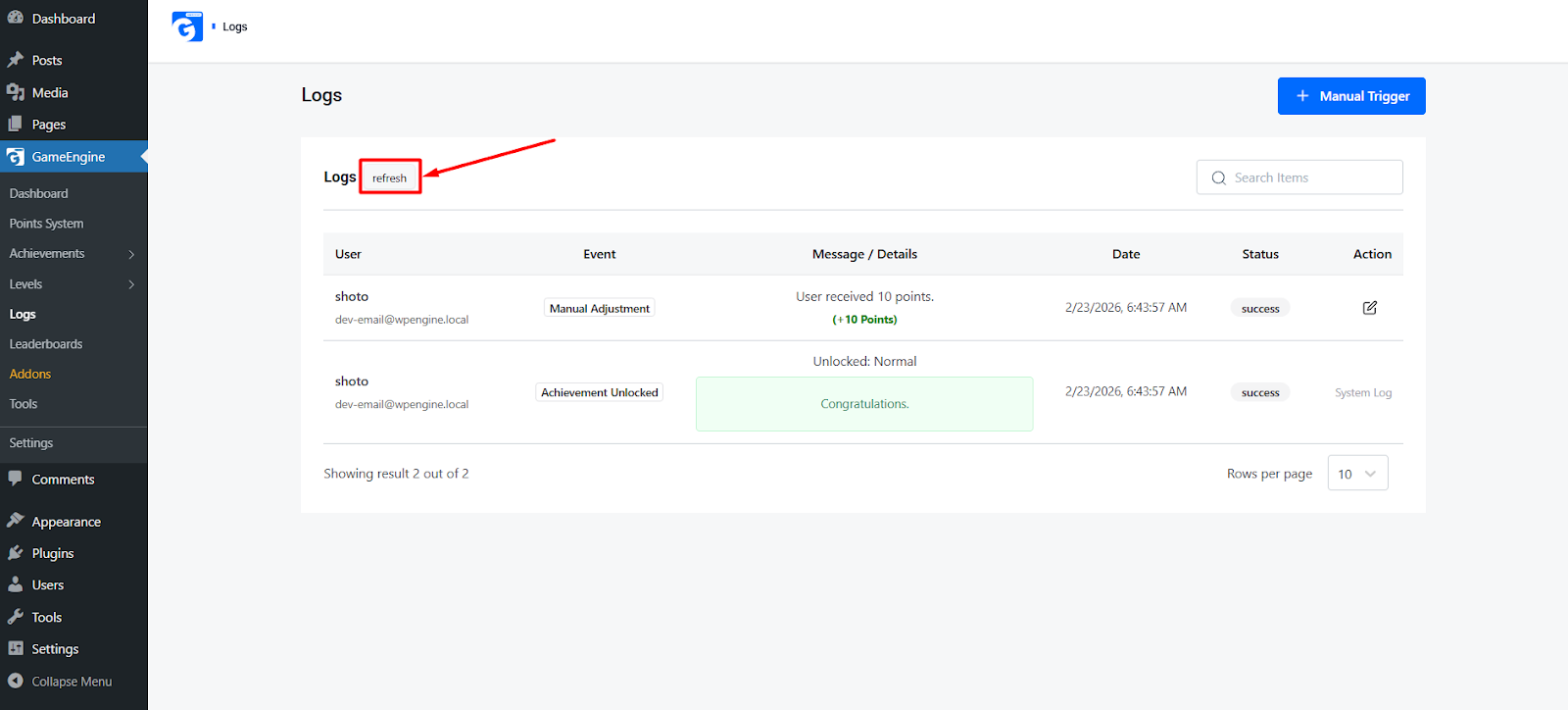
The Refresh Button
GameEngine logs update dynamically, but if you are watching a high-traffic event (like a live webinar or a launch), click the Refresh button. This updates the log table instantly via AJAX without reloading the entire WordPress page, allowing you to monitor incoming data seamlessly.
The Manual Trigger Button
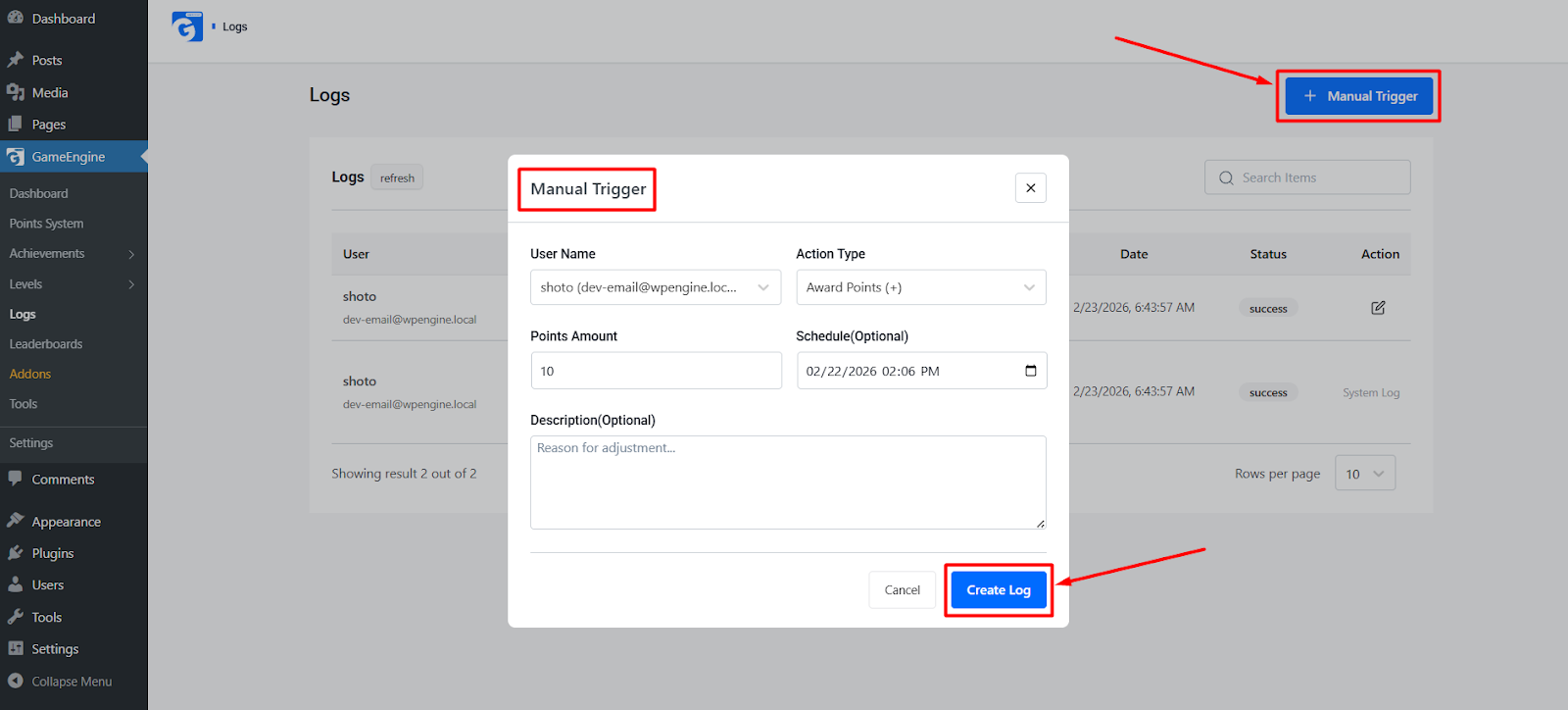
Sometimes a user might perform an action during a brief server hiccup, or you might have added a new Point Hook and want it to apply to recent activity.
- Clicking Manual Trigger forces GameEngine to re-check recent site activity against your active hooks.
- It ensures that no user is left behind if an automated process was delayed.
3. Log Interface
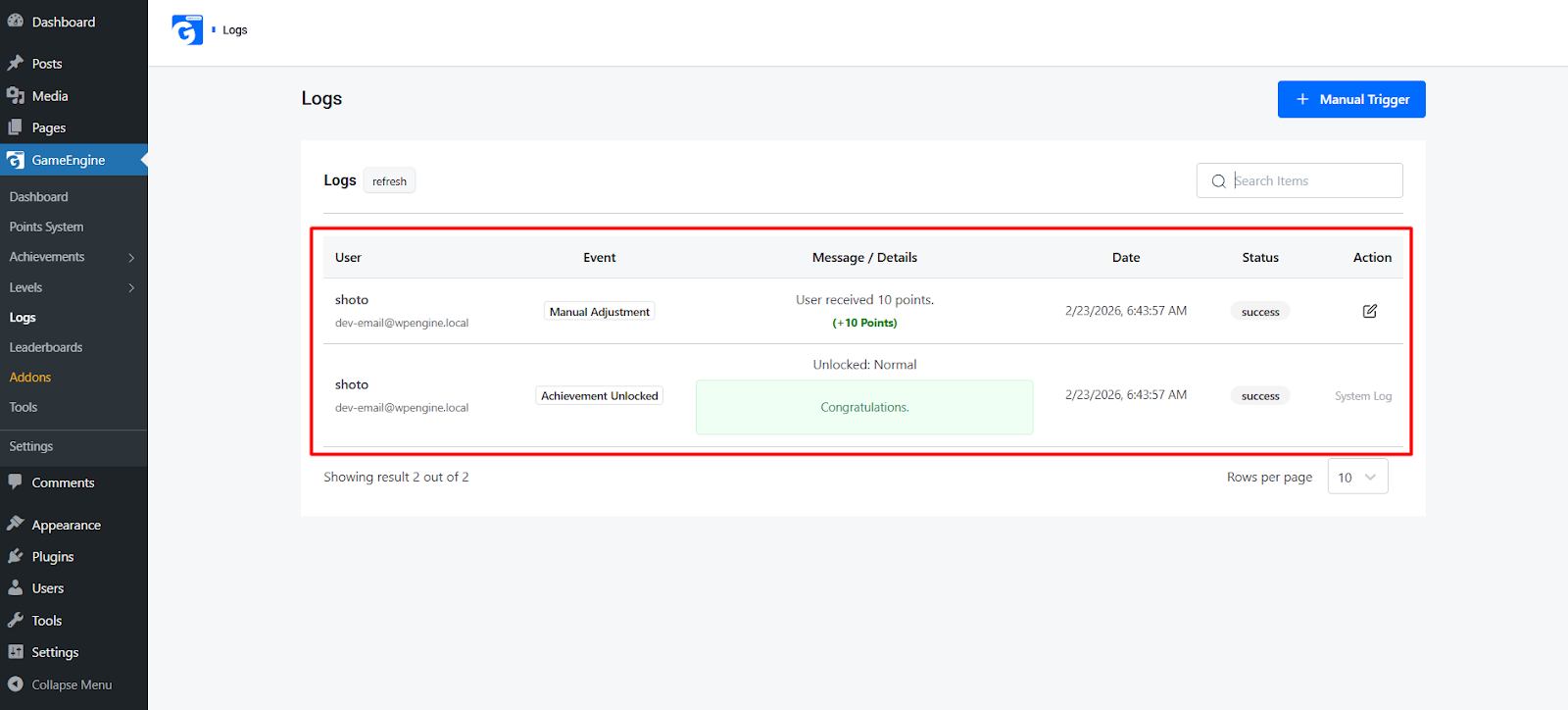
As your site grows, the log table will contain thousands of entries. Use the categories to identify the source of activity quickly:
- Points Award – Triggered by an automated hook.
- Points Deduct – Points removed automatically.
- Achievement Earn – When a user completes requirements for a badge.
- Admin Adjustment – Manual changes made by an administrator.
The GameEngine Logs system is designed to give you total visibility. With the Refresh and Manual Trigger buttons, you have the power to monitor and correct your gamification flow in real-time, ensuring your virtual economy remains healthy and fair for all users.