



The GameEngine Partial Payment System allows users to redeem their earned coins or points as discounts when purchasing products. Users earn points through the GameEngine Point System. These points can be applied at checkout to reduce the product price. Points can be used for purchases via WooCommerce or StoreEngine. The discount is automatically calculated based on the user’s available point balance, providing a flexible and rewarding shopping experience.
How to access the Partial Payments setting in GameEngine
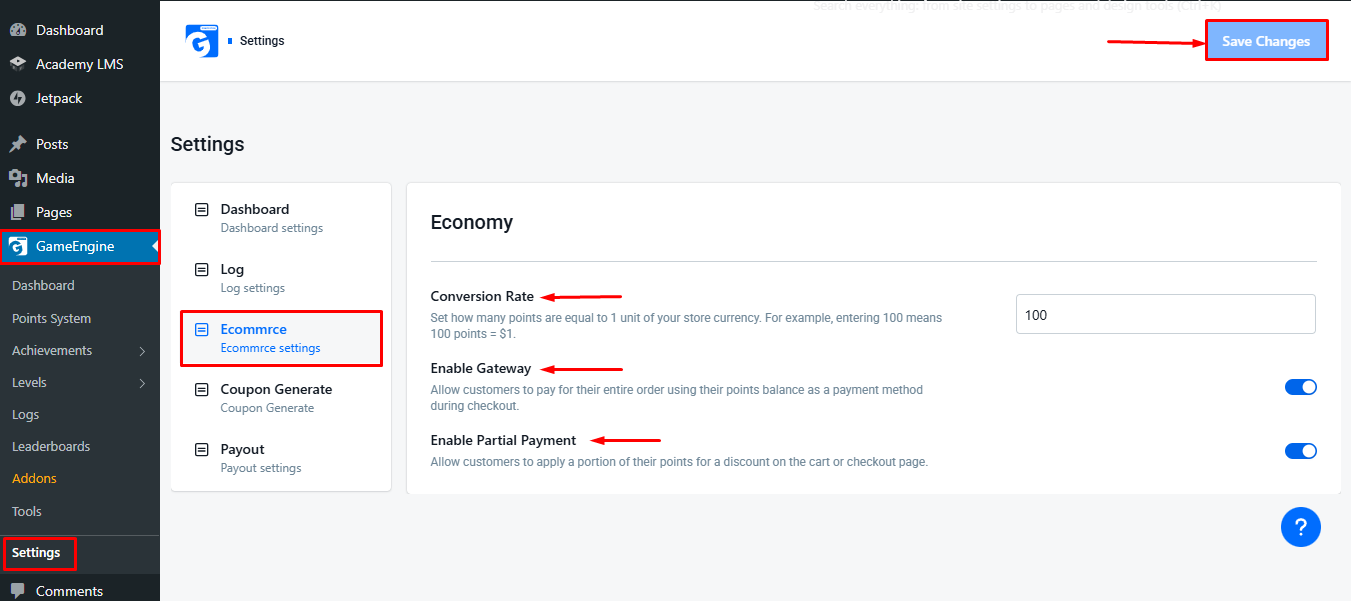
To access the Partial Payment settings, navigate to: GameEngine → Settings → Ecommerce. In this section, you’ll see the following options:
- Conversion Rate: Define the value of points in relation to your store’s currency. Example: Setting 100 means 100 points = $1.
- Enable Gateway: Allows customers to pay their entire order using points as a payment method.
- Enable Partial Payment: Allows customers to apply a portion of their points for a discount on the cart or checkout page. The remaining amount can be paid using other payment methods.
Once you’ve finished configuring the settings, don’t forget to click the “Save Changes” button in the top-right corner of the page to apply your changes.
How to activate the WooCommerce addon in GameEngine
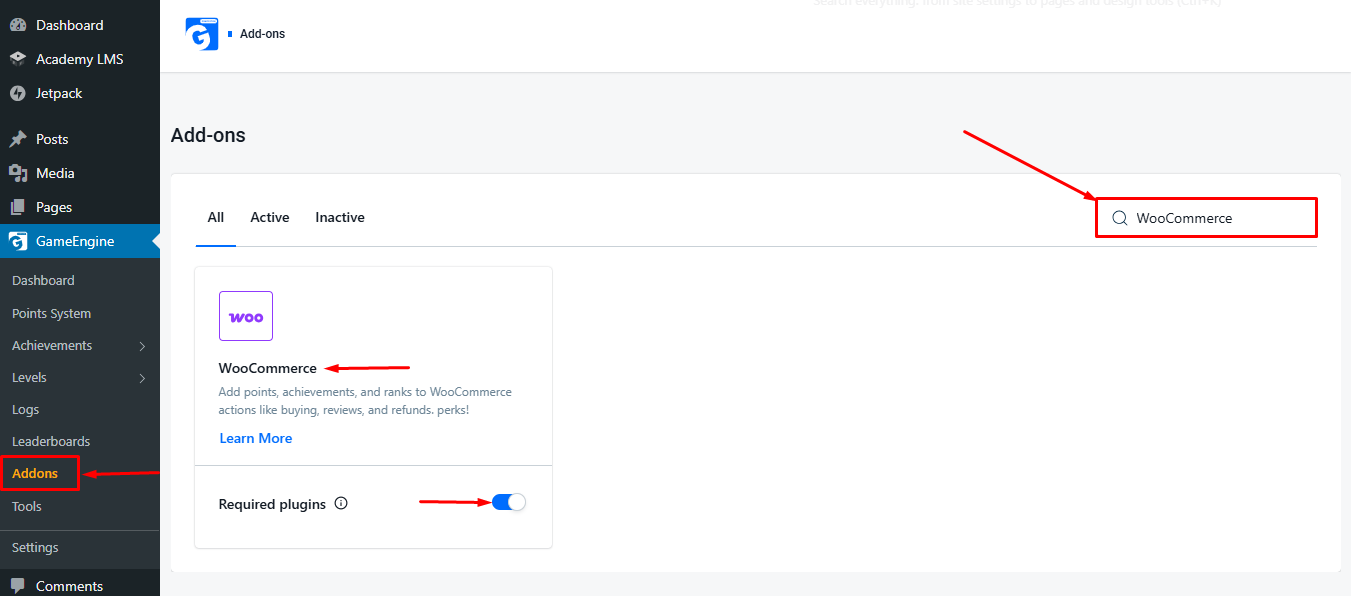
To activate it, go to the GameEngine Addons section. Use the search bar to find the WooCommerce Addon, then click Activate to enable it.
Using the GameEngine Points in Checkout
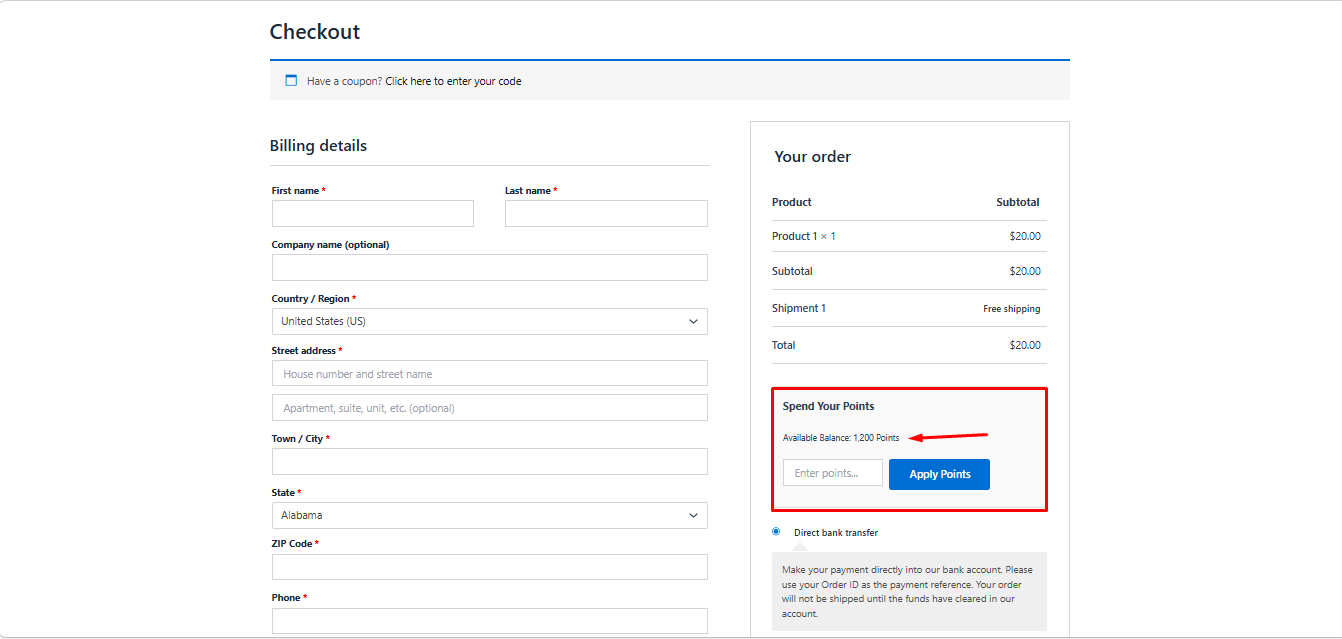
Add a product to your cart and proceed to the checkout page. Under the pricing section, you’ll see the “Spend Your Points” option. Here, you can see your current earned points from GameEngine. Choose the number of points you want to apply for this purchase. Click the “Apply Points” button.
After Applying Points
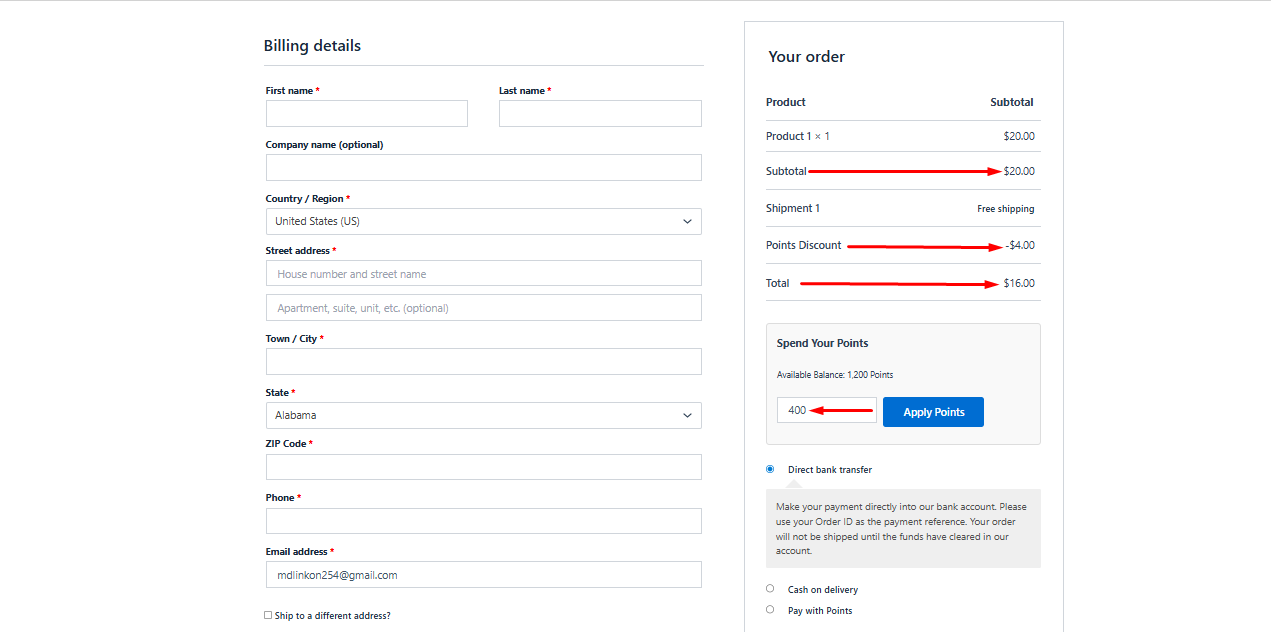
The product price will be updated according to the points used. You can see the discount applied from points and your remaining point balance. This makes it easy for users to understand their point usage and the discount applied before completing the purchase.
The GameEngine Partial Payment System lets users redeem their earned points for full or partial discounts at checkout. It enhances user engagement, encourages repeat purchases, and provides a seamless, rewarding shopping experience.