



The Restrict Unlock add-on is a powerful content-control tool that integrates directly with GameEngine’s core logic. It allows site administrators to lock specific WordPress content such as premium posts, special pages, or exclusive downloads until a user meets defined gamification criteria (Points, Ranks, or Achievements).
How it Works
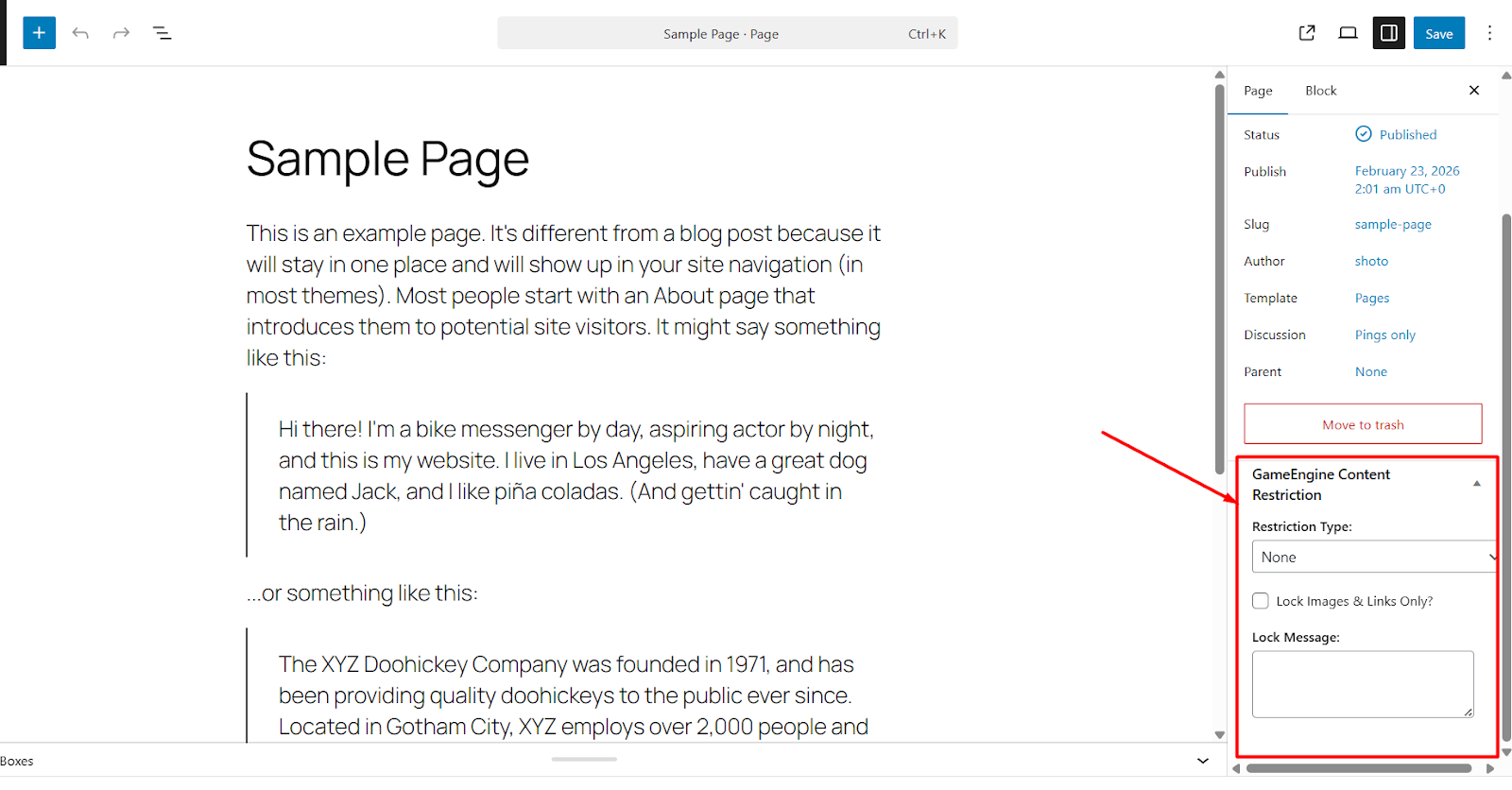
Once the add-on is active, a new GameEngine Restriction meta box appears on your post and page editor. Instead of a simple password or user-role check, the content remains hidden until the user’s “Game Profile” satisfies your requirements.
1. Enable the Add-on
To start gating your content:
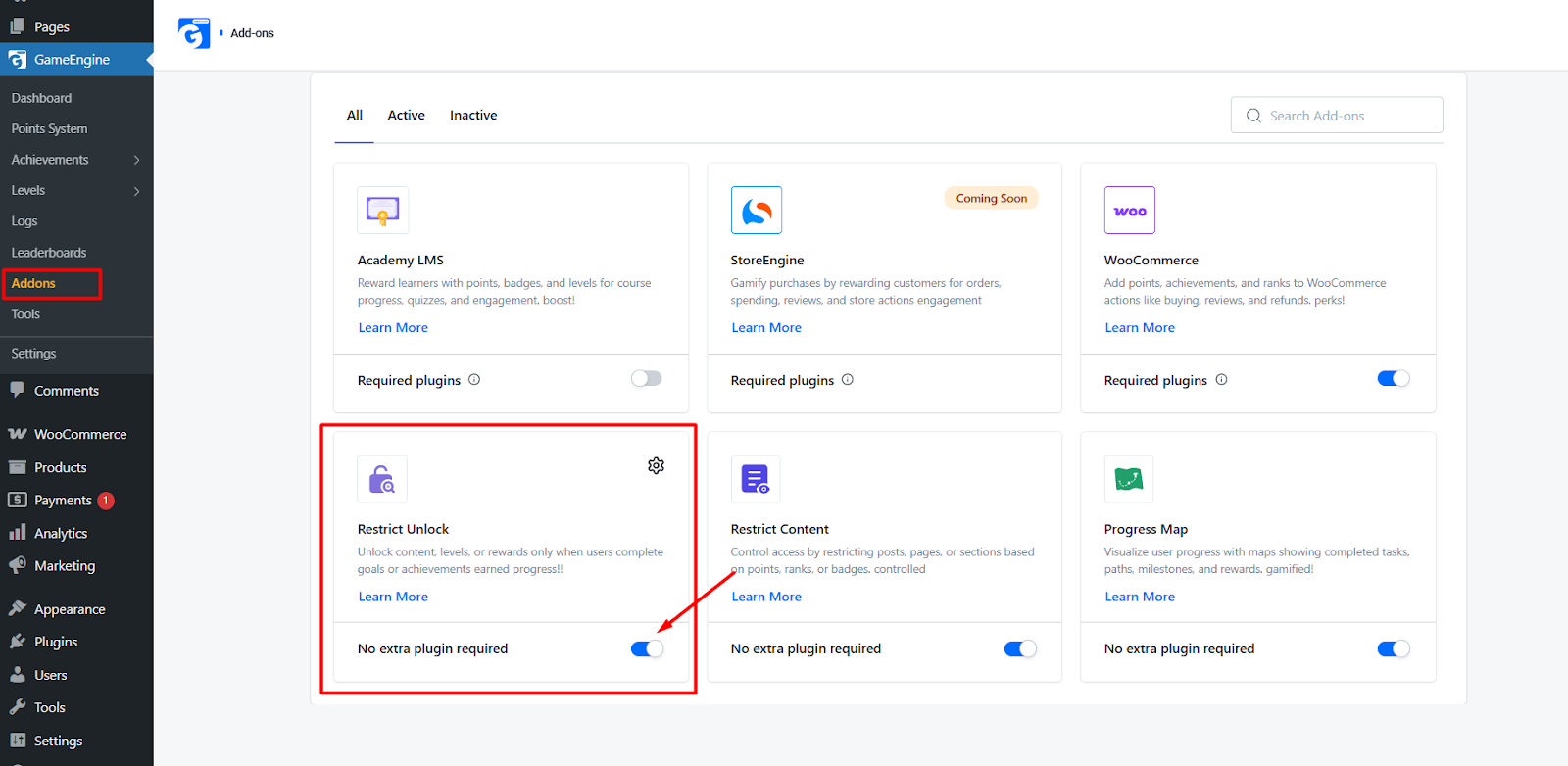
- Navigate to GameEngine > Add-ons.
- Locate Restrict Unlock and toggle it to ON.
2. Setting Restriction Criteria
Open any Post, Page, or Custom Post Type, and scroll down to the GameEngine: Restrict Content section. You can restrict access based on:
- Points Requirement: Users must have a minimum balance.
- Rank Requirement: Users must reach a specific tier.
- Achievement Requirement: Users must have unlocked a specific badge.
- Deduct Points on Unlock: (Optional) You can choose to “charge” the user points to gain permanent access to the content.
Key Feature: Points Required
This feature allows you to set a specific point threshold for content access. You can configure this in two ways:
- Balance Check: The content is visible as long as the user has a minimum amount of points in their account.
- Point Deduction: You can require users to “spend” a specific amount of points to permanently unlock the content. Once they click the “Unlock” button, the points are deducted from their total, and the content is revealed.
Key Feature: Achievement Required
With this feature, you can lock high-value content behind specific milestones. Content will only be accessible to users who have earned a particular Achievement or Badge.
- Example: A “Secret Strategy Guide” can be locked until a user earns the “100 Comments Posted” achievement.
- Benefit: This encourages users to complete specific tasks and challenges to progress through your site’s narrative.
Key Feature: Min Level Required
This feature restricts content based on the user’s overall standing or Rank within your system.
- Tiered Access: You can create “VIP” or “Expert” only pages by setting a Minimum Level requirement.
- Progression: As users earn experience and level up, new areas of your website or specialized documentation will automatically become available to them.
Implementation Guide
- Open the Editor: Edit the Post or Page you wish to restrict.
- Configure Restrictions: Scroll to the GameEngine: Restrict Unlock section.
- Set Your Criteria: Choose whether the content requires Points, a specific Achievement, or a Minimum Level.
- Define the “Locked” Message: Enter the text or HTML that users will see if they do not yet meet the requirements (e.g., “You need 500 Gold to see this video”).
- Update: Save your post. The content is now protected by the GameEngine logic.
The Restrict Unlock add-on is the ultimate tool for creating a “level-up” experience on your website. By requiring Points, Achievements, or a Minimum Level, you provide a clear roadmap for user engagement, ensuring that your most valuable content is reserved for your most active community members.