



The GameEngine Smart Dashboard provides a guided setup experience that helps users quickly configure the core gamification features of GameEngine. Using the Setup Wizard, you can easily set up and organize your Points, Achievements, and Levels from a centralized and user-friendly interface. This setup process simplifies the initial configuration and allows you to start using GameEngine’s gamification features more efficiently.
Setting Up Smart Dashboard Integration
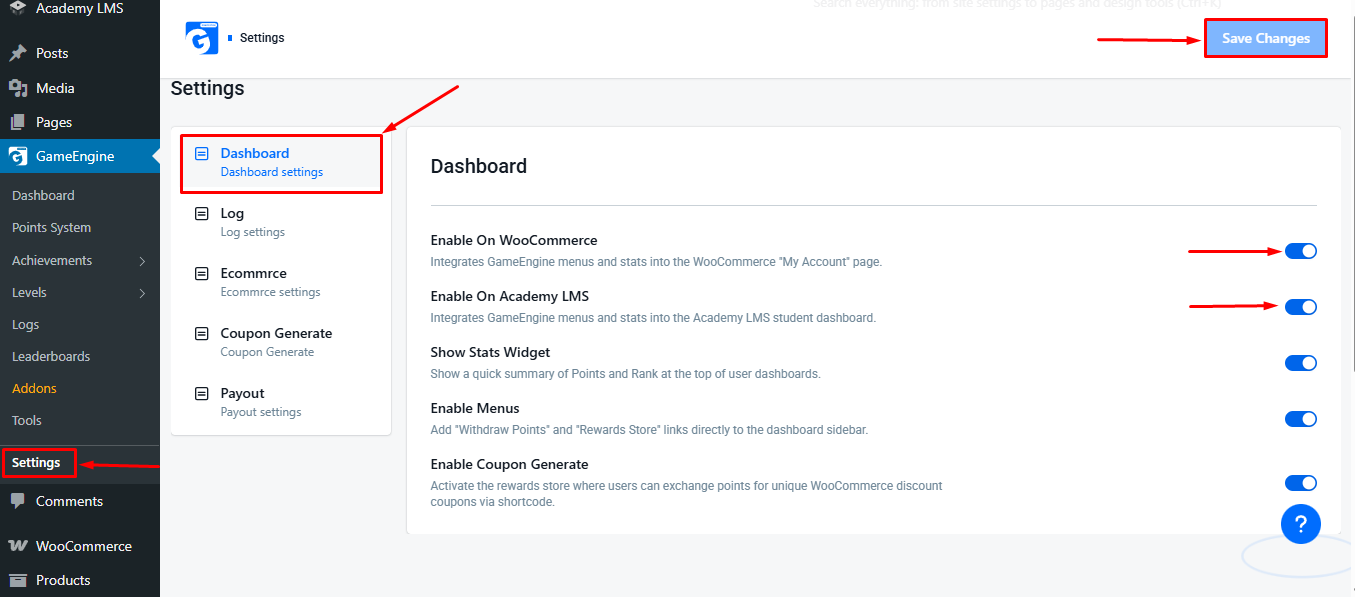
To configure Smart Dashboard integration with your preferred plugins, follow these steps: Navigate to your WordPress dashboard and go to: GameEngine → Settings → Dashboard. On the Dashboard settings page, locate the list of available plugins & menu items. Enable the plugin(s) you wish to integrate with the Smart Dashboard, such as Academy LMS or WooCommerce.
After selecting the desired plugin(s), click the “Save Changes” button at the top of the page to apply your settings.
Accessing the Smart Dashboard on Frontend
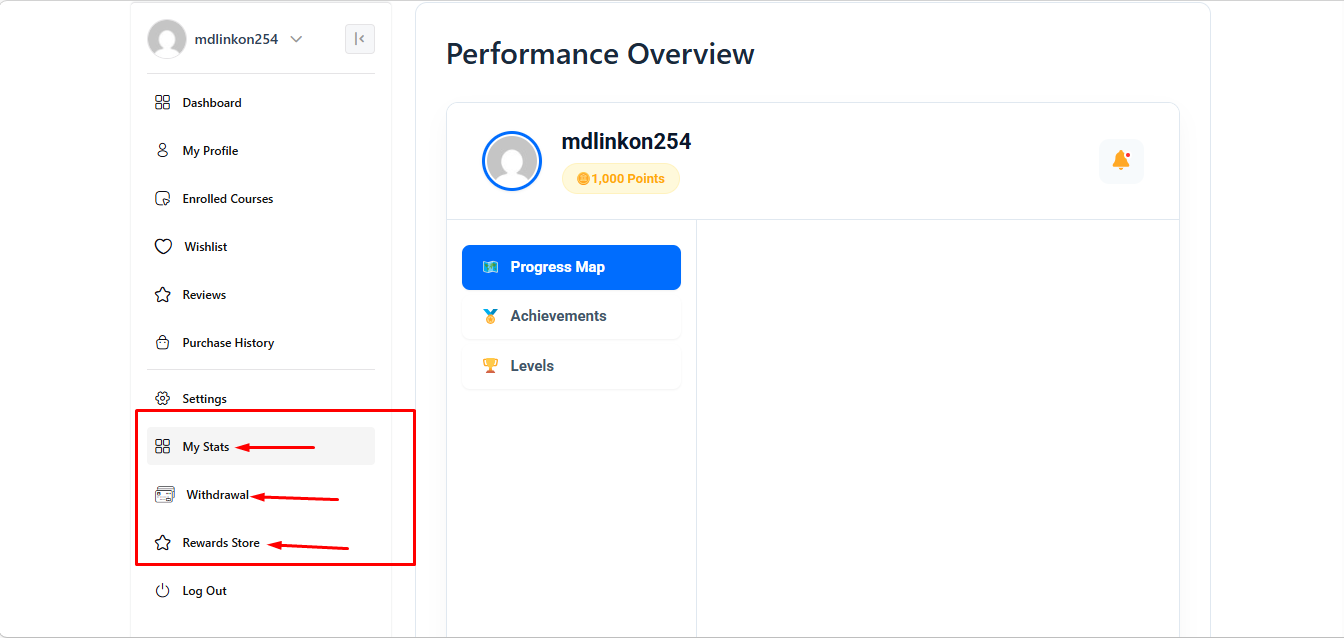
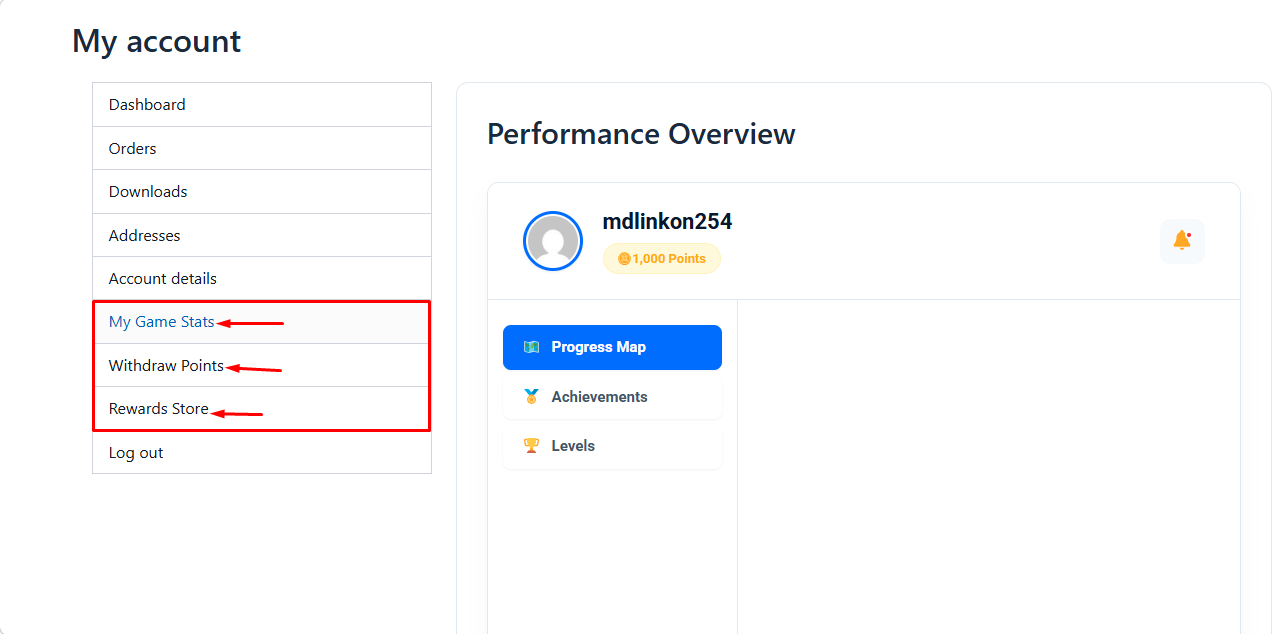
Once Smart Dashboard integration is enabled, you can access it directly from your WooCommerce or Academy LMS frontend dashboard.
Frontend Dashboard Menu: After logging in, the Smart Dashboard provides the following menu options:
- My Stats: View an overview of your activity, including points earned, achievements, course progress, and other personal statistics.
- Withdrawal Points: Check your available points balance and request withdrawals if your system supports point redemption.
- Rewards Store: Browse available rewards or products that you can redeem using your points.
💡 Tip: The menu is fully integrated with your frontend dashboard for a seamless user experience—no backend navigation is required.
The GameEngine Smart Dashboard streamlines the management of gamification features, allowing users to track Points, Achievements, and Levels efficiently. By integrating with plugins like Academy LMS and WooCommerce, you can centralize user activity, monitor engagement, and provide a rewards system directly on the frontend dashboard.
With clear menu options and transparent point calculations, the Smart Dashboard ensures both administrators and users have a comprehensive and user-friendly gamification experience.