



Integrating GameEngine with Academy LMS gamifies your courses by tracking learner activity, awarding points, and unlocking levels. This creates an interactive and motivating learning experience, allowing learners to visualize their progress and stay engaged.
Integration Steps
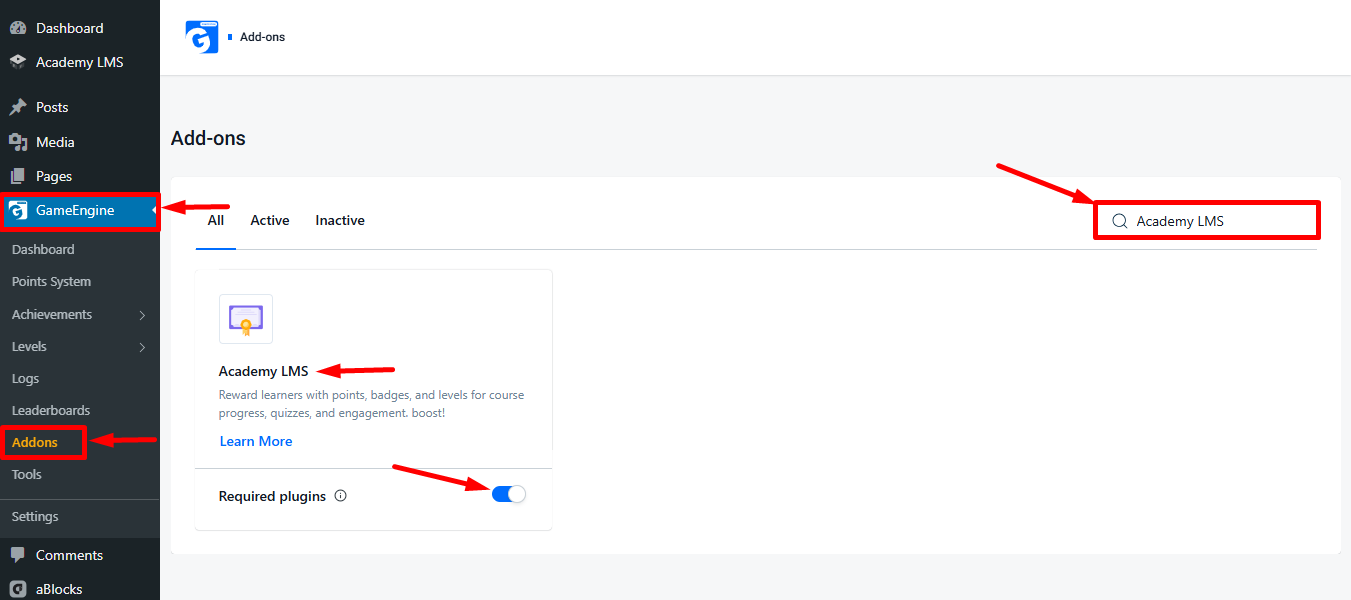
To integrate GameEngine with Academy LMS. Go to GameEngine → Addons in your WordPress dashboard, search for Academy LMS, and enable the addon.
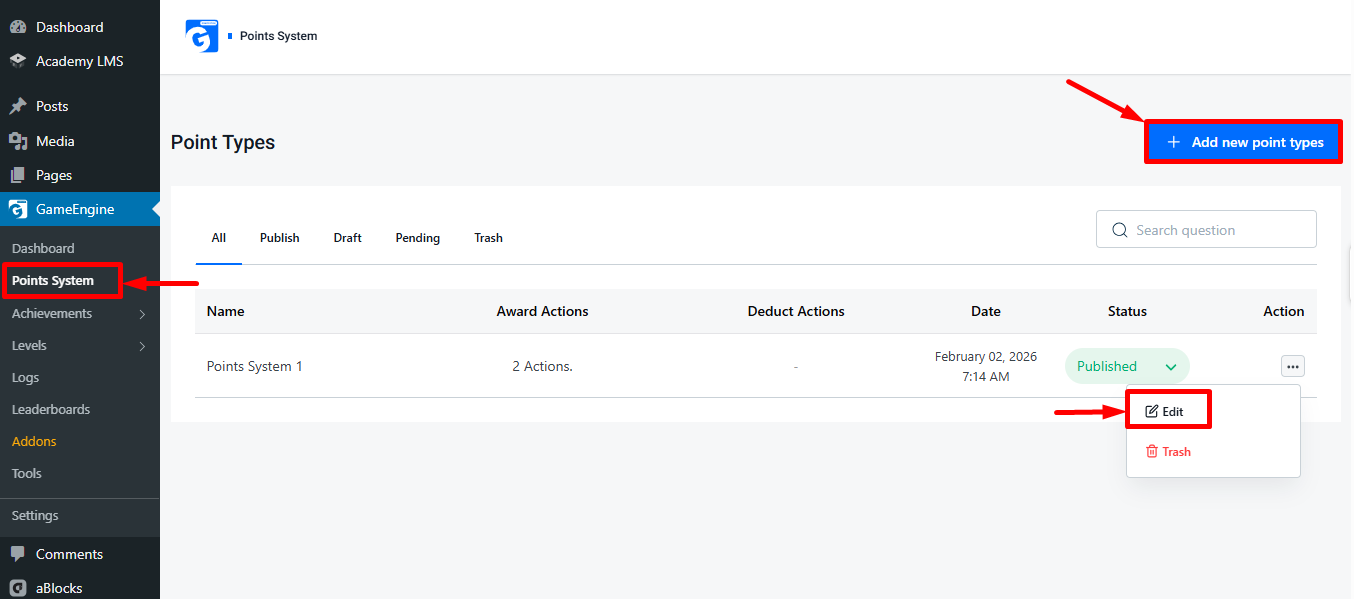
Next, open GameEngine → Points System. You can create a new points type or edit an existing one using the three-dot menu.
Configuring Academy LMS Hooks in GameEngine Points
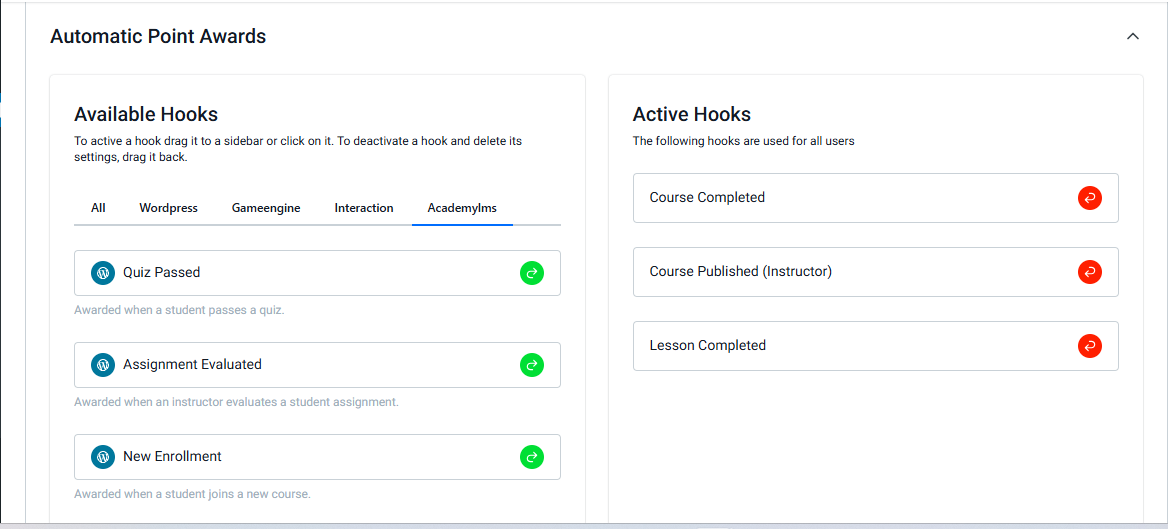
On the Points Edit page, you will find the Academy LMS option under Available Hooks. This allows you to assign points for specific learner actions within Academy LMS. The Academy LMS option includes six hooks:
- Course Complete: Users earn points when they complete a course, based on the value selected by the admin.
- Course Published (Instructor): Instructors earn points when they publish a course, according to the admin’s selection.
- Lesson Complete: Users earn points upon completing individual lessons.
- Quizzes Passed: Users earn points after passing a quiz.
- Assignment Evaluated: Users earn points after their assignments are evaluated.
- New Enrollment: Users earn points when enrolling in a new course.
By configuring these hooks, you can ensure that all relevant learner activities in Academy LMS automatically contribute to their GameEngine points, making the gamification system fully synchronized and rewarding.

To move available hooks to the Active Hooks section. Simply drag and drop the hooks you want from the Available Hooks section to the Active Hooks section. Once moved, the selected hooks will start applying points based on the learner actions in Academy LMS.
Assign Points to Specific Courses
To award points when a user or instructor completes a specific course:
- Go to the section where you manage Courses, Lessons, or Quizzes in GameEngine.
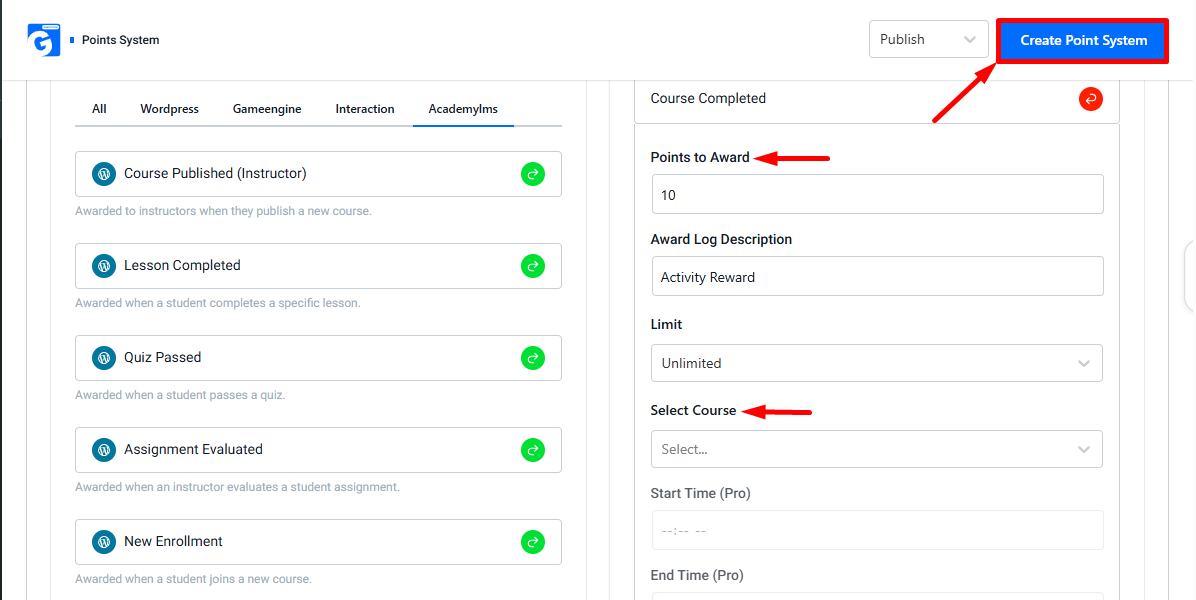
- Locate the Select Courses option.
- Choose the specific course for which you want to assign points.
- Set the point value that the user or instructor should earn upon completion.
Once configured, the selected user or instructor will automatically receive the assigned points after completing the specified course. This ensures that points are awarded accurately for targeted learning activities.
Please note: If you want to increase or decrease points for any specific course, lesson, quiz, or other activity, you can do so using the same method described above.
After completing all the details, simply click Update Point System or Create Point System to save your changes or newly added points.
With GameEngine integrated into Academy LMS, learners are rewarded for completing courses, lessons, quizzes, and assignments. Properly configured points and hooks ensure a seamless, engaging, and rewarding learning journey for both learners and instructors.