



In GameEngine, “Point Types” allow you to create multiple virtual currencies for your site. Whether you want to award Experience Points (XP) for progress, Coins for a reward store for community participation, the Point Type system provides the infrastructure to manage them all.
1. Registering a Point Type
To get started, you need to define what your points are called and how they look.
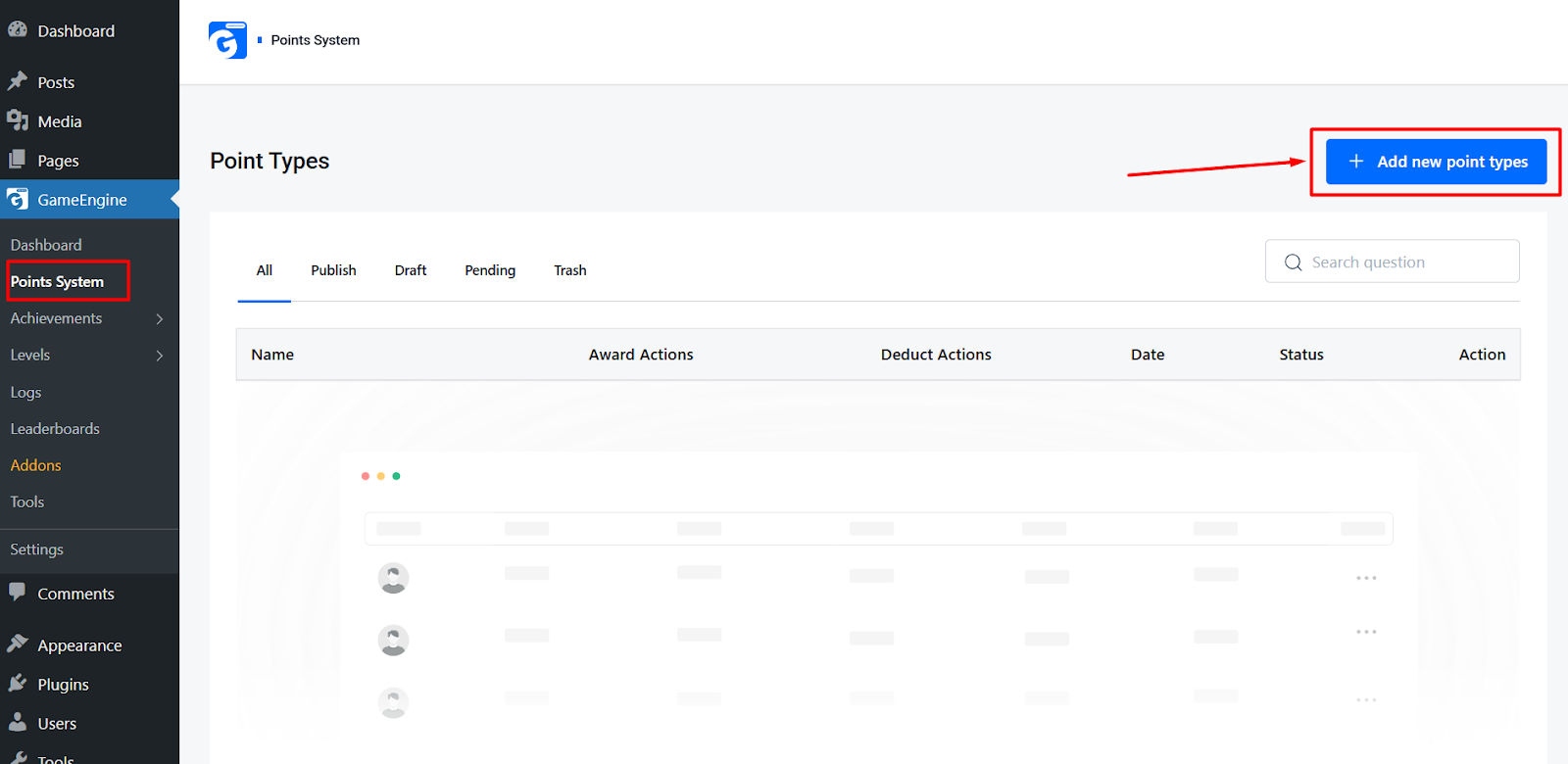
- Navigate to GameEngine > Point System in your WordPress dashboard.
- Click Add New Point Types.
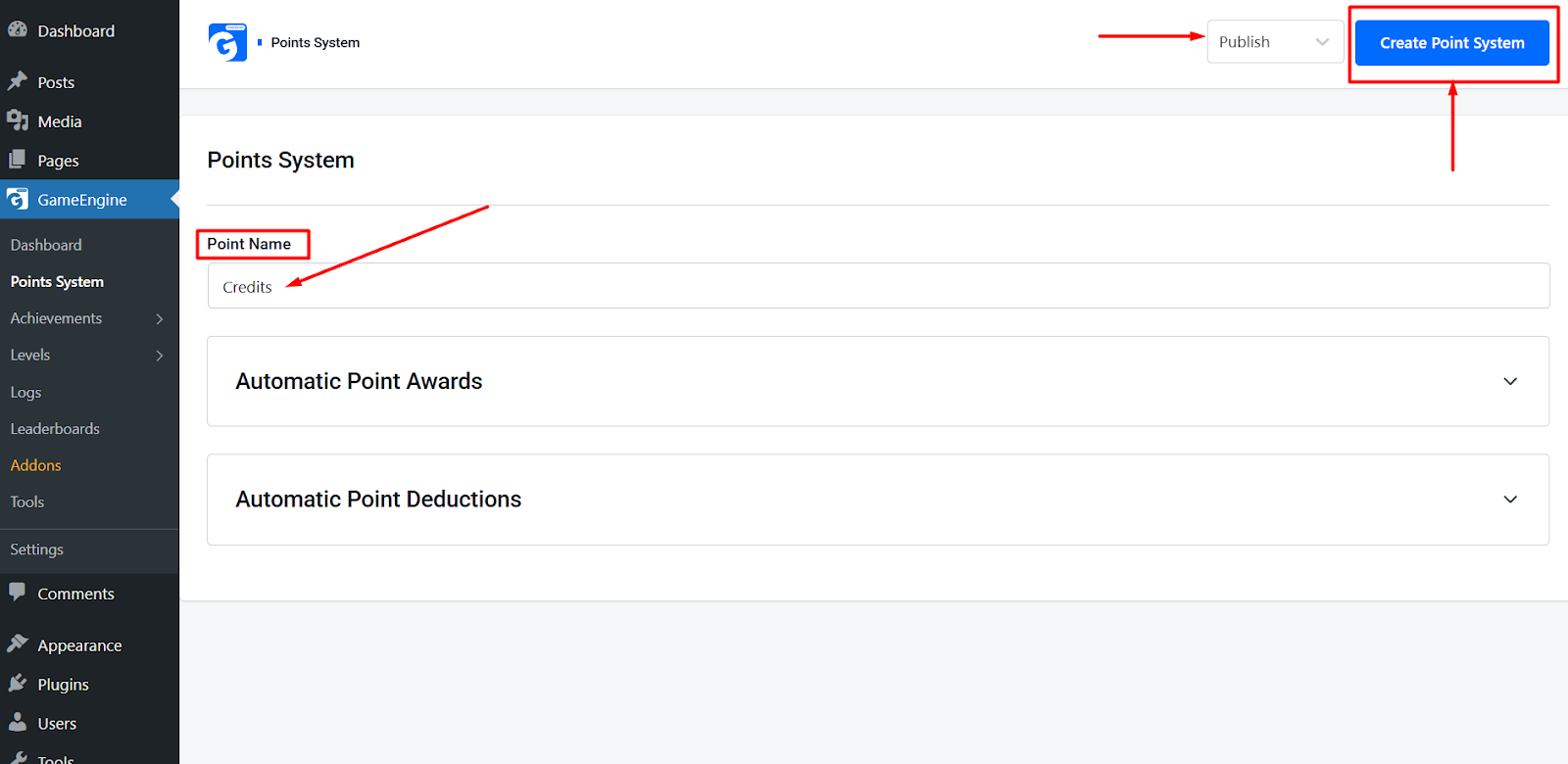
- Naming: Enter a Singular Name (e.g., Credit) and a Plural Name (e.g., Credits).
- Slug: This is the unique identifier used in shortcodes. (e.g., credits). If left blank, GameEngine will generate one automatically.
- Click Create Point System.
2. Setting Up Automatic Awards
GameEngine uses an intuitive Drag & Drop system to connect user actions (Hooks) to point rewards.
To activate a hook:
- Scroll down to the Points Awards section on your Point Type edit page.
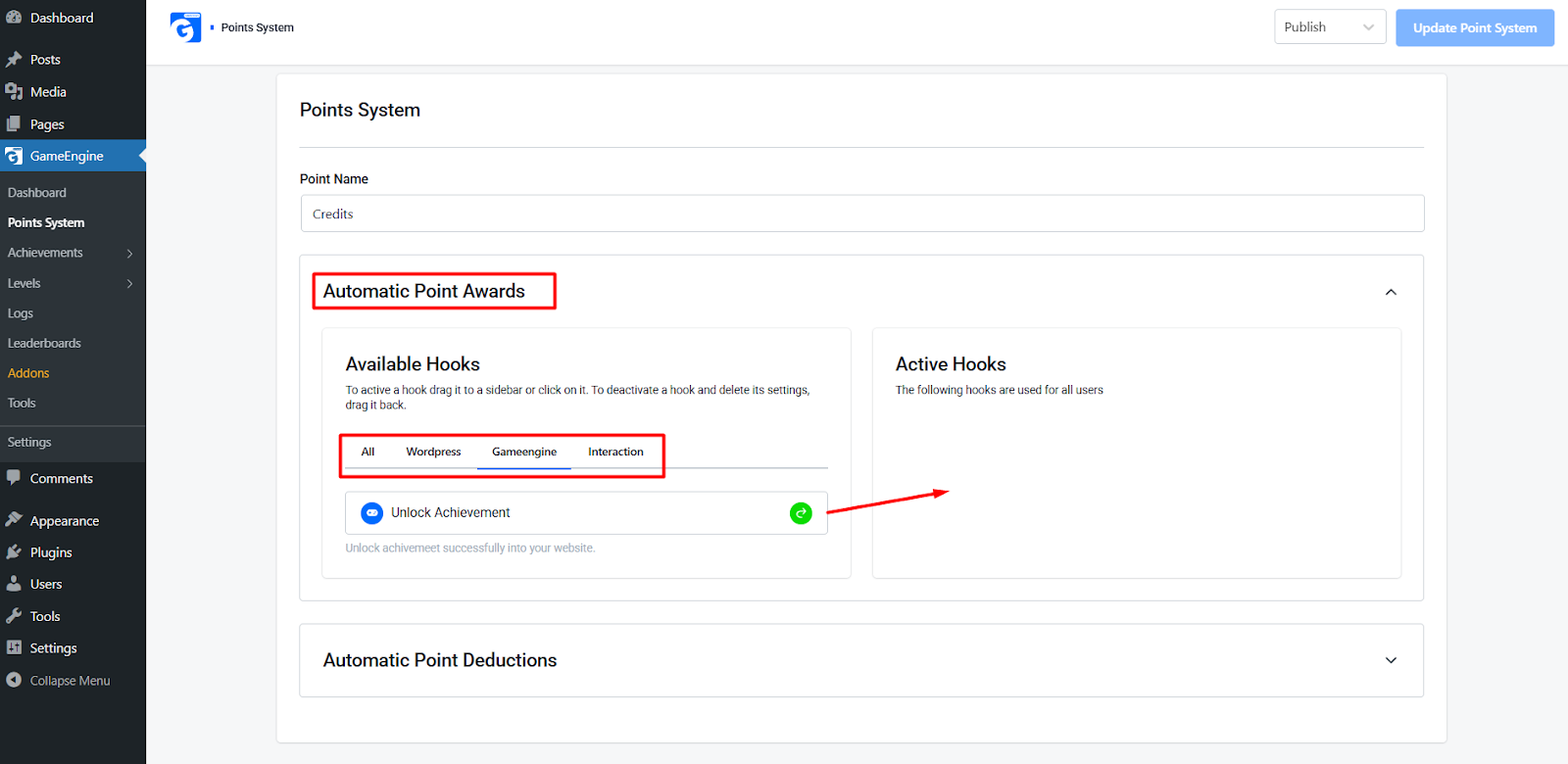
- Browse the Available Hooks columns on the left, categorized by:
- WordPress: Default actions like User Login, Registrations, or Daily Visits.
- GameEngine: Internal triggers like Unlock Achievement or Reach a Rank.
- Interactions: Community actions like Author Reply, Visitor Comments, etc.
- Drag the desired hook from the “Available” list into the Active Hooks sidebar.
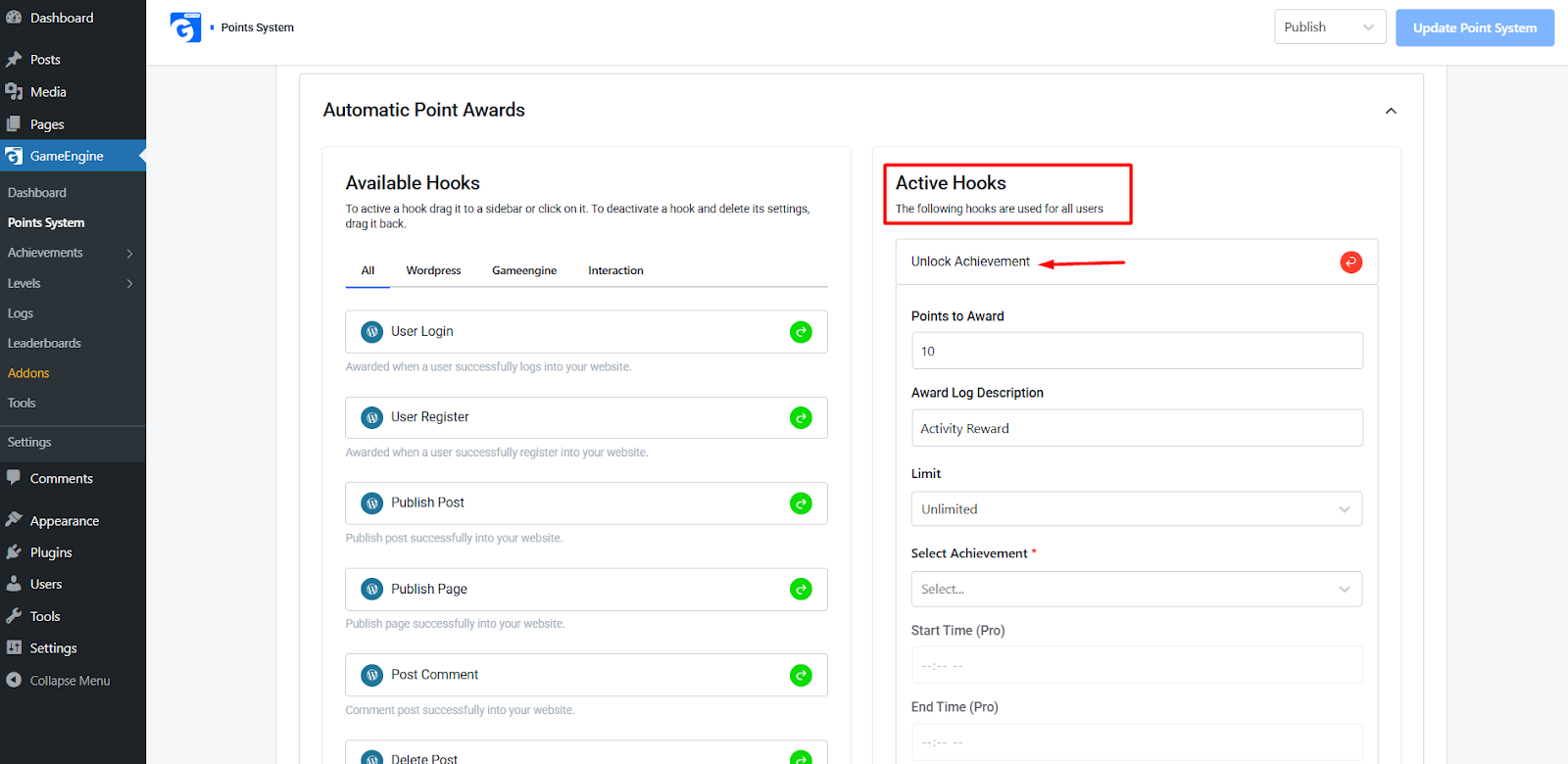
- Once moved, click on the hook to configure the specific Point Amount and Limits.
To deactivate a hook:
- Simply drag the hook back from the Active sidebar to the Available list. This will automatically delete the settings for that specific trigger.
3. Setting Up Automatic Deductions
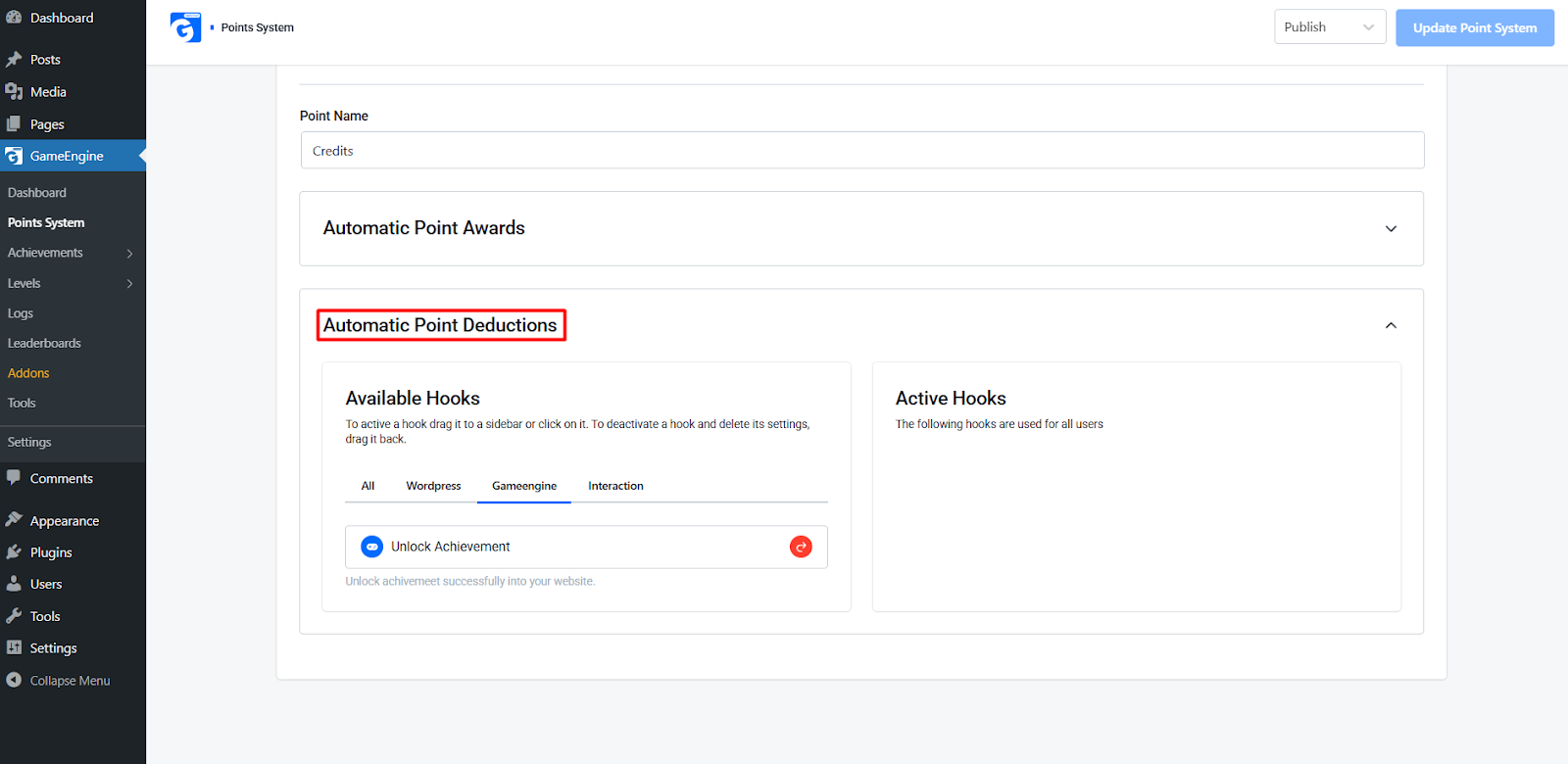
Maintaining a balanced economy sometimes requires taking points away for negative or reversal actions.
To activate a deduction:
- Locate the Points Deductions box.
- Select a hook from the Available Hooks (e.g., Delete Comment or Unsubscribe).
- Drag & Drop the hook into the Active Deductions sidebar or click it to activate.
- Configure the number of points to be removed upon that action.
To deactivate a deduction:
- Drag the hook back to the Available Hooks area to stop the deduction and clear its configuration.
4. Displaying Points to Your Users
GameEngine makes it easy to show users their hard-earned points using blocks or shortcodes.
- Point Directory: Use
[gameengine_points]to show a list of all available point types and how to earn them.
Creating a Point Type is the first step in gamifying your user experience. By combining different types of points, some for status (non-redeemable XP) and some for utility (redeemable Coins), you create a balanced environment that keeps users coming back.