



The GameEngine Restrict Content Add-on allows admins to control access to both posts and pages based on user progress. Content can be locked until users earn enough points, complete specific achievements, or reach a required level.
Step 1: Activate the Restrict Content Add-on
Before using content restriction, make sure you have already created the required Points System, Achievements, or Levels from the GameEngine menu.
How to activate:
- Go to WordPress Dashboard → GameEngine → Addons
- Locate the Restrict Content add-on
- Toggle the switch to Enable
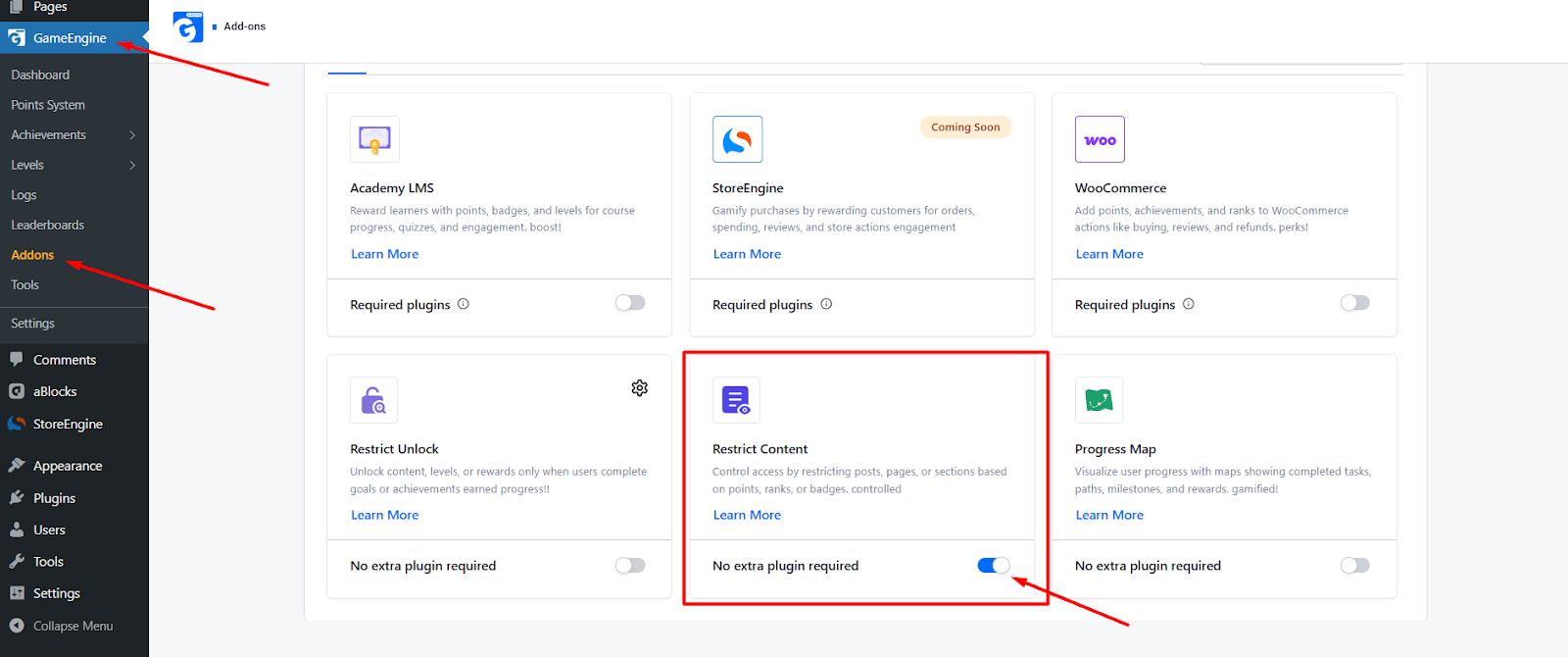
✅ No extra plugin is required.
Once enabled, restriction settings will appear in both Post and Page editors.
Step 2: Apply Content Restriction on a Post or Page
The Restrict Content feature works on both posts and pages.
How to set it up:
- Go to WordPress → Pages or WordPress → Posts
- Create a new item or open an existing one
- In the right sidebar, scroll to GameEngine → Content Restriction
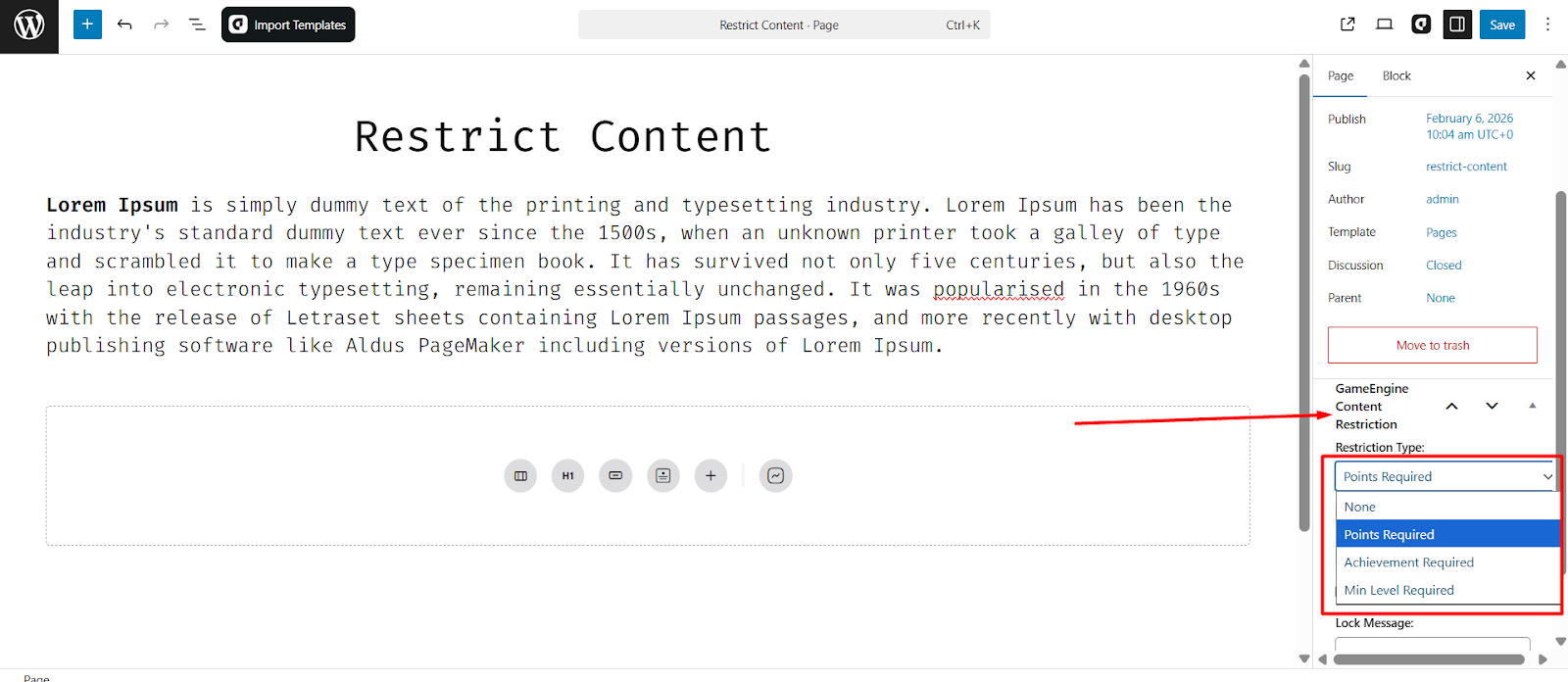
- Select a Restriction Type
Available options:
- None
- Points Required
- Achievement Required
- Min Level Required
Step 3: Configure Restriction Settings
Depending on the selected restriction type, additional configuration options will appear.
Points Required
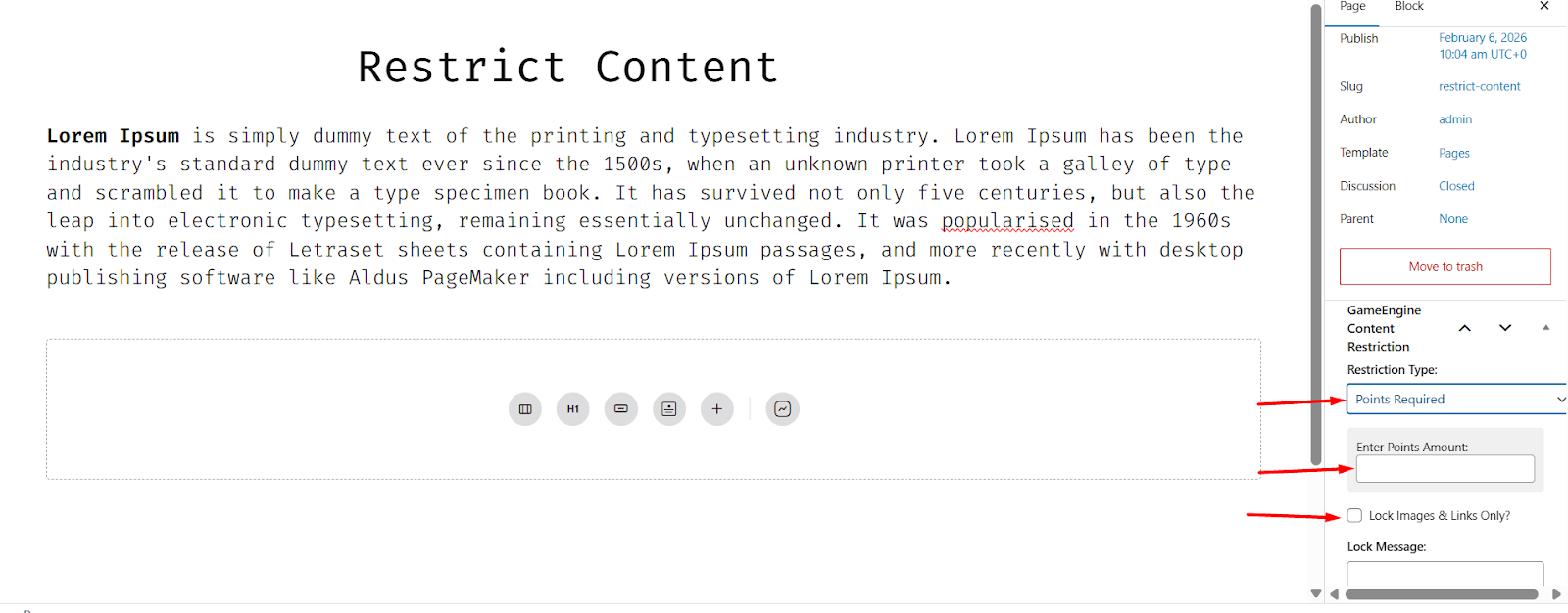
When Points Required is selected, the following settings are available:
- Enter Points Amount
Define the minimum number of points required to unlock the content. - Lock Images & Links Only (Optional)
- Text remains visible
- Images and links stay locked
- Ideal for preview-style content
- Lock Message
Custom message shown when content is locked.
Example Lock Message:
“🔒 You need 100 points to access this content.”
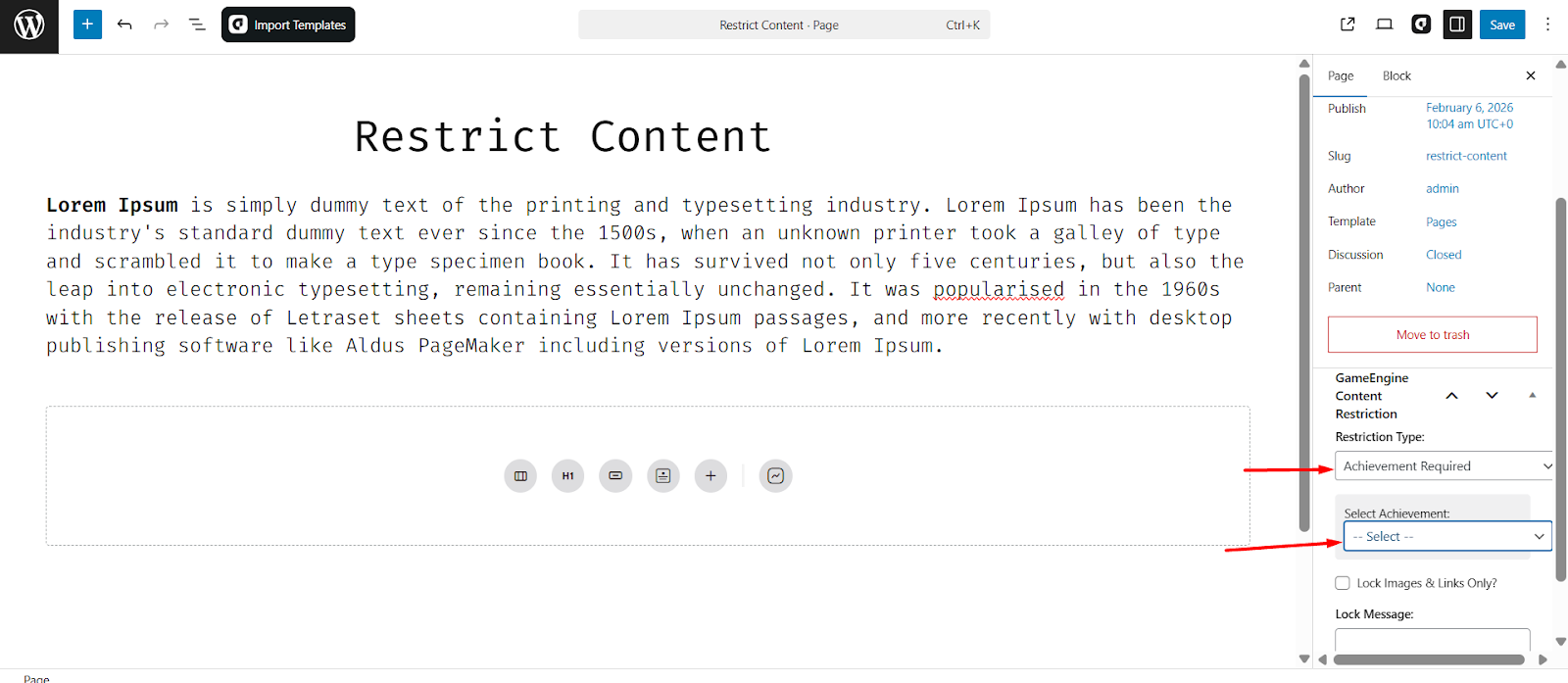
Achievement Required
- Select the required achievement
- Content unlocks automatically after completion
Minimum Level Required
- Define the minimum level
- Content unlocks when the user reaches that level
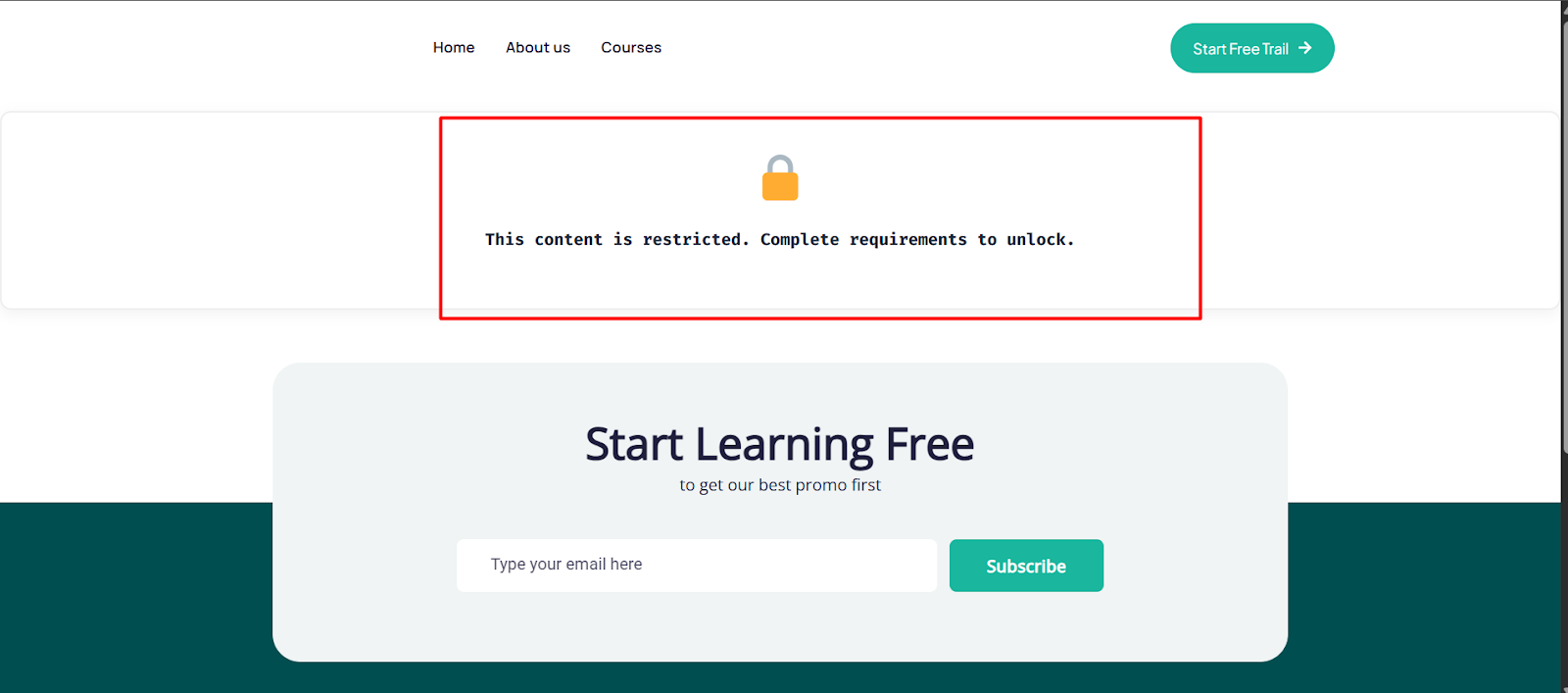
Step 4: Frontend User Experience
- Users who meet the requirement can access the content normally
- Users who do not meet the requirement:
- See the Lock Message
- May see partial content if Lock Images & Links Only is enabled
- Content unlocks automatically once conditions are met
Example Use Cases
- Lock advanced lessons until enough points are earned
- Restrict posts or pages using achievements
- Create level-based access systems
- Show previews while locking images and links
Summary
The GameEngine Restrict Content Add-on enables flexible, progress-based access control for both posts and pages. With support for Points, Achievements, and Levels, plus options like Lock Images & Links Only, admins can create structured, engaging, and gamified content experiences that unlock automatically as users progress.