



The “GameEngine Progress Map Addon” gamifies learning by displaying course progress as an interactive map with levels and achievements. Admins can configure the “Points System, Hooks, and Levels, and the map updates automatically—showing gray for locked and highlighted for completed stages. It integrates via shortcode, providing learners with a clear, engaging, and motivating frontend experience.
Step 1: How to activate the Progress Map addon and how it works
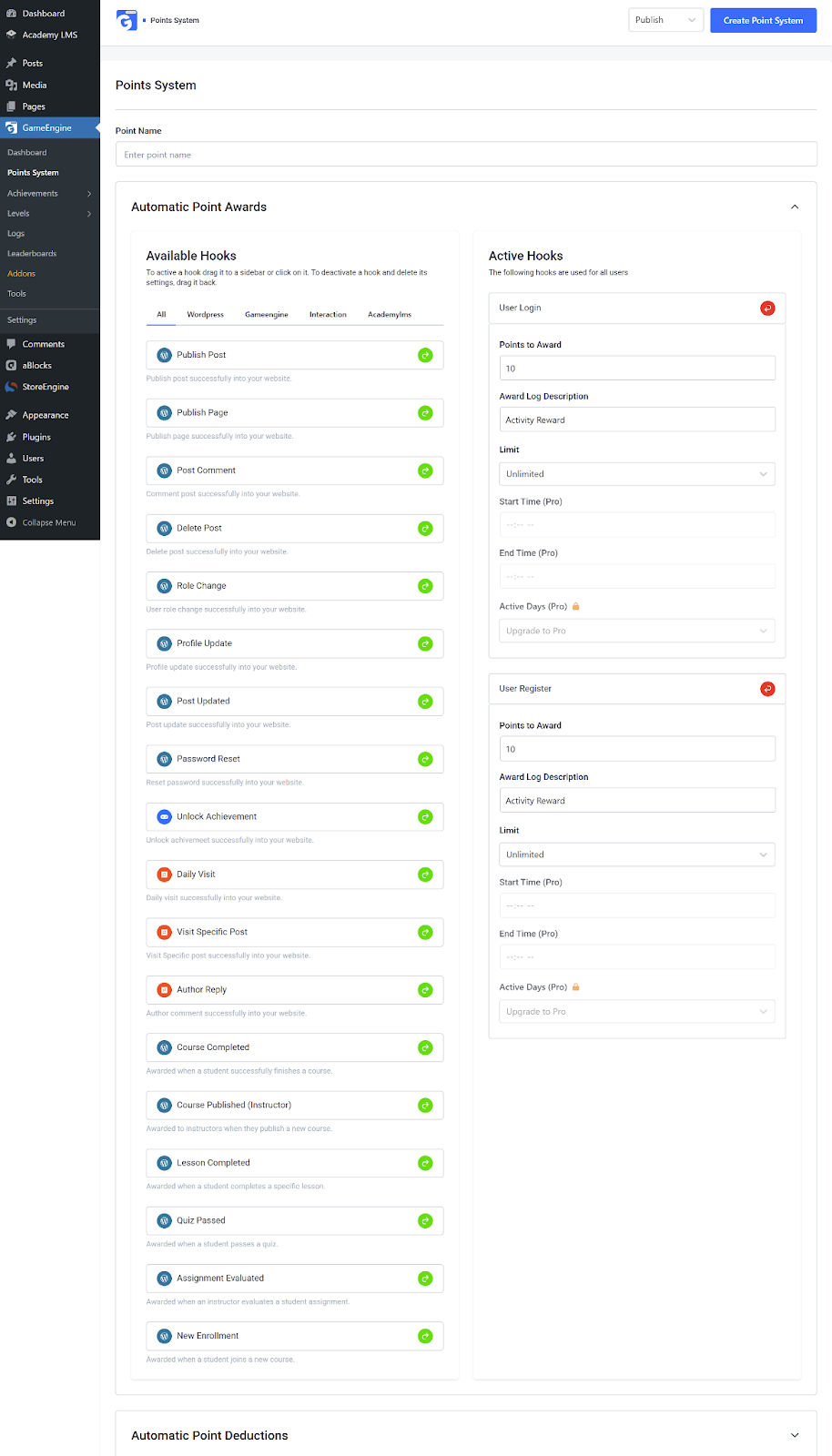
To use the Progress Map feature, first create a Point system, Achievement, & Level from the Point System, Achievement, & Level menu located under the GameEngine main menu.
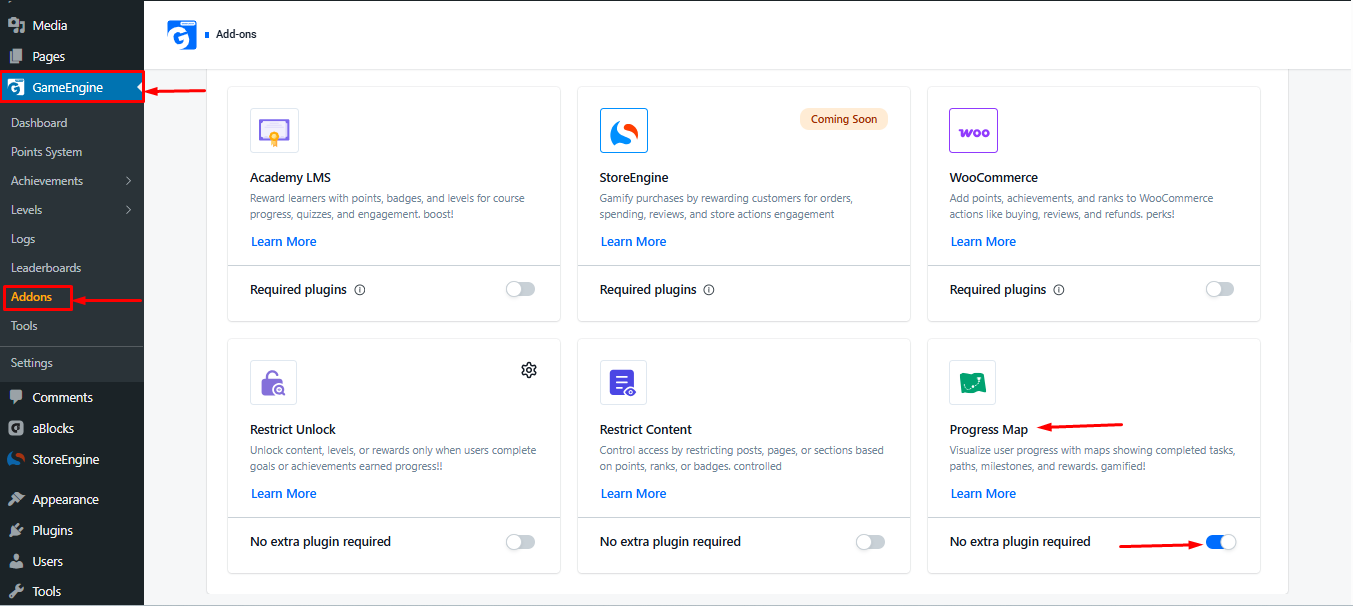
Once the Points system, Achievements, & Level are created, go to GameEngine→ Addons and enable the Progress Map addon.
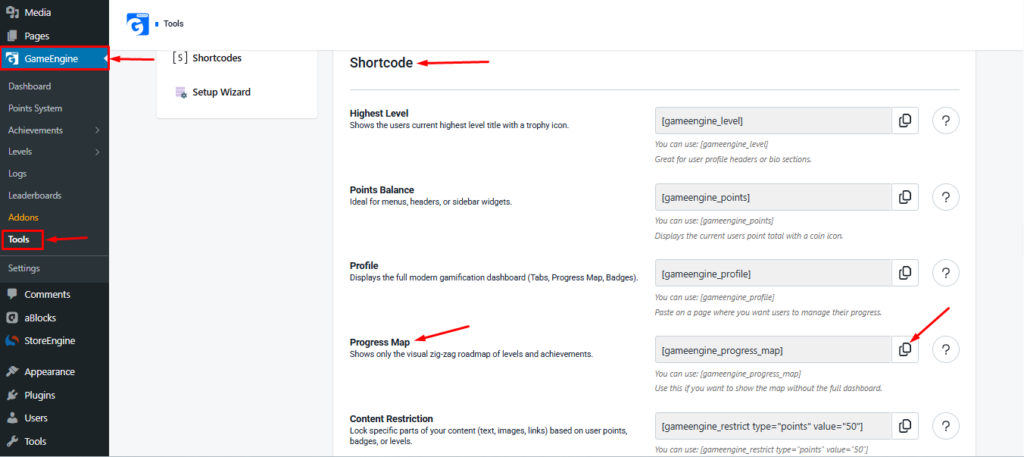
Once the Progress Map addon is activated and the Points System, Achievements, and Levels are fully set up, go to GameEngine → Tools.
On this page, you’ll find all available shortcodes. Locate the Progress Map shortcode, then click the Copy icon on the right side of the selected shortcode to copy it.
Step 2: How to use the Progress Map shortcode
Simply copy the shortcode from the Shortcode section at the bottom. Then follow these steps:
- Go to WordPress → Pages and click Add New or open an existing page.
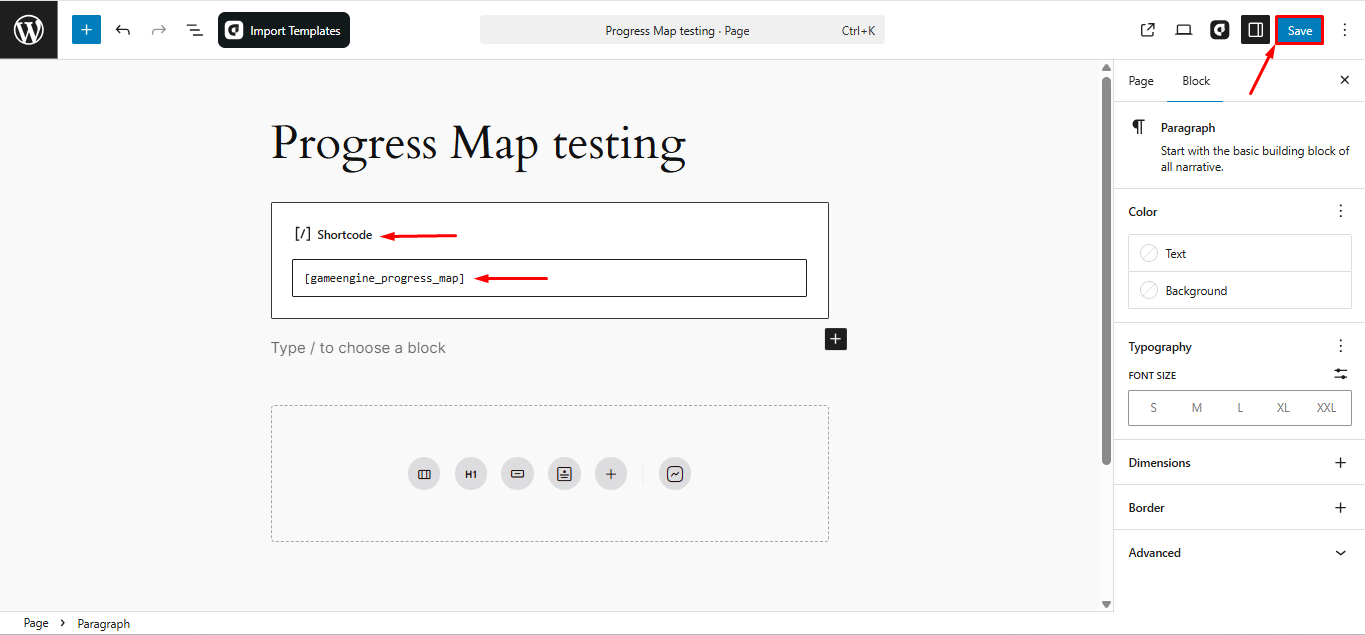
- Once the page editor opens, add a Shortcode block.
- Paste the Progress Map shortcode you copied earlier into the block.
- Save or publish the page to display the Progress Map on the frontend.
User Example
Once the page is saved, open it on the frontend to view the Progress Map interface.
Note: Before completing any level or achievement, the interface will appear gray.

Step 3: How to complete any Achievement or Level
To complete a level or achievement, you must set up the appropriate Hook when creating the Points System.
- Example Hooks: User Login or User Register
Once a user performs the hooked action, the achievement or level will automatically complete, and the Progress Map color will change from gray to highlighted (active).
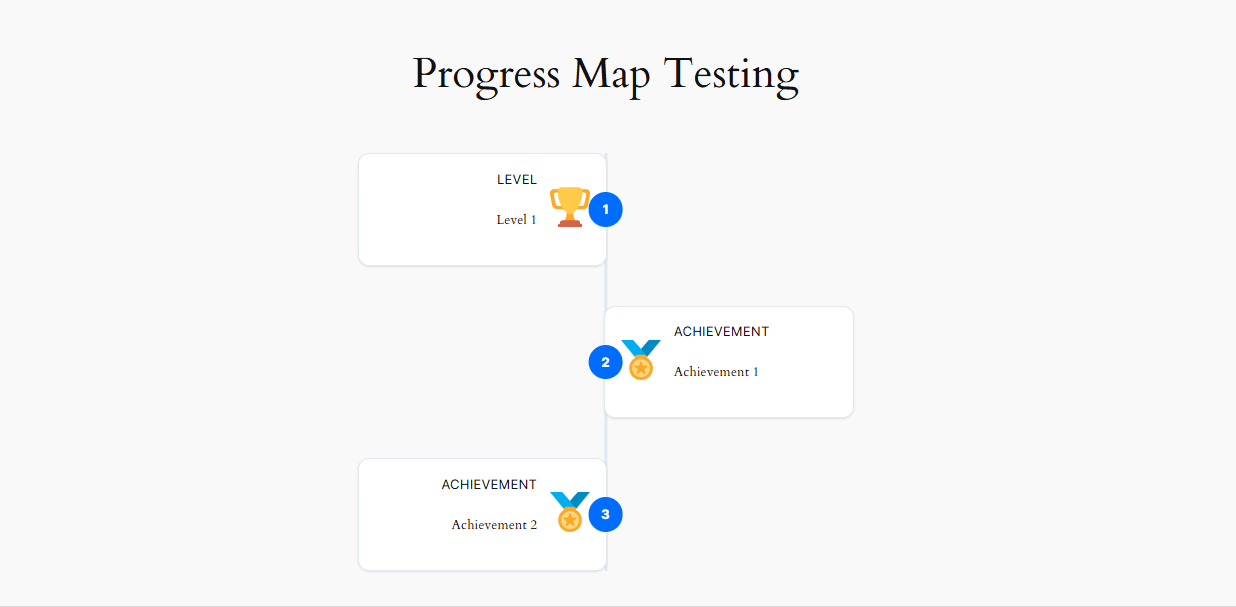
The “GameEngine Progress Map Addon” offers a visual, gamified way to track user progress. By properly configuring “Points System, Hooks, Achievements, and Levels, admins can control how progress is unlocked. The map automatically updates as users complete required actions, providing a motivating and interactive learning experience that enhances engagement and course completion.