



You can restrict your website content and allow users to unlock it using points earned through the GameEngine system. This feature works for both posts and pages, so you can control access anywhere on your site.
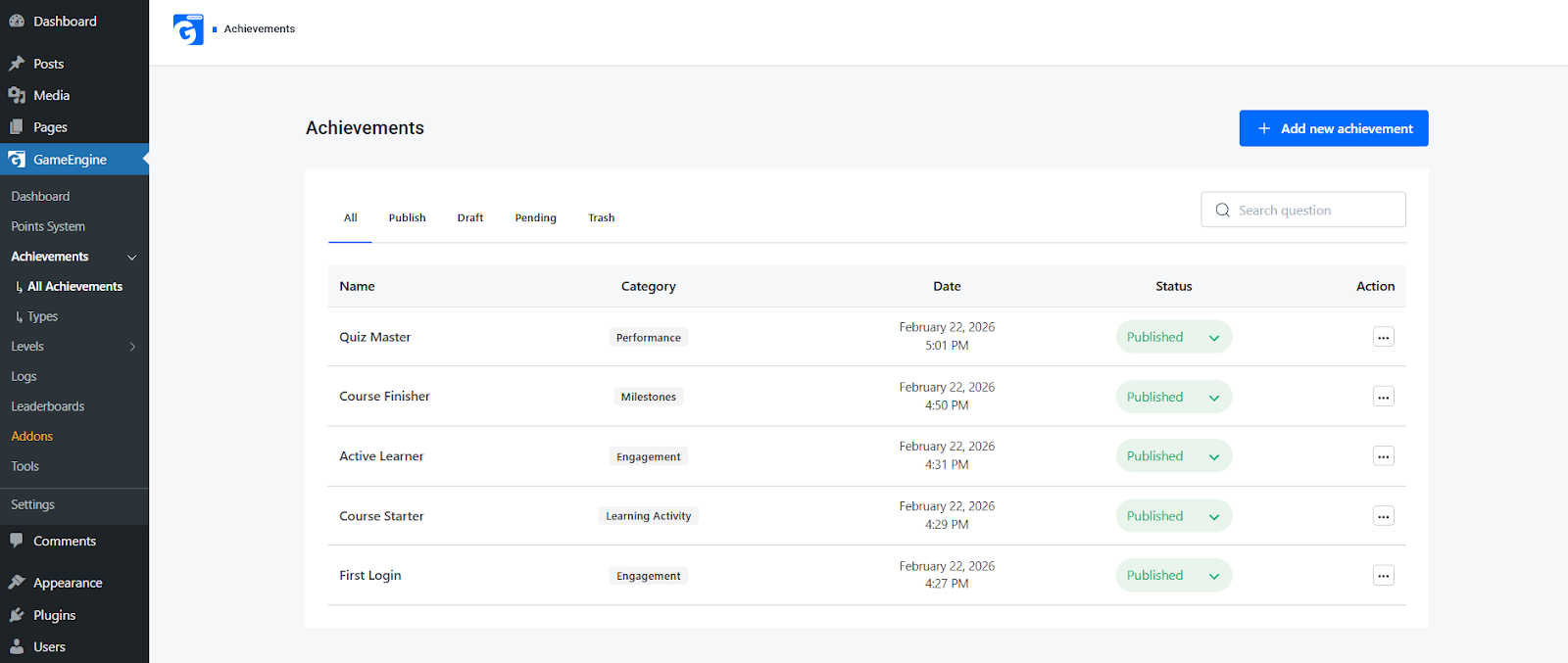
Step 1: Create an Achievement (Optional)
First, you may create an achievement that users can unlock using points.
- Go to GameEngine → Achievements → Add New.
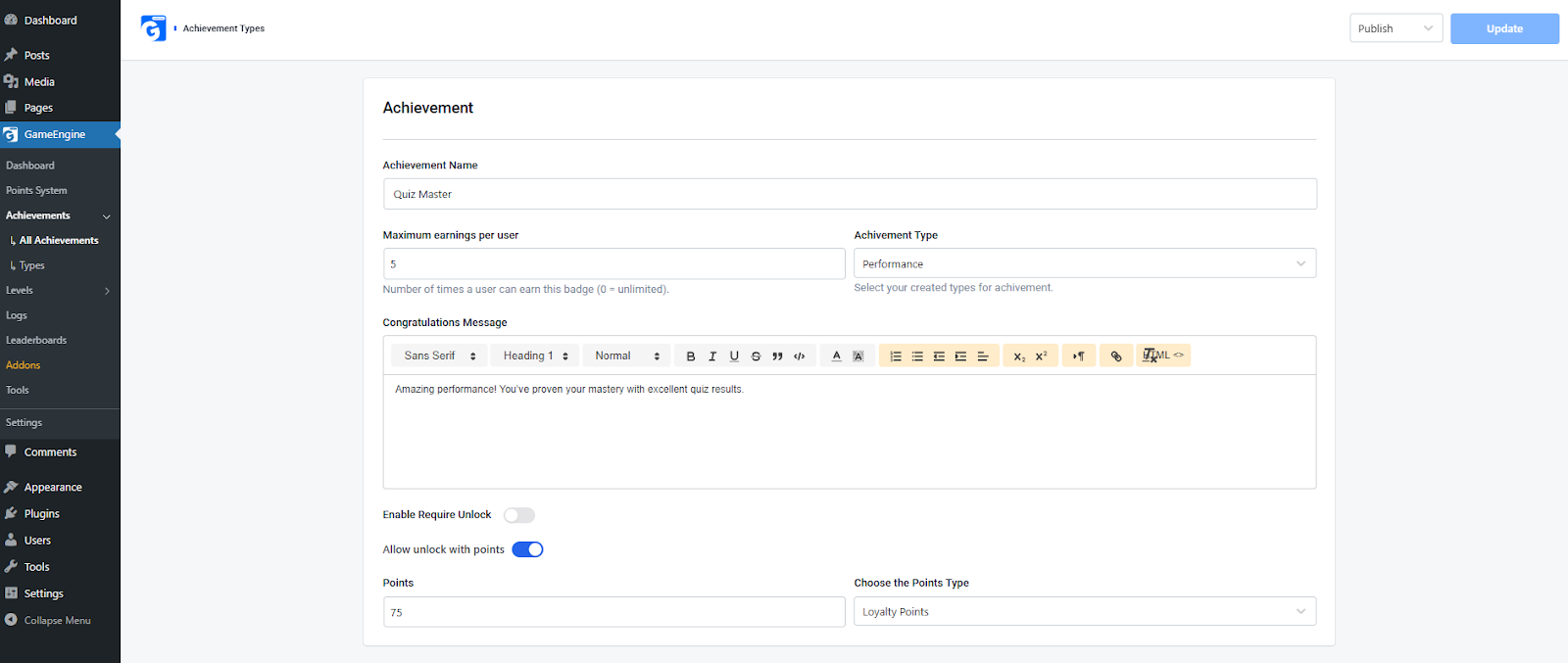
- Configure the achievement settings:
- Maximum Earnings Per User — Limit how many times a user can earn this achievement (0 = unlimited).
- Achievement Type — Select your created achievement type.
- Congratulations Message — Message shown when users unlock the achievement.
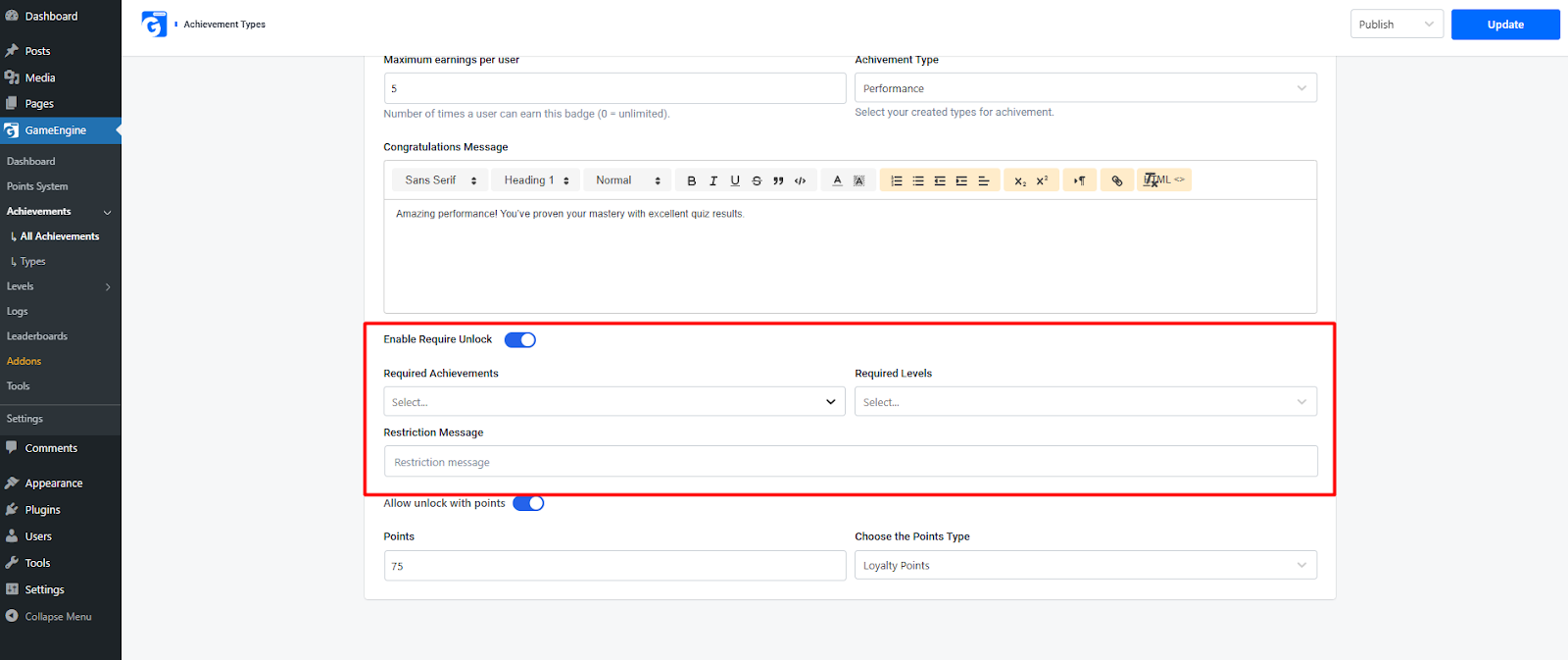
- Enable Require Unlock — Enable if users must meet requirements before unlocking.
- Required Achievements / Levels — Select prerequisites if needed.
- Allow Unlock With Points — Enable this option.
- Points — Enter how many points are required.
- Choose the Points Type — Select the points system.
Step 2: Restrict Content Using Points
You can restrict any post or page using points.
- Edit the post or page you want to restrict.
- Scroll down to the GameEngine Content Restriction section.
- Configure the settings:
- Restriction Type → Select Points Required.
- Enter Points Amount → Add the number of points required.
- Lock Images & Links Only (Optional) → Restrict only images and links instead of full content.
- Lock Message → Add a message to show locked users.
- Click Update or Publish.
Note: Content restriction works for both posts and pages.
If “Allow Unlock with Points” is Turned Off
If you disable the Allow unlock with points option, users will no longer be able to unlock the achievement using points. Instead, the achievement will only be unlocked when users meet the defined Achievement Requirements conditions.
In this case, you need to configure the requirements using the Available Hooks section:
- Scroll down to the Achievement Requirements area.
- Drag a hook from Available Hooks to the Active Hooks panel.
- Configure the hook settings (for example: number of logins, visits, comments, etc.).
- Save or update the achievement.
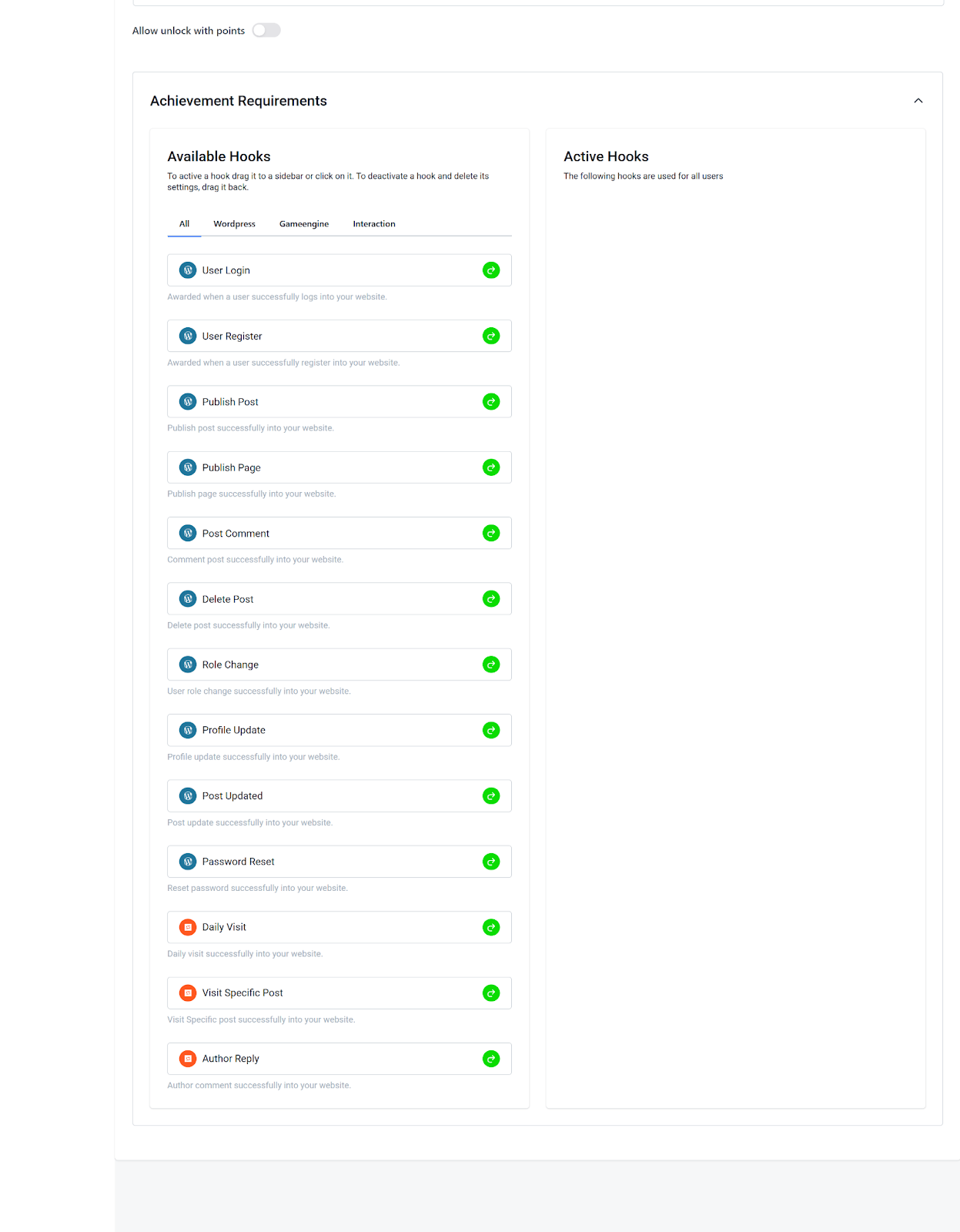
Once configured, the system will automatically award the achievement when users complete the required actions, without involving any points-based unlocking.
How It Works
- Users try to access restricted content.
- If they don’t have enough points, they see the lock message.
- Once they earn or spend the required points, the content unlocks automatically.
Best Practices
- Clearly explain how users can earn points.
- Use motivational lock messages.
- Combine achievements, levels, and points for better engagement.
Summary
The content restriction feature in GameEngine allows you to control access to posts and pages by requiring users to spend or earn points before unlocking content. You can optionally create achievements with point-based unlock conditions and set prerequisites such as required achievements or levels. Once configured, users who do not have enough points will see a custom lock message, and the content will automatically unlock when they meet the requirements. This system helps increase engagement by encouraging users to participate, earn points, and interact more with your website.