



The Time-Restricted Rewards feature in GameEngine allows you to award points to users only during specific times and days. This helps you create scheduled activities, limit rewards to certain periods, and encourage engagement at targeted times.
For example, you can reward users only during weekdays, specific hours, or during limited-time campaigns.
How to Configure Time-Restricted Rewards
Follow the steps below to set time and day restrictions for point rewards.
01: Open the Points System
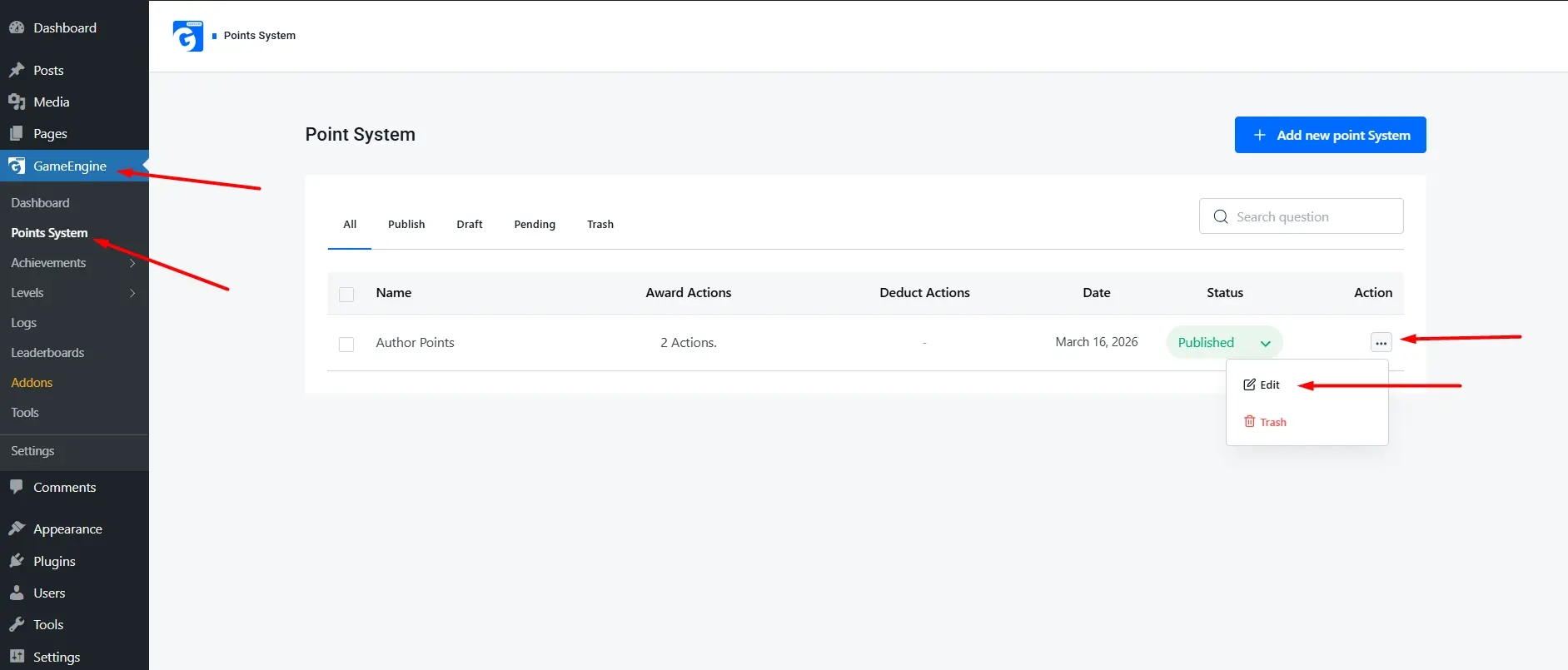
- Go to GameEngine → Points System from the WordPress dashboard.
- Select the point system you want to edit.
02: Enable an Activity Hook
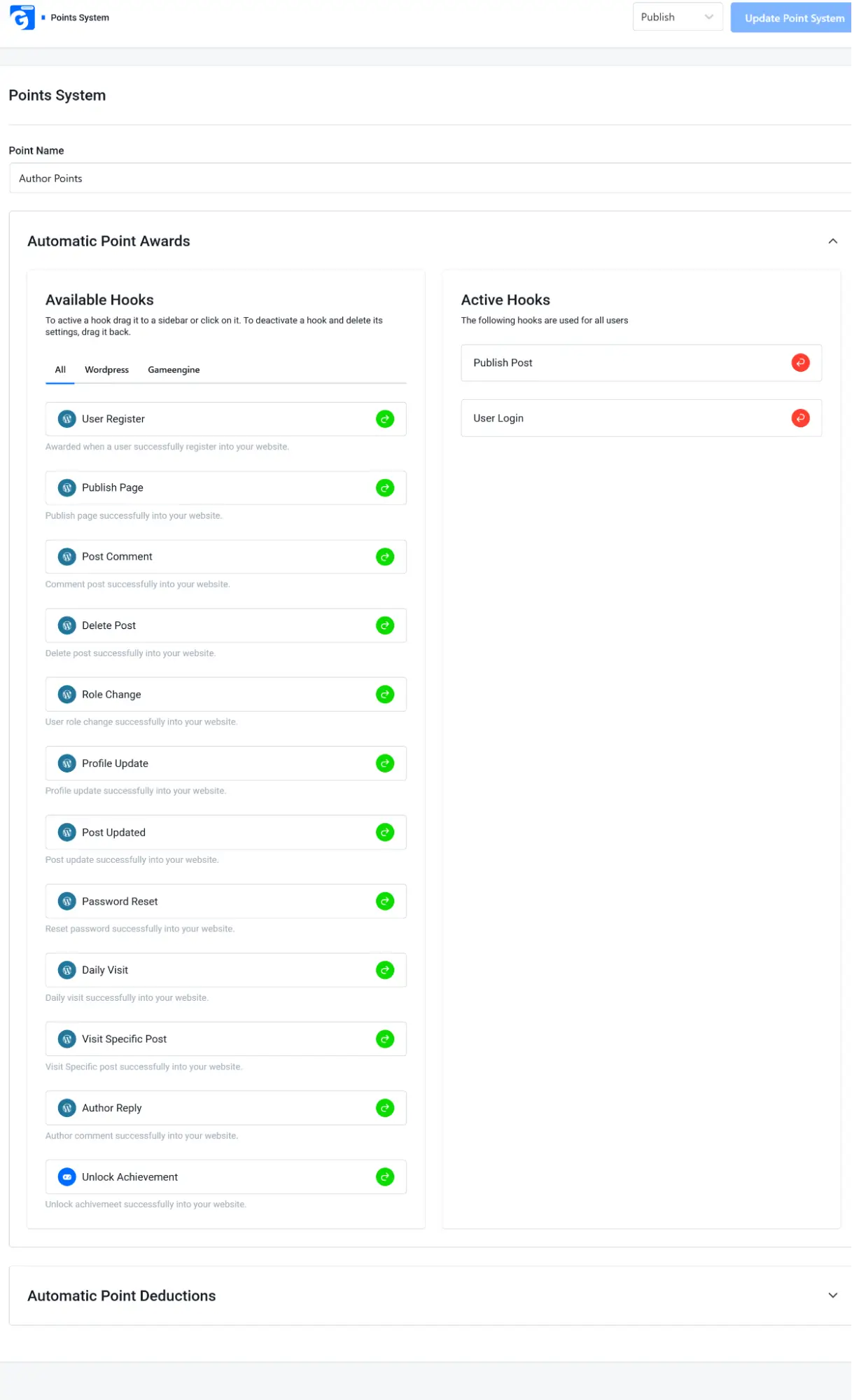
- In the Automatic Point Awards section, locate the activity you want to reward (for example: User Login or Publish Post).
- Drag the hook from Available Hooks to Active Hooks.
03: Configure the Reward
Inside the Active Hooks panel:
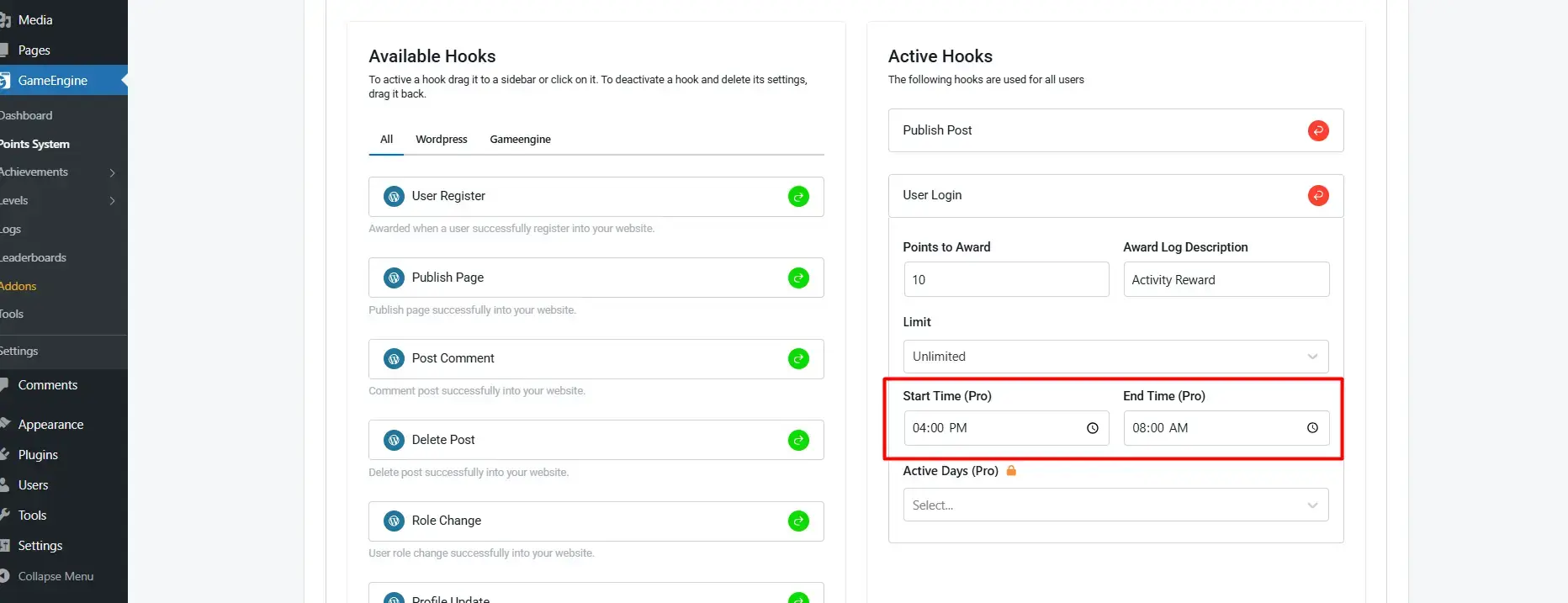
- Set Points to Award – Number of points users will receive.
- Add an Award Log Description to describe the reward.
- Set a limit if you want to restrict how many times users can receive the reward.
04: Set Time Restrictions (Pro)
You can restrict rewards to a specific time window.
- Start Time (Pro) – The time when the reward becomes active.
- End Time (Pro) – The time when the reward stops being available.
Example:
If you set:
- Start Time: 04:00 PM
- End Time: 08:00 AM
Users will only receive rewards during this defined time range.
05: Set Active Days (Pro)
You can also choose specific days when the reward will be available.
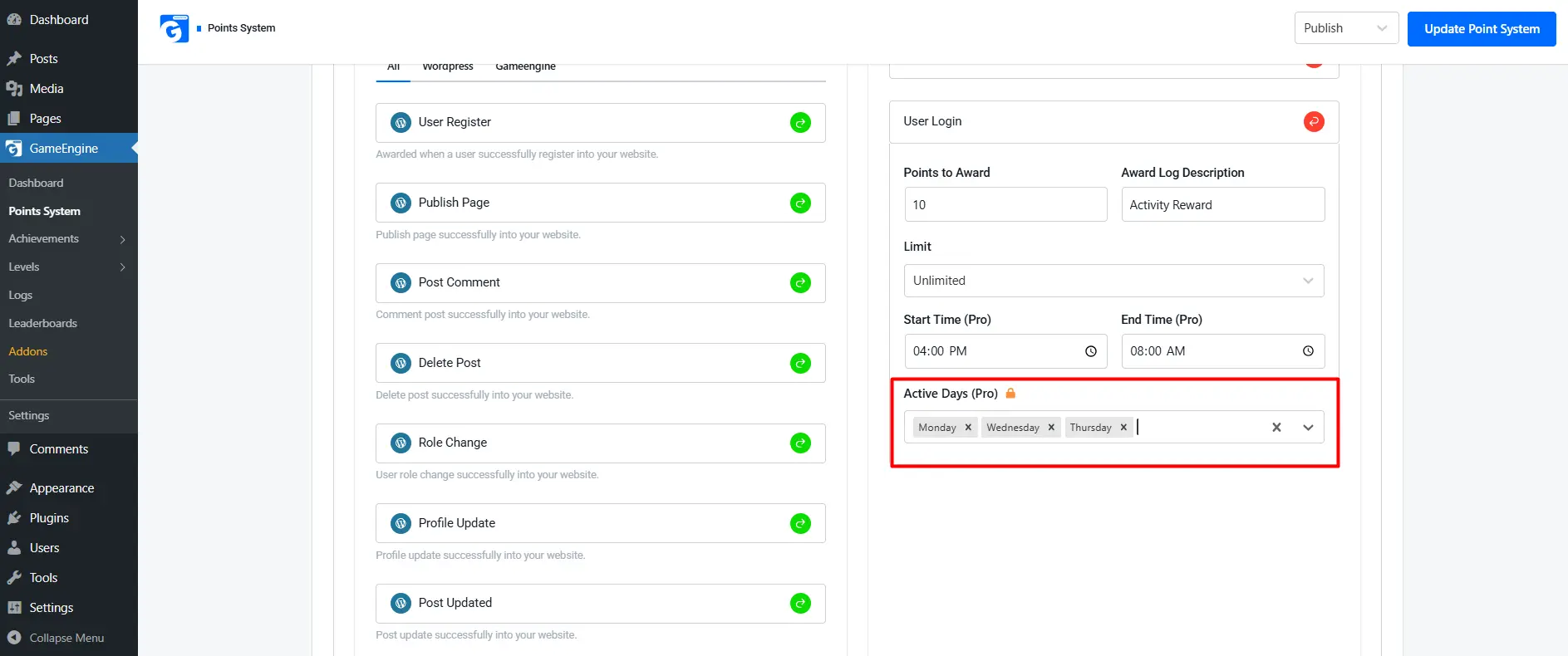
- Select the days in Active Days (Pro).
- Only actions performed on these days will award points.
Example:
- Monday
- Tuesday
- Wednesday
In this case, rewards will only be given on those selected days.
06: Save Changes
After configuring everything:
- Click Update Point System.
- Your time-restricted reward settings will be applied immediately.
Example Use Cases
- Night-time engagement campaigns
- Weekday activity rewards
- Limited-time promotions
- Event-based gamification
For example, you could reward users who log in between 6 PM and 10 PM on weekdays.