



Follow these steps to activate the GameEngine license:
Step 1: Login Information
Upon purchasing the GameEngine Pro version, you will receive an email from the Kodezen store containing your login information for the GameEngine account.
The video below demonstrates how to activate all Kodezen product licenses.
Step 2: Logging in and Downloading
1. Log in to your GameEngine account using the provided login credentials.
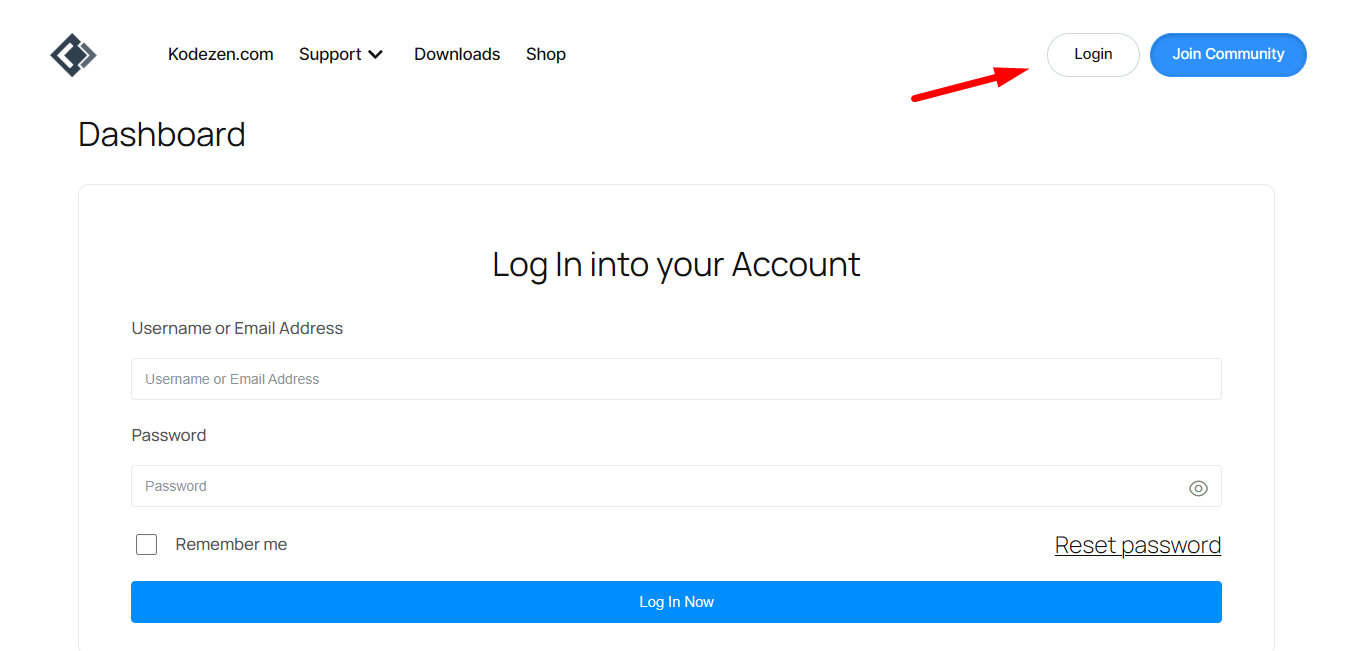
2. After logging in, access the dashboard, where you will find a download option.
3. Click on the download option to download the GameEngine Pro version.
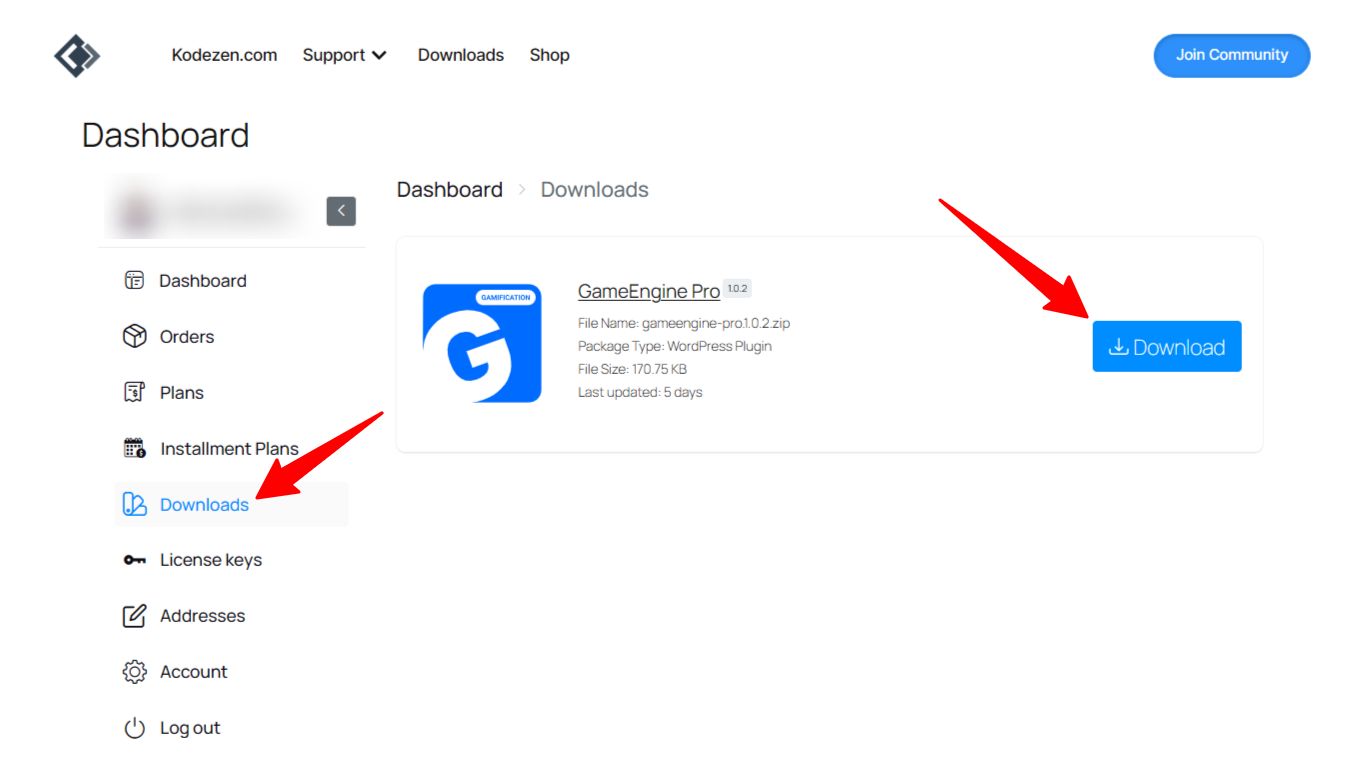
GameEngine download from dashboard
Step 3: Installation
Once the plugin is downloaded, follow these steps to install GameEngine Pro successfully:
a. Go to your WordPress site dashboard.
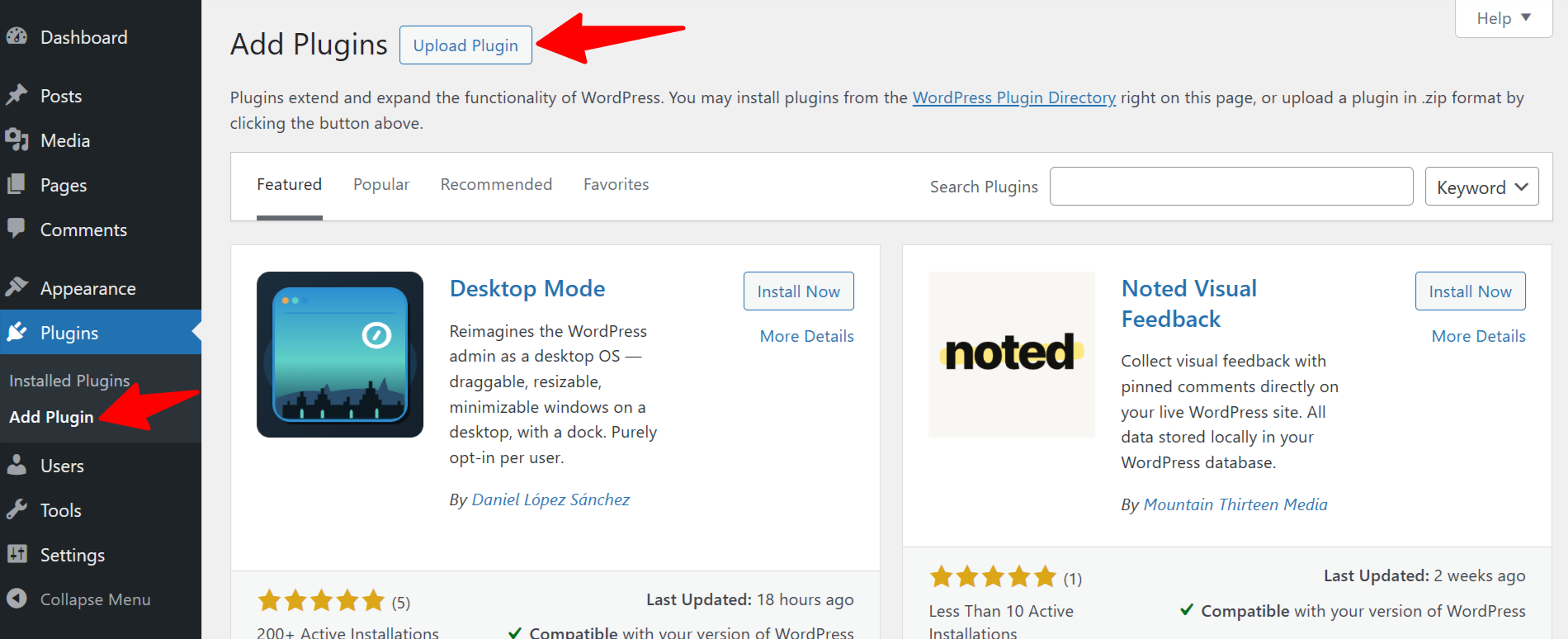
b. Navigate to Plugins > Add New.
c. Click the “Upload Plugin” button located above and next to the “Add Plugins” button. Click on upload plugin
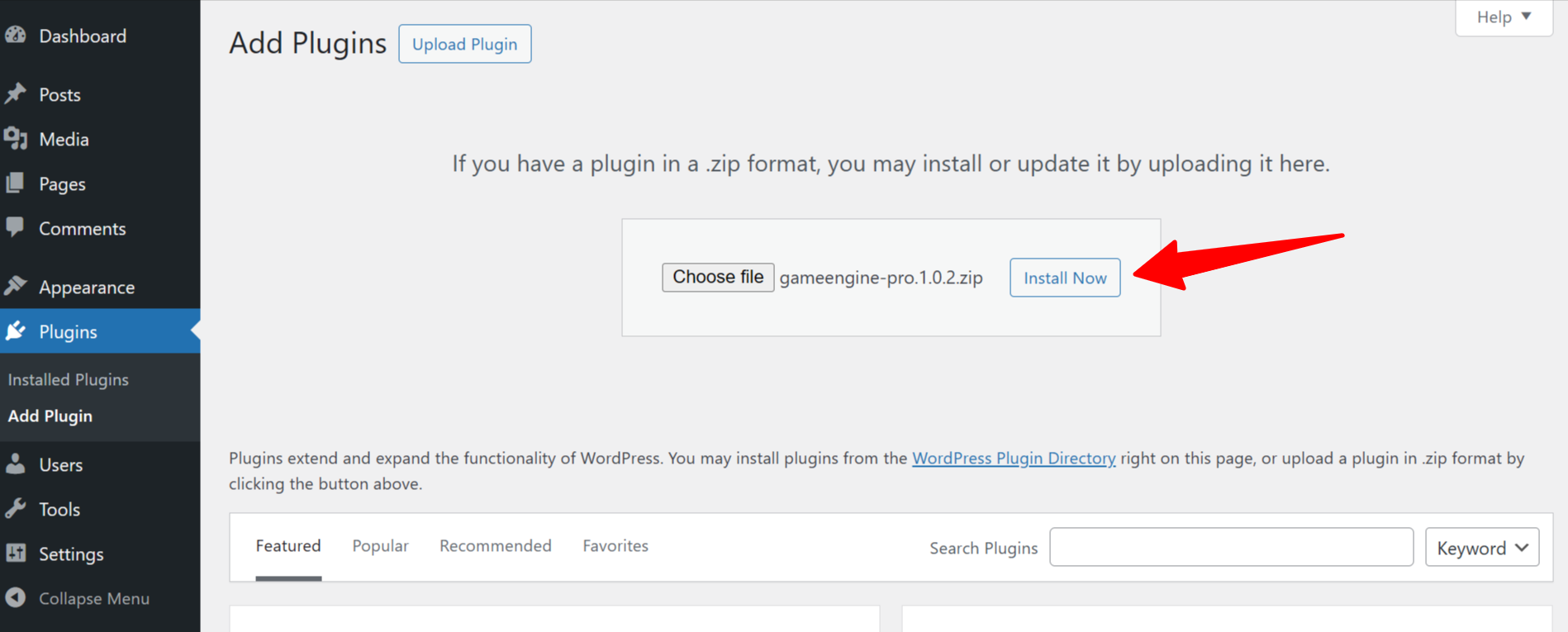
d. An upload form will appear. Click “Choose File” to select the ZIP file from your computer, or simply drag and drop the GameEngine Pro zip file, then select “Install Now.” Upload and install GameEngine Pro
e. After successful installation, activate the plugin.
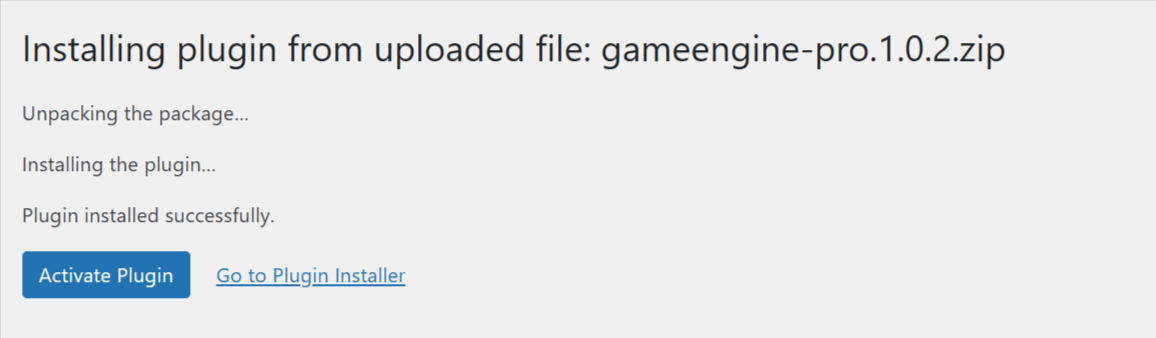
Activate GameEngine Pro version
Step 4: GameEngine Free Version
Note that it is necessary to have the GameEngine free version installed to use the GameEngine Pro version.
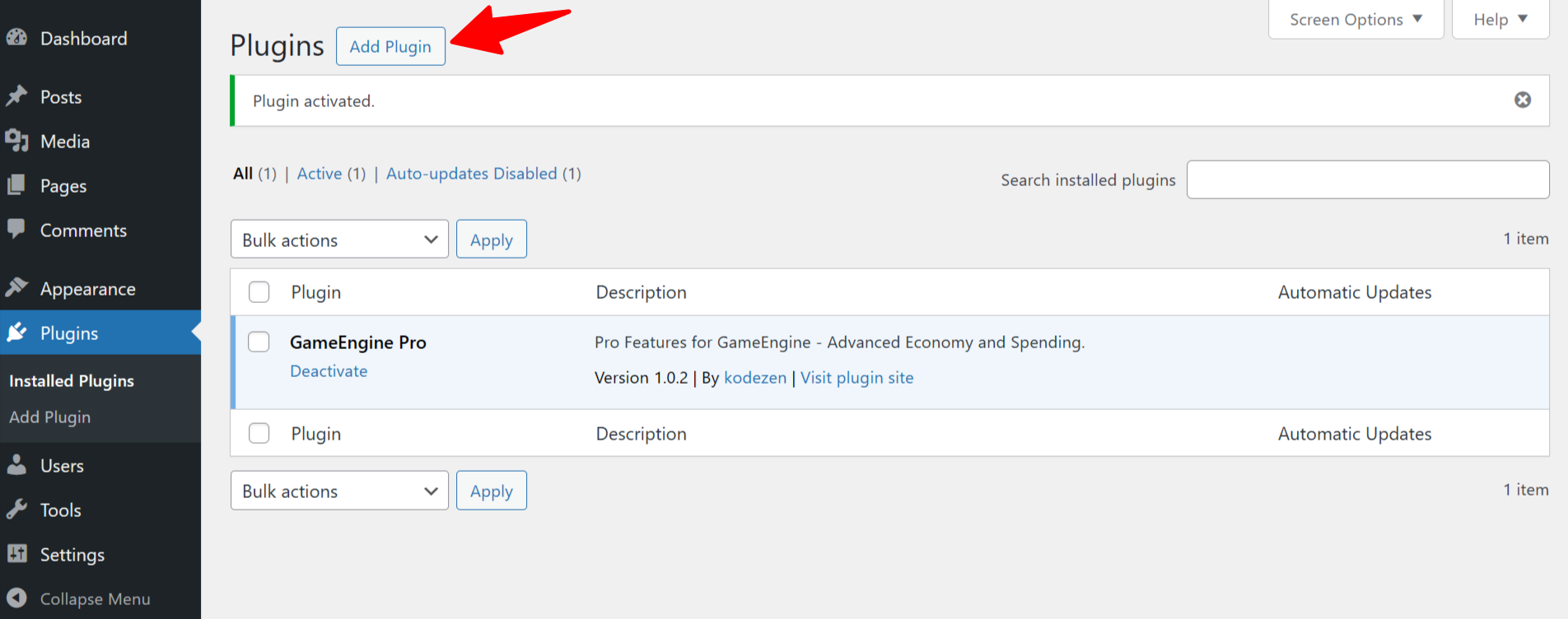
Step 5: GameEngine License Activation
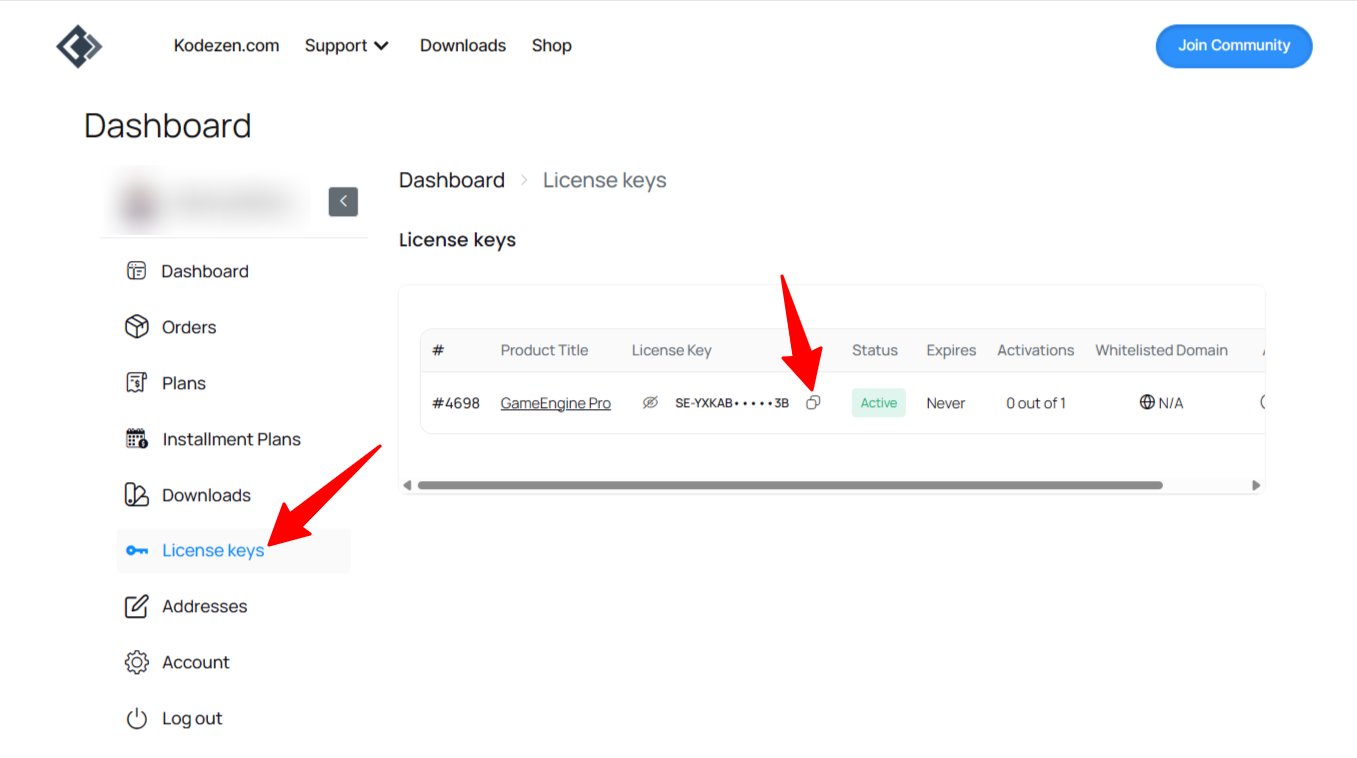
1. Return to your GameEngine account and access the License section from the dashboard.
2. In the License section, you will find your GameEngine Pro License key. Copy the license key.
3. To activate the license, head over to GameEngine from your WordPress dashboard.
4. Click on License from the GameEngine menu option.
5. Paste the copied license key and click “Activate License” to activate the GameEngine Pro license.
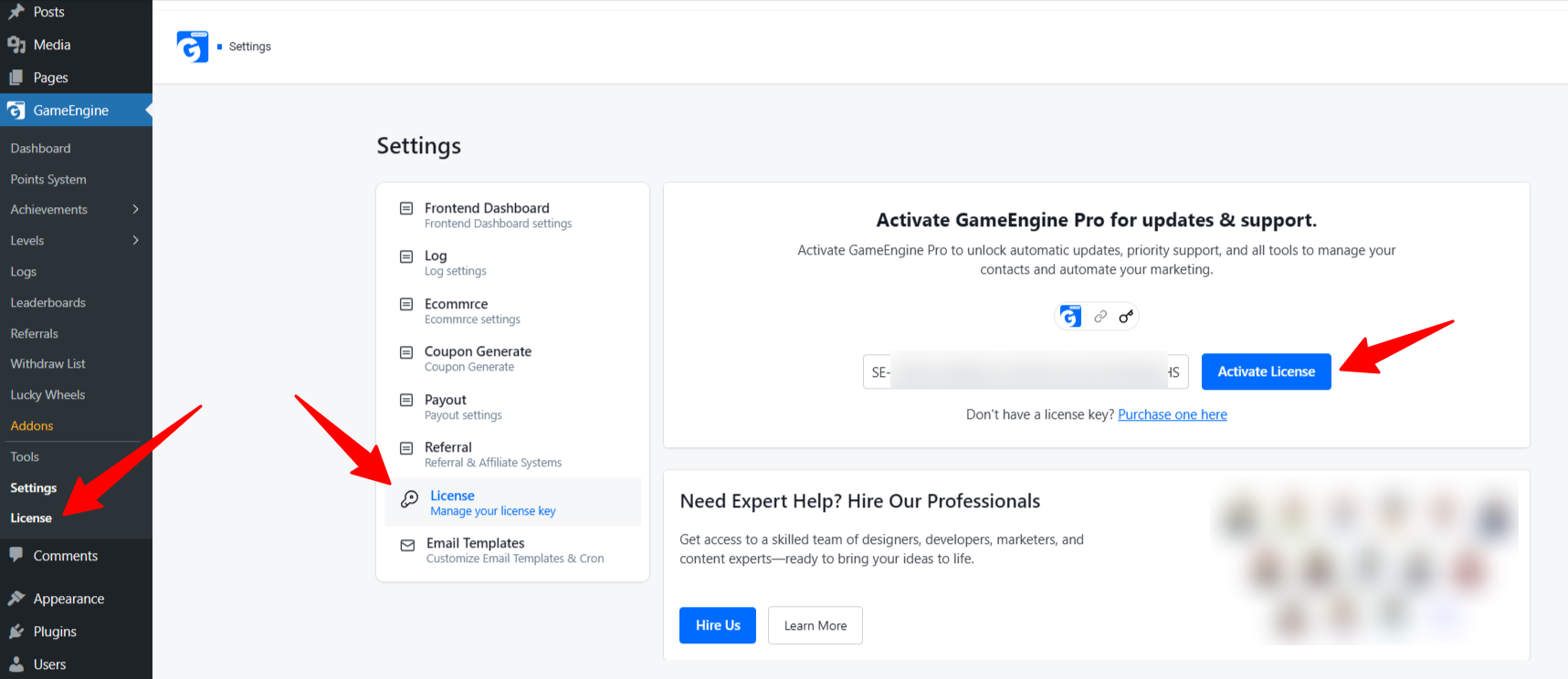
Your GameEngine license has now been successfully activated.
For video tutorials, subscribe to our YouTube channel. Join our Facebook community to ask questions. Stay updated with our latest news by following us on Twitter.