



Imagine running a WordPress site where users earn points for leaving reviews, completing courses, or referring friends — and then those points convert directly into cash deposited into their PayPal or Stripe accounts. That’s not a fantasy. It’s a real, working setup thousands of WordPress site owners are using right now to drive unprecedented engagement and loyalty.
This guide walks you through exactly how to build that system from scratch — plugin choices, configuration, payout setup, fraud prevention, and launch.
Why Pay Users with Real Money Instead of Just Points?
Virtual points and digital badges are powerful motivators — but the moment users realize their points can be converted into actual cash, engagement rates skyrocket.
Here’s why:
Real Value Beats Perceived Value
Points alone have perceived value. But points that turn into real dollars have tangible value. Users work harder, visit more frequently, and refer more friends when there’s actual money on the table.
Lower Churn Rate
Loyalty programs that offer cashback or real-money payouts experience significantly lower churn than badge-only or points-only systems. When real money is involved, users think twice before leaving your platform.
Powerful Word-of-Mouth
Real-money rewards are highly shareable. A user who just withdrew $20 from your site will proudly tell their friends. Regular discount coupons or points rarely create the same level of excitement and buzz.
Strong Competitive Advantage
Most WordPress communities and membership sites still run closed-loop point systems (points can only be spent on-site). Offering real-money withdrawals puts you in a much smaller, premium category that stands out from the crowd.
Meet GameEngine: WordPress Gamification Built for Real-World Payouts
GameEngine is a self-hosted WordPress gamification plugin designed around one core philosophy: turning user actions into real, measurable value. Unlike many older plugins that treat points mainly as store credit, GameEngine includes a native wallet and points withdrawal system that supports real money payouts via PayPal and Stripe.
What Makes GameEngine Different
Most gamification plugins stop at points and badges. GameEngine goes further with a complete points economy:
Real Money Withdrawals — Users convert earned points into cash and request payouts via PayPal or Stripe without leaving your site.
Admin Wallet Dashboard — All withdrawal requests land in one dedicated dashboard. Admins can review, approve, reject, and track every payout in one place.
Automatic Point Triggers — Award points for logins, registrations, purchases, comments, course completions, and custom actions — all without manual intervention.
WooCommerce Integration — Users spend points at checkout, generate coupons from a reward shop, or apply instant cart discounts using their balance.
Leaderboards, Levels & Happy Hours — Dynamic leaderboards, user ranks, progress roadmaps, and time-based bonus events (weekend multipliers, daily specials) keep engagement high.
Full Activity Logs — Every point award, deduction, badge, and manual adjustment is logged — essential for transparency in any financial payout system.
GameEngine integrates natively with Academy LMS, StoreEngine, WooCommerce, and other major WordPress plugins — making it a solid fit for learning platforms, eCommerce stores, membership sites, and online communities.
Setting Up WordPress Points With Real-Money Payouts: Step-by-Step
Step 1: Define Point Earning Rules
Go to GameEngine → Rewards → Earning Rules and create rules for different actions:
|
Action |
Points Awarded |
|
User Registration |
50 points |
|
Daily Login |
10 points |
|
Writing a Post or Comment |
25 points |
|
Completing a Course Module |
100 points |
|
Making a Purchase |
1 point per $1 spent |
|
Referring a New User |
200 points |
Step 2: Set Point-to-Cash Conversion Rate
Go to Wallet → Payout Settings and define your conversion rate. Example:
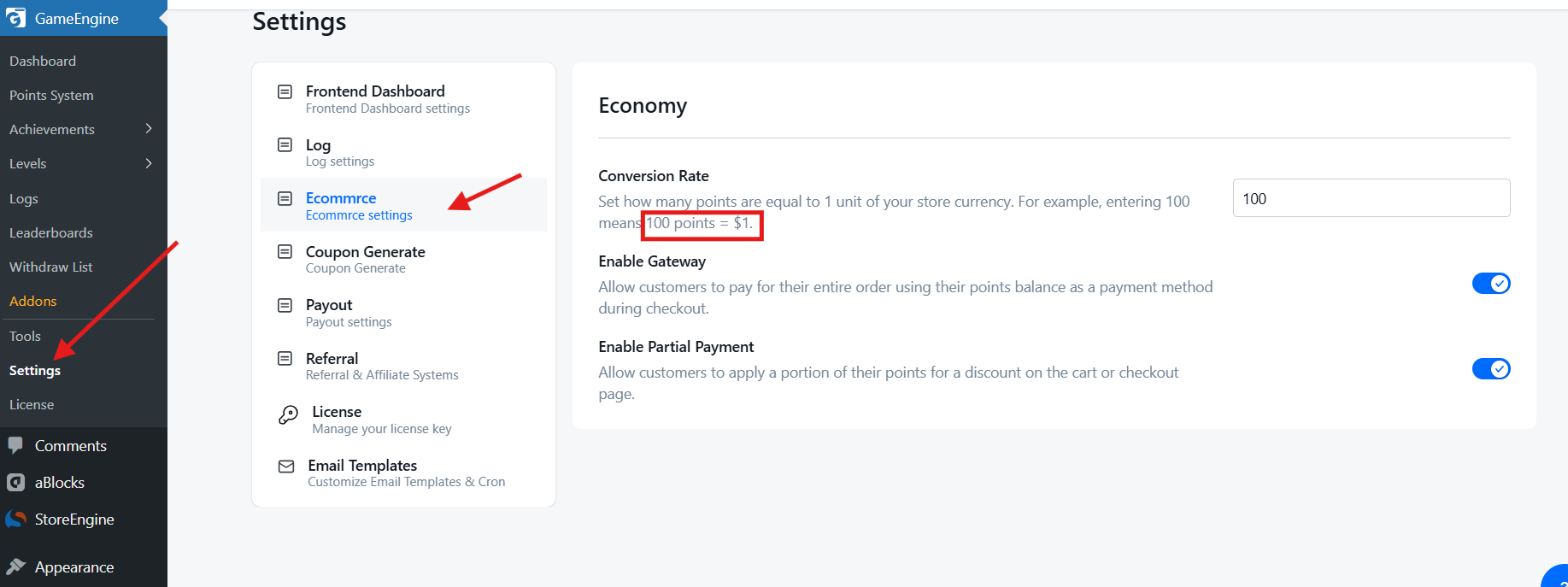
100 points = $1.00
Also set a minimum withdrawal threshold (recommended: $5 or $10) to avoid too many small payout requests and reduce transaction fees.
Step 3: Configure Payout Settings
Go to GameEngine → Settings → Payout and configure the following:
Enable Payout. Toggle it ON to allow users to request real money withdrawals in exchange for their earned points.
Payout Methods: Select which payment methods users can use to receive their money. Available options: PayPal, Stripe, bKash, Bank, etc. You can add multiple methods at once.
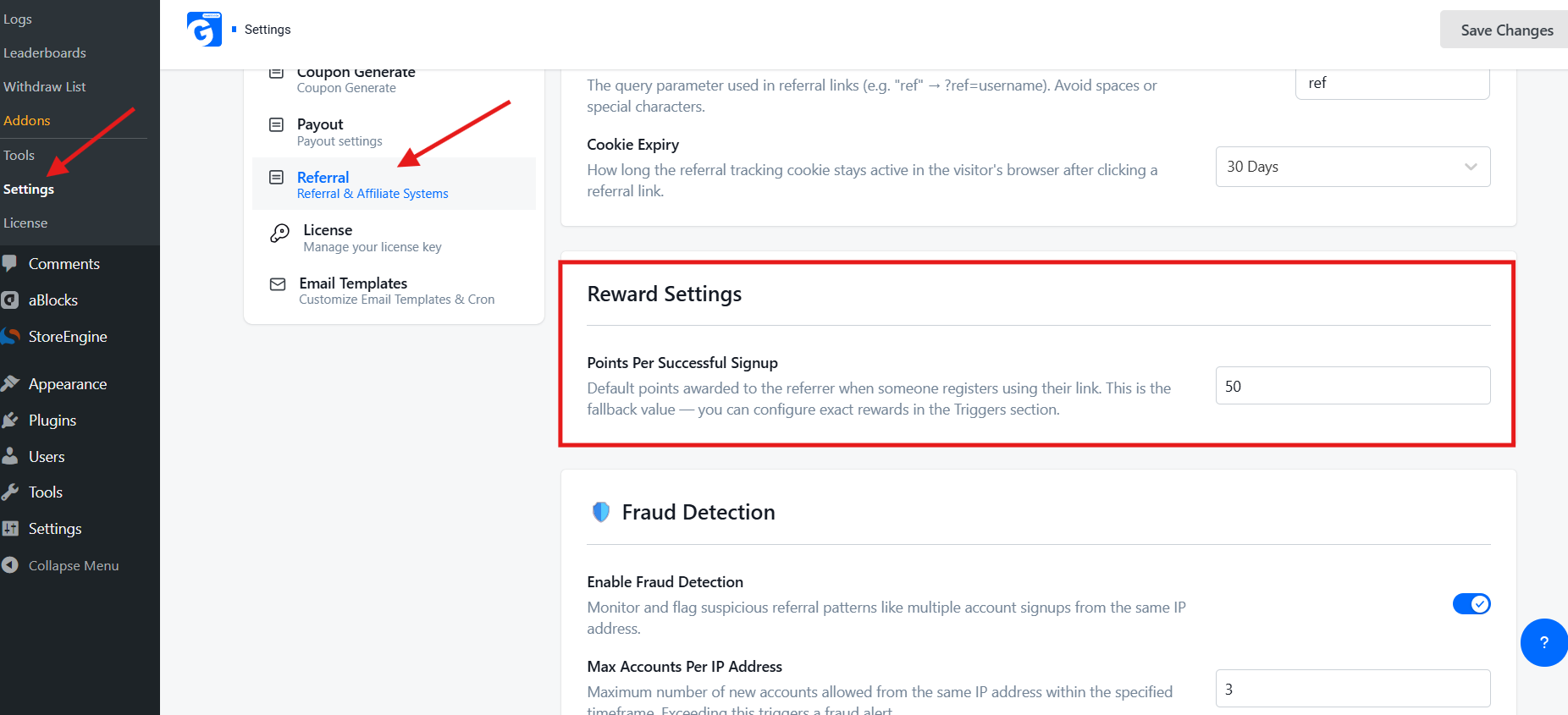
Max Points: Set the maximum number of points a user can request for a single withdrawal. Example: 10000
Min Points: Set the minimum number of points a user must have before they can request a withdrawal. Example: 1000
Once done, click Save Changes in the top right corner.
Step 4: Enable the User Withdrawal Interface
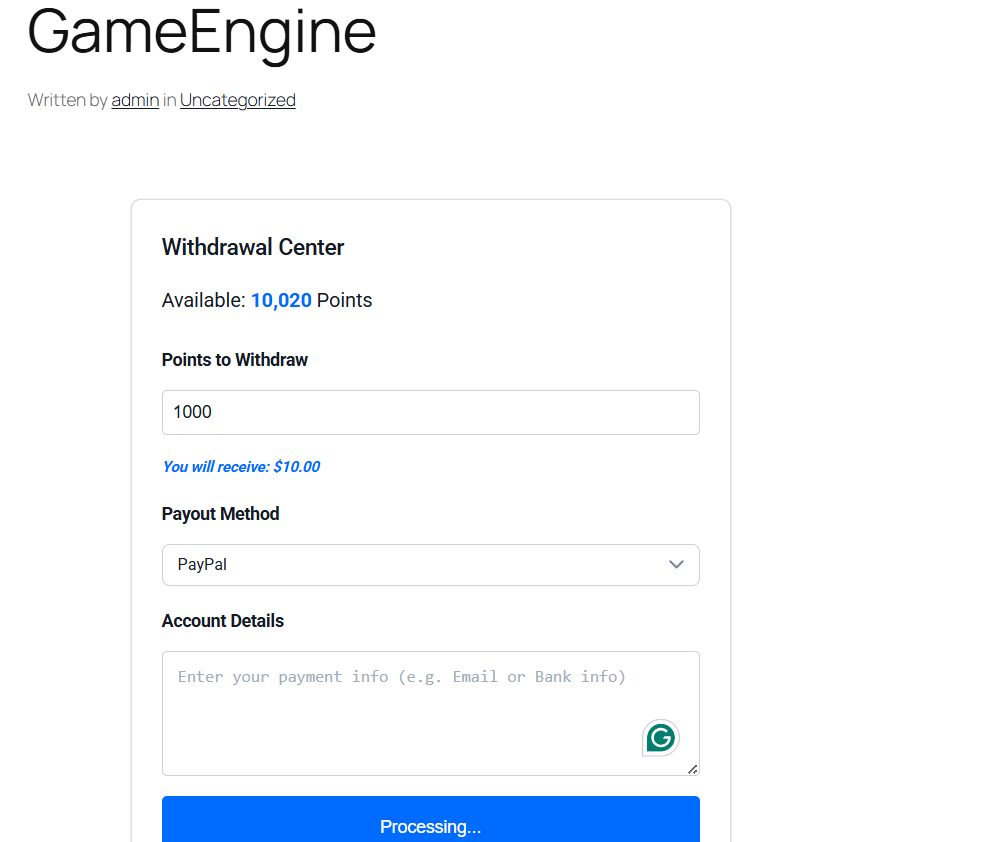
[gameengine_wallet]
This renders a clean wallet panel where users can:
- View their current point balance
- See the equivalent cash value
- Choose their preferred payout method (PayPal or Stripe)
- Submit a withdrawal request
Step 5: Manage Payout Requests (Admin Side)
All withdrawal requests appear in GameEngine → Wallet Dashboard. As an admin, you can:
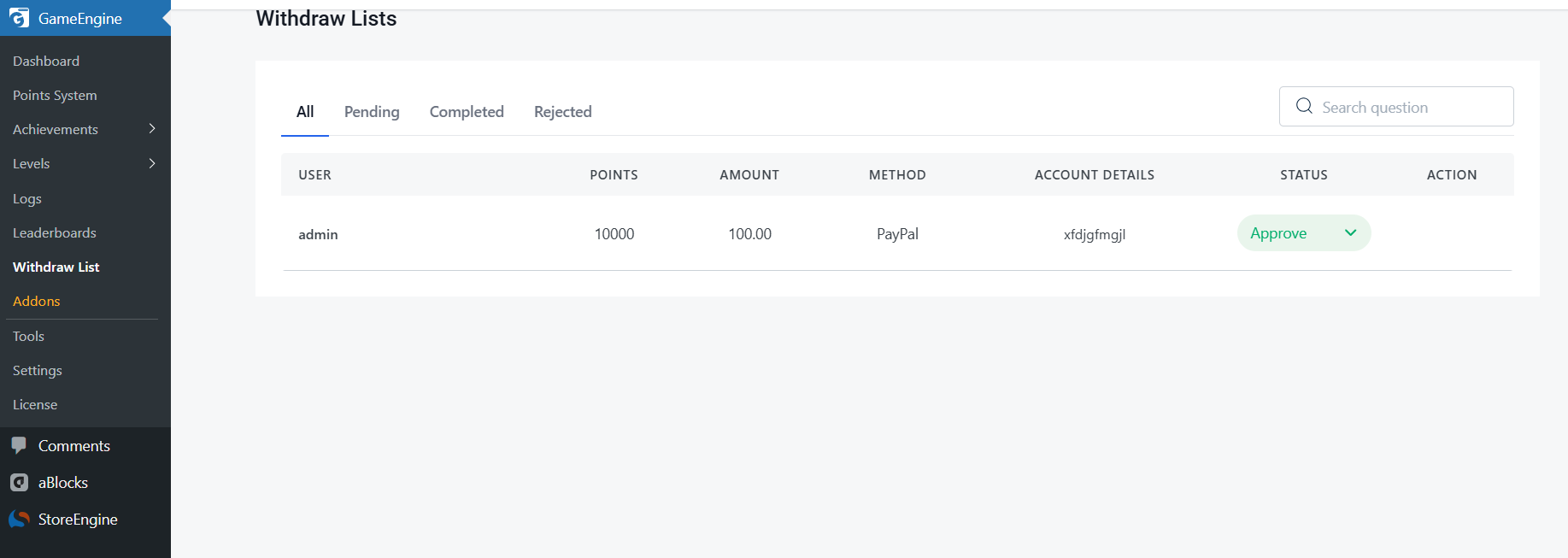
- Review each user’s full balance and transaction history
- Approve or reject individual requests
- Trigger PayPal or Stripe payouts directly from the dashboard
- Manually adjust point balances (for bonuses or corrections)
- Export payout logs for accounting and tax purposes
Every action is logged with a timestamp and admin user ID for security and audit purposes.
Best Practices for Real-Money Point Payout Systems
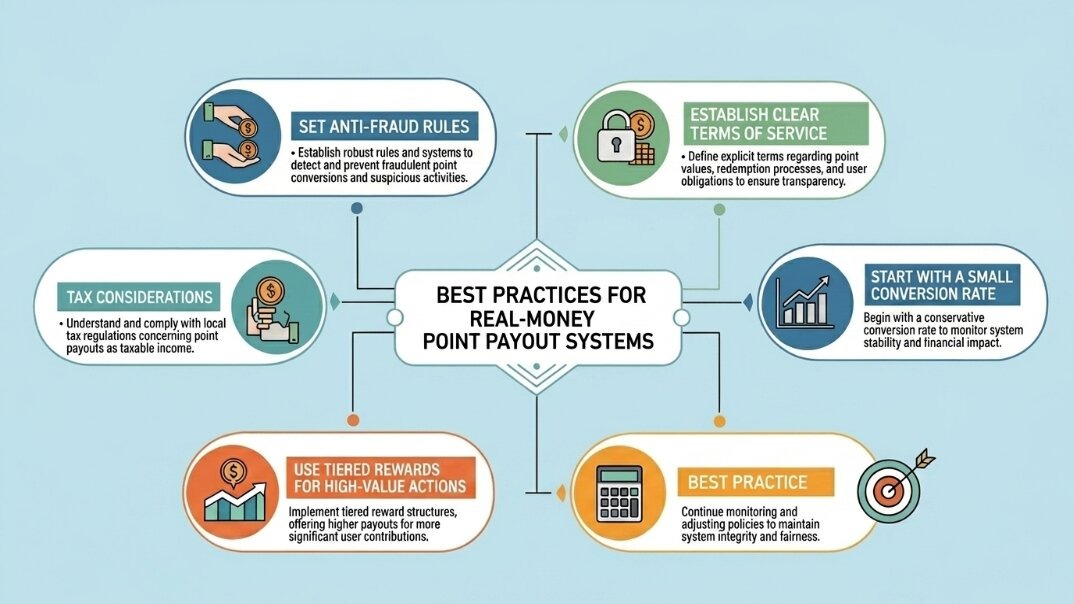
Running a real-money rewards system comes with responsibility. Here are the non-negotiables:
1. Set Anti-Fraud Rules
Enable cooldown periods on point-earning actions. GameEngine lets you block the same IP or device from triggering the same reward more than once in a defined period. For high-value triggers (referrals, purchases), consider adding email verification steps.
2. Establish Clear Terms of Service
Your site’s Terms of Service must explicitly describe how points are earned, the conversion rate, withdrawal minimums, processing times, and circumstances under which points can be voided (fraud, chargebacks, account termination). This is both a legal and user-trust requirement.
3. Tax Considerations
In most jurisdictions, cash payouts to users may be considered taxable income. If your platform pays out more than $600/year to a US user via PayPal or Stripe, you may be required to issue a 1099-K. Consult a tax professional and consider requiring users to submit a W-9 or equivalent before their first payout. Both PayPal and Stripe have tax reporting documentation worth reviewing.
4. Start with a Small Conversion Rate
When first launching, set a conservative conversion rate (e.g., 1,000 points = $1). You can always increase generosity as you validate the economics. Starting too generous is very hard to walk back without angering your user base.
5. Use Tiered Rewards for High-Value Actions
Not all actions should earn the same points. Create tiers: low-value actions (logins, page views) earn small amounts; high-value actions (purchases, verified referrals, course completions) earn significantly more. This focuses payout liability on the behaviors that actually grow your business.
GameEngine vs. Other WordPress Points Plugins
It’s worth understanding where GameEngine sits relative to the broader landscape of WordPress gamification plugins:
MyCred is the most established name in WordPress points systems and offers PayPal payout support via premium add-ons. However, the Stripe payout module is sold separately, and combining multiple add-ons can push costs well above $200/year. GameEngine bundles payout functionality into its core offering.
GamiPress is highly modular and integrates with BuddyPress, LearnDash, and WooCommerce — but real-money payouts require significant customization or third-party bridging. It’s better suited to badge and achievement systems than cash-out ecosystems.
CM MicroPayments (by CreativeMinds) is a specialized micropayment plugin that supports both PayPal and Stripe payouts and integrates with WooCommerce and Easy Digital Downloads. It’s a valid alternative for developers who want an API-first approach, though its interface is more technical.
GameEngine sits at the intersection of modern UX, built-in payout infrastructure, and WooCommerce compatibility — making it the strongest choice in 2025–2026 for site owners who want an all-in-one solution without cobbling together multiple plugins.
Real-World Use Cases: Who Should Build This System?
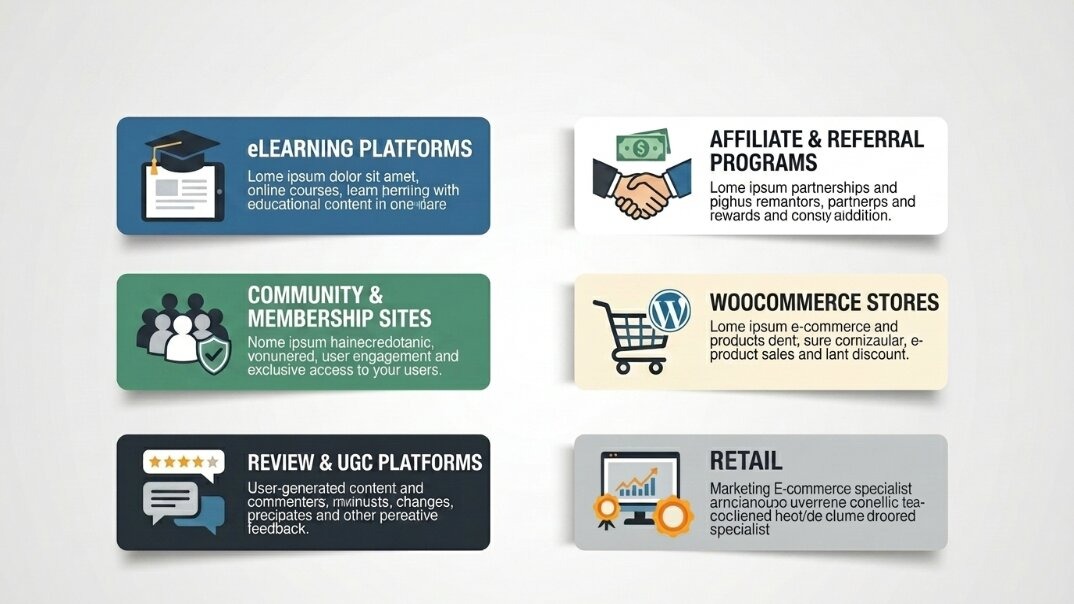
eLearning Platforms
Reward students for completing modules, passing quizzes, and finishing full courses. Offering real cash payouts for top performers transforms your LMS into a competitive, high-engagement learning environment. Academy LMS and LearnDash integrate directly with GameEngine’s point triggers.
Community & Membership Sites
Pay contributors for creating posts, answering questions, and mentoring new members. Wikipedia-style crowdsourcing without the volunteer-only model. Real payouts attract serious contributors and dramatically improve content quality.
Review & UGC Platforms
If your business model relies on user-generated content — reviews, tutorials, testimonials — a real-money point system is one of the most cost-effective ways to incentivize volume and quality. You only pay out to the most active contributors.
Affiliate & Referral Programs
Rather than a static affiliate commission, use a points-based referral system where users earn points for successful referrals that convert. The delayed gratification of accumulating points before withdrawal reduces fraud and increases the lifetime engagement of your affiliate base.
WooCommerce Stores
Reward customers with points for purchases (e.g., 1 point per $1 spent) that they can later cash out, creating a genuine cashback loyalty program — far more compelling than a standard coupon system.
Final Thoughts
Building a real-money point payout system on WordPress is no longer reserved for enterprise platforms with custom development budgets. With GameEngine, you get a self-hosted, WooCommerce-compatible gamification engine that connects directly to PayPal and Stripe — letting you reward users with real cash for the actions that grow your platform.
The key is to start with intentional design: choose your earning triggers carefully, set conservative conversion rates, protect against fraud from day one, and be transparent with your users about the rules. Done right, this system doesn’t just increase engagement — it fundamentally changes the relationship between your platform and your community. Users stop being visitors and start becoming invested stakeholders.
Frequently Asked Questions (FAQ)
Can any WordPress site pay users with real money?
Yes — as long as you use a plugin that supports payout gateways (like GameEngine, myCred, or CM MicroPayments) and you have a business account on PayPal or Stripe.
Do I need a business PayPal account to send payouts?
Yes. PayPal’s Payouts API requires a verified Business account. Personal accounts cannot send API-triggered or bulk payments to users.
Is Stripe or PayPal better for user payouts?
Stripe is generally a better option for international websites, as it supports payouts to over 40 countries and offers built-in currency conversion. PayPal is more familiar to everyday users, especially in the US. Offering both is ideal.
What is the minimum payout WordPress plugins usually allow?
Most plugins let you set a custom minimum. A common threshold is $5–$10 (or its point equivalent) to avoid micro-transactions that eat into processing fees.