



Static websites are a thing of the past. To keep users engaged, you need to turn their journey into an experience. One of the most effective ways to do this is by adding User Ranks and Levels.
Levels provide a sense of status, progression, and competition. Whether you run a community forum, an e-learning site, or a blog, giving users a rank like “Newbie,” “Expert,” or “Legend” keeps them coming back.
With the GameEngine plugin, you can set up a professional leveling system for free.
Why levels work — the psychology behind ranks
Before the setup steps, it helps to understand why a leveling system actually changes user behavior — because if you understand the mechanism, you can design it much more intentionally.
There are three things at work. First, identity: a user who has reached “Gold Member” or “Expert Contributor” starts to identify with that title. They don’t want to lose it — and that loss aversion keeps them engaged. Second, progress visibility: seeing a rank bar fill up is almost impossible to ignore. The brain treats incomplete progress as unfinished business. Third, social status: when ranks are visible to other users — on leaderboards, comment sections, or profiles — they become a form of reputation. People work to protect and improve their public standing.
“A title like ‘Legend’ doesn’t just describe where a user is — it tells them who they are on your platform. That identity is worth protecting.”
None of this requires manipulation. You’re just building visible structure around progress that’s already happening — and making it feel meaningful.
What kind of sites benefit most
Community forums
Ranks give members a visible status that rewards consistent contribution. “Senior Member” means something when others can see it.
LMS & course sites
Levels map naturally to learning progression — Beginner, Intermediate, Advanced. Completing more courses means a higher rank.
WooCommerce stores
Tiered membership levels (Bronze, Silver, Gold) unlock exclusive pricing, early access, or VIP perks for your best customers.
Blogs & publications
Reward regular readers and commenters with reader ranks. Turns a passive audience into an active contributor community.
1. Define Your Ranks
Before you touch any code, decide on your ranking structure. A classic example would be:
- Level 1: Bronze Member
- Level 2: Silver Member
- Level 3: Gold Member
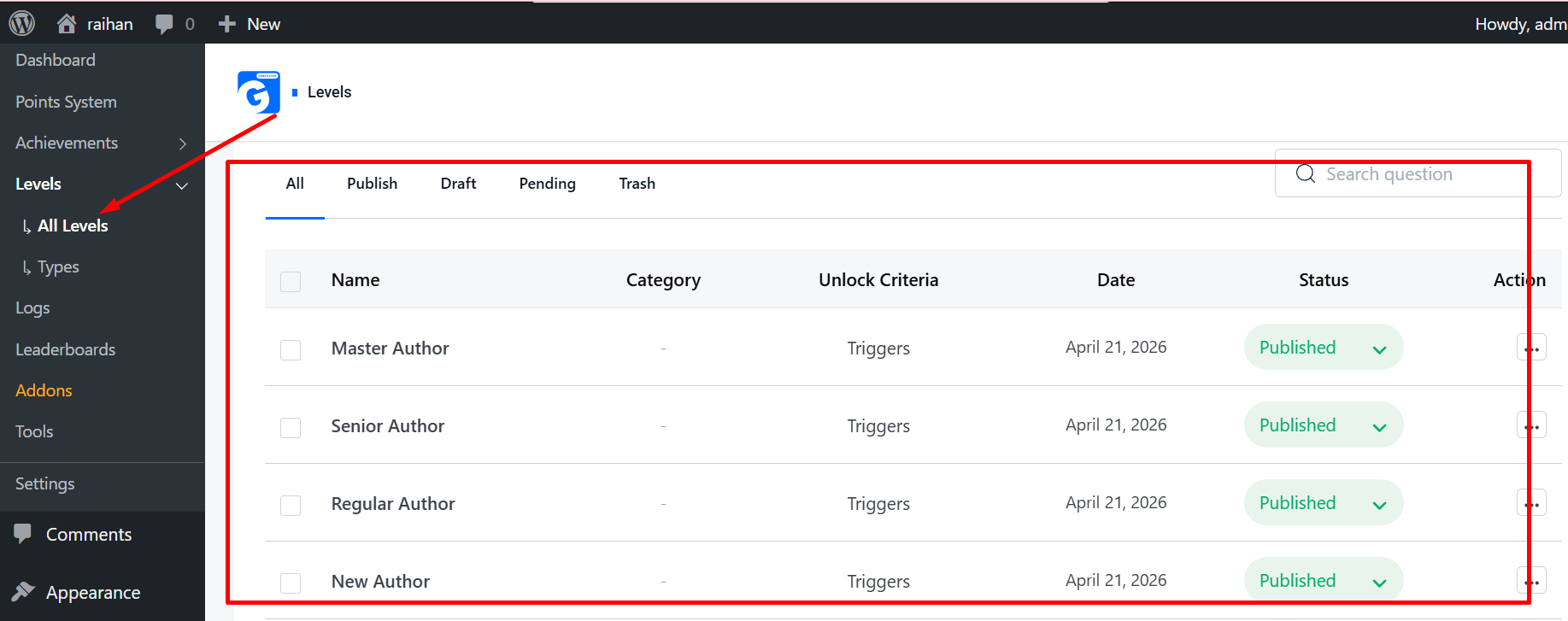
In GameEngine, navigate to Levels > Add New. Give your level a title, upload a beautiful icon (like a trophy or star), and set the Priority (Level 1, Level 2, etc.).
2. Set Point Requirements (Automatic Leveling)
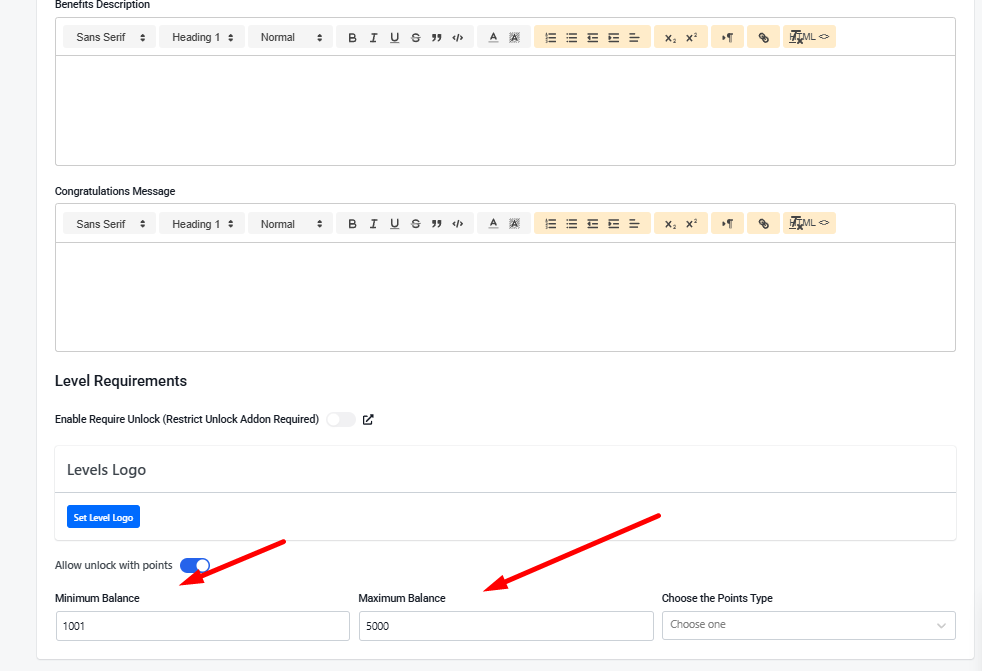
The easiest way to let users level up is by connecting ranks to their points balance.
- In the Level settings, look for the Requirement section.
- Set the Minimum Points needed to reach this rank.
- Choose the Point Type (e.g., XP or Coins).
How it works: Once a user reaches 500 points, GameEngine will automatically “promote” them to the next level. No manual work required!
3. Show a Visual Journey (The Progress Map)
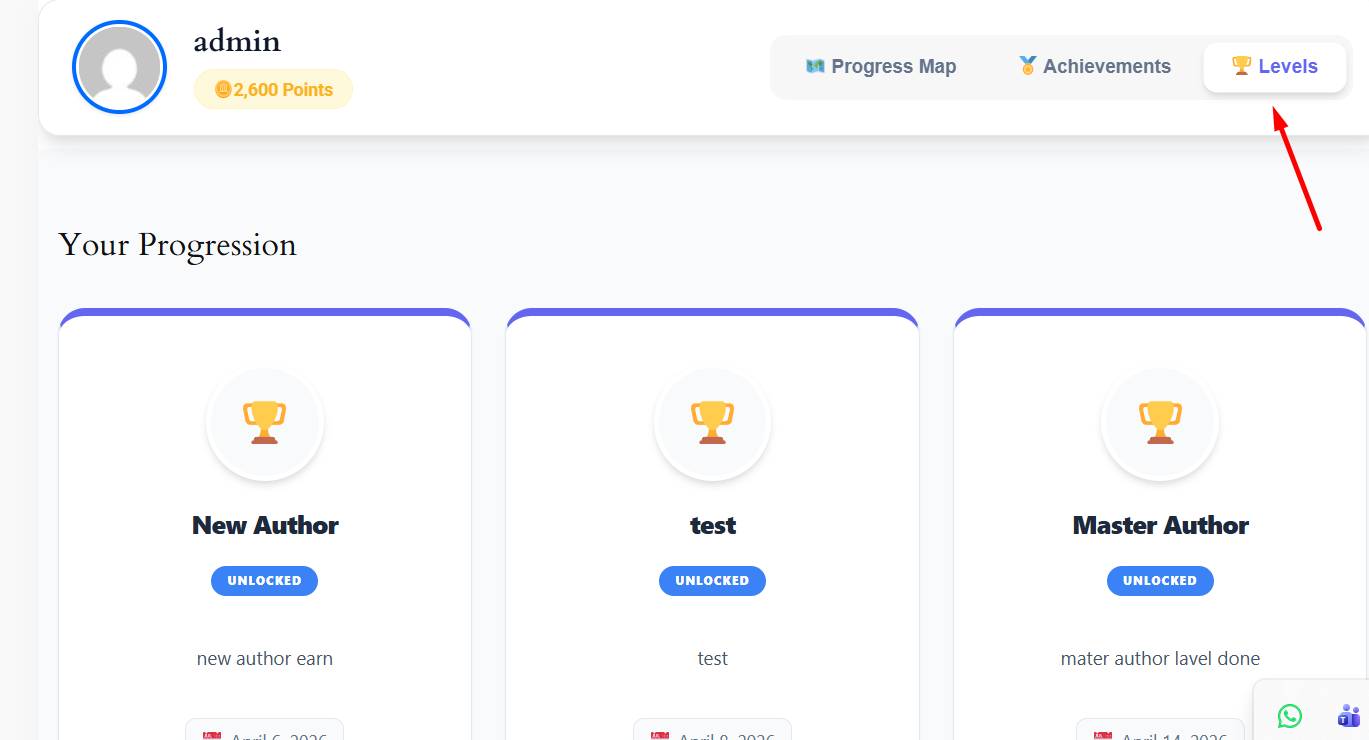
Users are much more motivated when they can see their goals. GameEngine includes a unique Visual Progress Map that displays a beautiful zig-zag roadmap of all available levels.
Simply paste this shortcode on your user profile page:
[gameengine_progress_map]
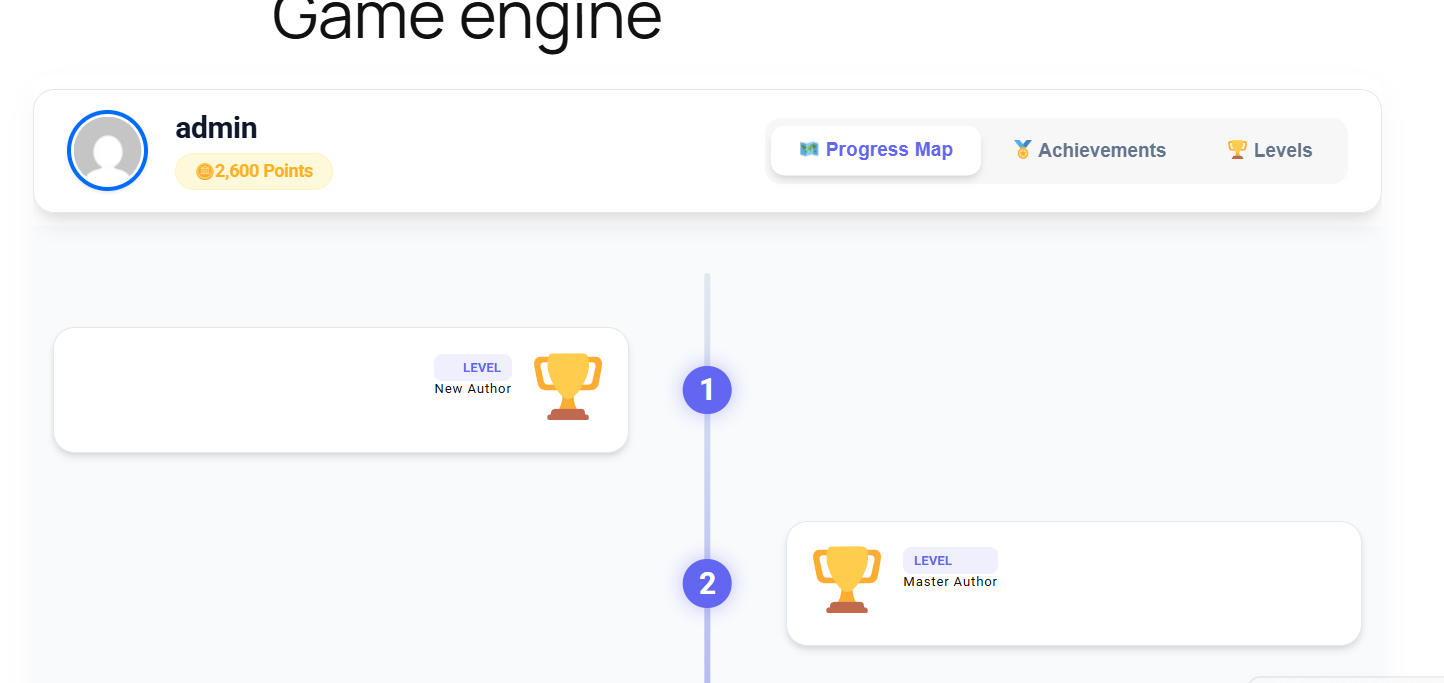
This shows the user exactly which levels they have unlocked and how far they are from the next rank.
4. Reward Users for Leveling Up
When a user works hard to reach a new rank, they deserve a celebration!
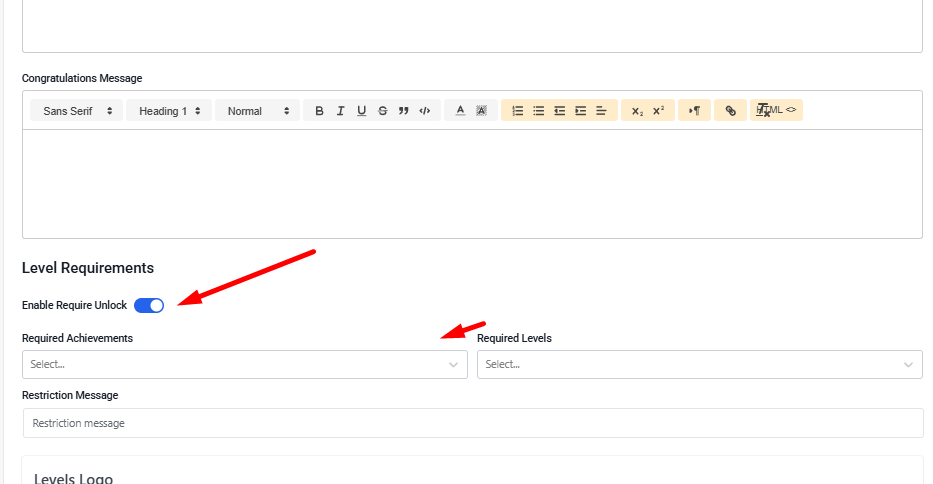
- Congratulation Messages: Set a custom message that appears when they hit a new level.
- Unlock Content: You can use our content restriction features to allow only “Level 5” users to access specific premium pages or download links.
5. Display Ranks in Headers and Profiles
Make your users proud of their status. Use these shortcodes to display their current rank anywhere on your site:
- [gameengine_level] — Displays the user’s current highest level title and icon.
- [gameengine_profile] — Displays a full dashboard with all their stats.
Why Choose GameEngine for Levels?
Most plugins charge a premium for visual roadmaps and automated leveling logic. GameEngine gives you a high-end, responsive, and easy-to-manage system completely for free.
The bottom line
A leveling system doesn’t change what your site is. It changes how using your site feels. The content, the courses, the community — all of that stays the same. But now every action accumulates toward something. Every visit is a step. Every comment matters. The journey has a shape, and users can see where they are on it.
That shift — from “I visited a website” to “I’m making progress toward something” — is the difference between a site people forget and one they come back to on purpose.
Start with three or four levels, keep the first one easy to reach, and add the progress map somewhere prominent. Watch how users respond over the first few weeks. Then layer in content unlocks and level-up bonuses as you see what motivates your specific audience.
Ready to give your users something to work toward?
GameEngine’s leveling system is completely free — including the visual progress map,
automatic leveling, and all display shortcodes. Upgrade to Pro whetailen you’re ready for the full
reward economy.
Get GameEngine free ↗ See Pro features ↗
FREQUENTLY ASKED QUESTIONS
Can a user be demoted if their points drop below a level threshold?
By default, levels are earned and held — users aren’t automatically demoted if their points balance drops. This is the recommended approach for most sites because demotion creates frustration rather than motivation. If you want a more competitive system where ranks must be maintained, you can configure demotion rules in the advanced level settings — but think carefully about whether that serves your community before enabling it.
Can I use different point types for different levels?
Each level requirement is tied to a single point type — so Level 3 might require 1,500 XP, while a separate rank system could check Coins instead. If you run multiple point currencies, you can build separate level ladders for each one. Most sites keep things simple with one point type powering the main level system, but the flexibility is there if your setup needs it.
How many levels should I create?
For most sites, three to six levels is the sweet spot. Too few and there’s nothing to work toward after the first month. Too many and the progression feels diluted — if there are twenty levels, reaching Level 4 means very little. A good rule of thumb: the top level should feel genuinely hard to reach, and the bottom level should be achievable in the first few visits. Everything in between is the journey.
Can I restrict WooCommerce product pricing based on user level?
Content restriction by level works for pages, posts, and downloadable resources. For product-level pricing based on rank, you’d typically combine GameEngine’s level detection with a WooCommerce role-based pricing plugin — assign higher-level users a specific WordPress role, then use that role for pricing rules. It’s a two-plugin approach, but it’s a clean solution for tiered membership pricing.
Will existing users get assigned a level based on their current points?
Yes. When you set up levels and point requirements, GameEngine checks existing users’ point balances and assigns them to the appropriate level retroactively. Users who already have points won’t start from scratch — they’ll land at whatever level their current balance qualifies them for. This is important to communicate when you launch the system, as some users may wake up to a level-up notification without having done anything new.